https://aeotec.freshdesk.com/support/solutions/articles/6000218764-door-windows-sensor-7-user-guide 5/9
Functions of Door / Window Sensor 7.
Open/Close
Once installed the sensor will report "open" and "close" status changes to a central Z-Wave controller using notification commands.
Tilt detection
The tilt detection allows reporting the way a window is opened. This is accomplished using the command class "binary sensor - tilt-
type". In case the window is closed or opened without tilting the tilt sensor will report "Off". In case the window is tilted an "On" is
reported. The angle of inclination of the window must be at least 5°.
Advances functions.
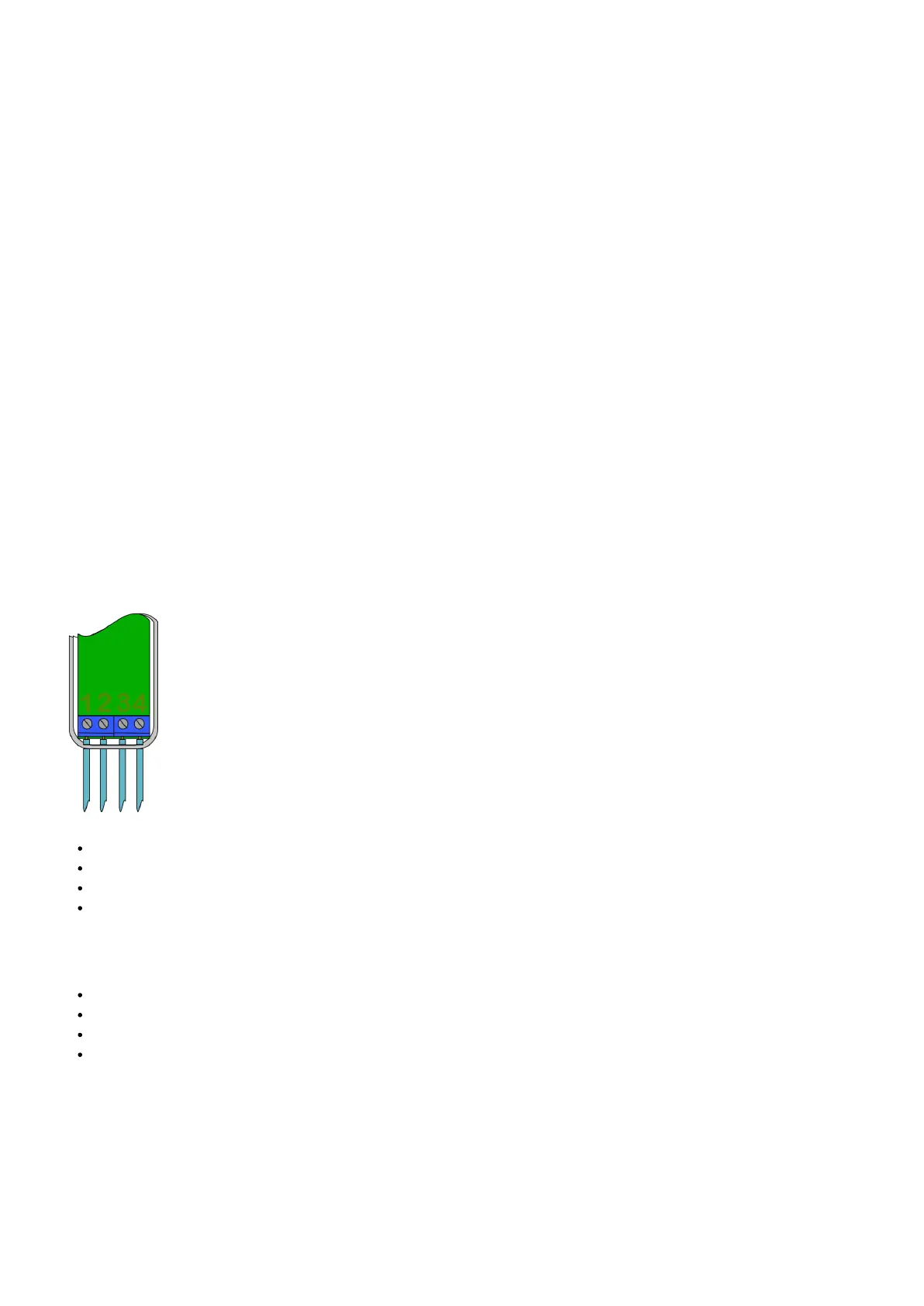
Screw Terminal.
With parameter #1 you can choose between the internal magnet or the external connections such as push buttons or dry contact
sensors.
#1: Not used.
#2: Not used.
#3: Digital Input
#4: Ground
Digital + Ground is used to connect an external dry contact mechanism to control scenes.
Push button
Water sensor probes
External magnet detection
etc.
Note: Please note that the contact Digital Input (#3) and Ground (#4) is a normally open (NO) contact. Closing the contact sends out
a command (Open or Close). You must use a NO dry contact device with these terminals.
Door / Window Sensor 7 as Dry Contact Sensor.
Using configuration commands the source of "open" and "close" events can be chosen between the internal magnet detector or
external dry contact connected on terminal #3 and #4.




 To Next Page