Aercus Instruments™ - WeatherRanger® 10 | P a g e
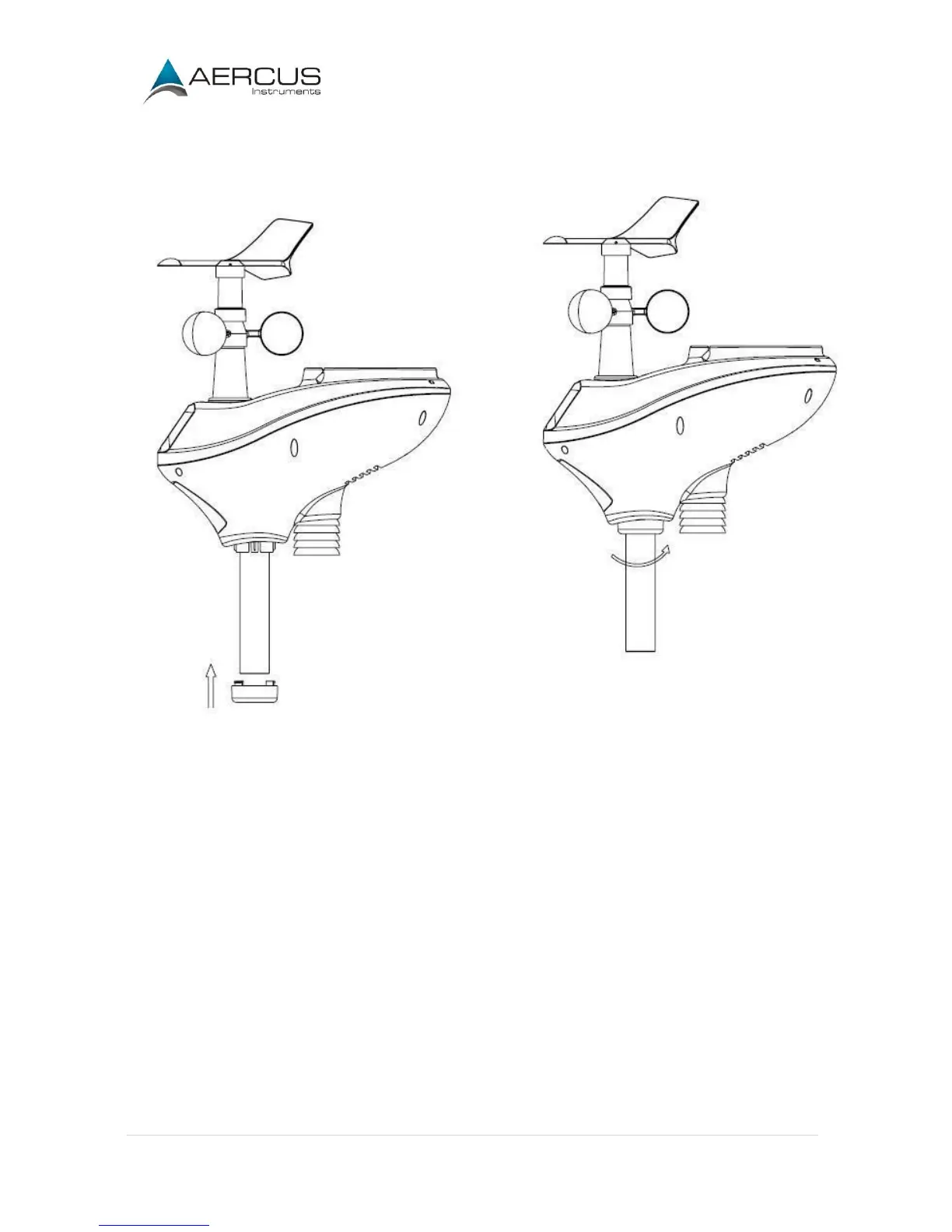
Reference Figure 5. Turn the mounting pole collar to lock the pole into place by rotating clockwise.
Figure 5
3.3.3 Install Batteries
Reference Figure 6. Locate the battery door on the bottom of the sensor array. Turn the set screw
anti-clockwise to open the battery compartment. Insert 3xAA batteries (not included). The LED
indicator on the bottom of the sensor array will turn on for four seconds and normally flash once per 16
seconds (the transmission update period).
Close the battery door and tighten the screw.


 To Next Page