EasyManua.ls Logo

Aercus WeatherRanger - Calibration Mode

Aercus WeatherRanger
55 pages
Print Icon
To Next Page IconTo Next Page
To Previous Page IconTo Previous Page
Loading...
Aercus Instruments - WeatherRanger® 38 | P a g e
Increase
alarm limit
values
Decrease
alarm limit
values
Select
value
Select
value
Scroll field
up
Scroll field
down
Enter sub-
setup
mode
Return
home
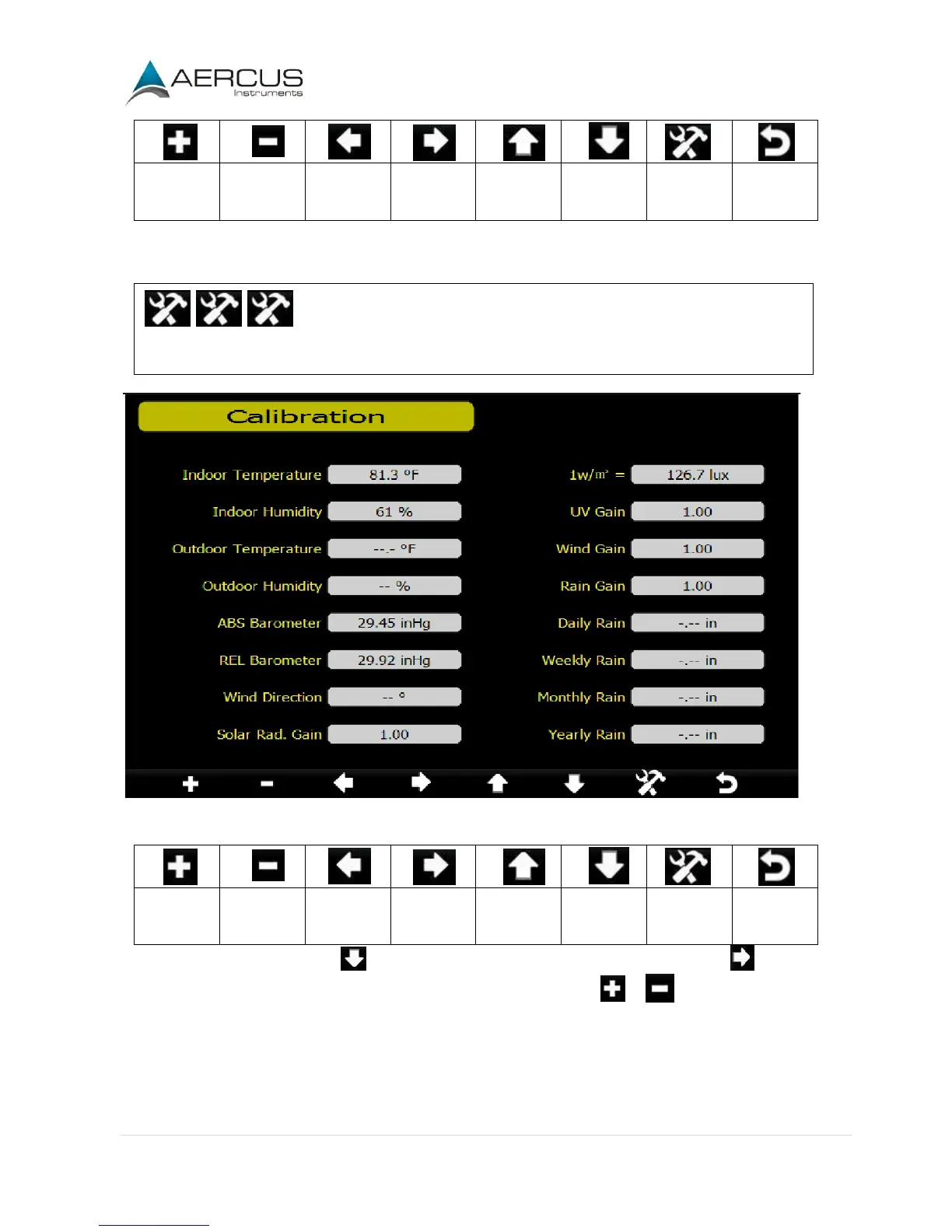
4.5 Calibration Mode
Enter the Calibration Mode.
Figure 29
Increase
calibrated
value
Decrease
calibrated
value
Select
value
Select
value
Scroll field
up
Scroll field
down
Enter sub-
setup
mode
Return
home
To adjust the parameter, press to scroll to the parameter you wish to change. Press to highlight
the sign (positive or negative, if applicable) and significant digit. Press or to change the calibrated
value.

Related product manuals