Aercus Instruments™ - WeatherRanger® 34 | P a g e
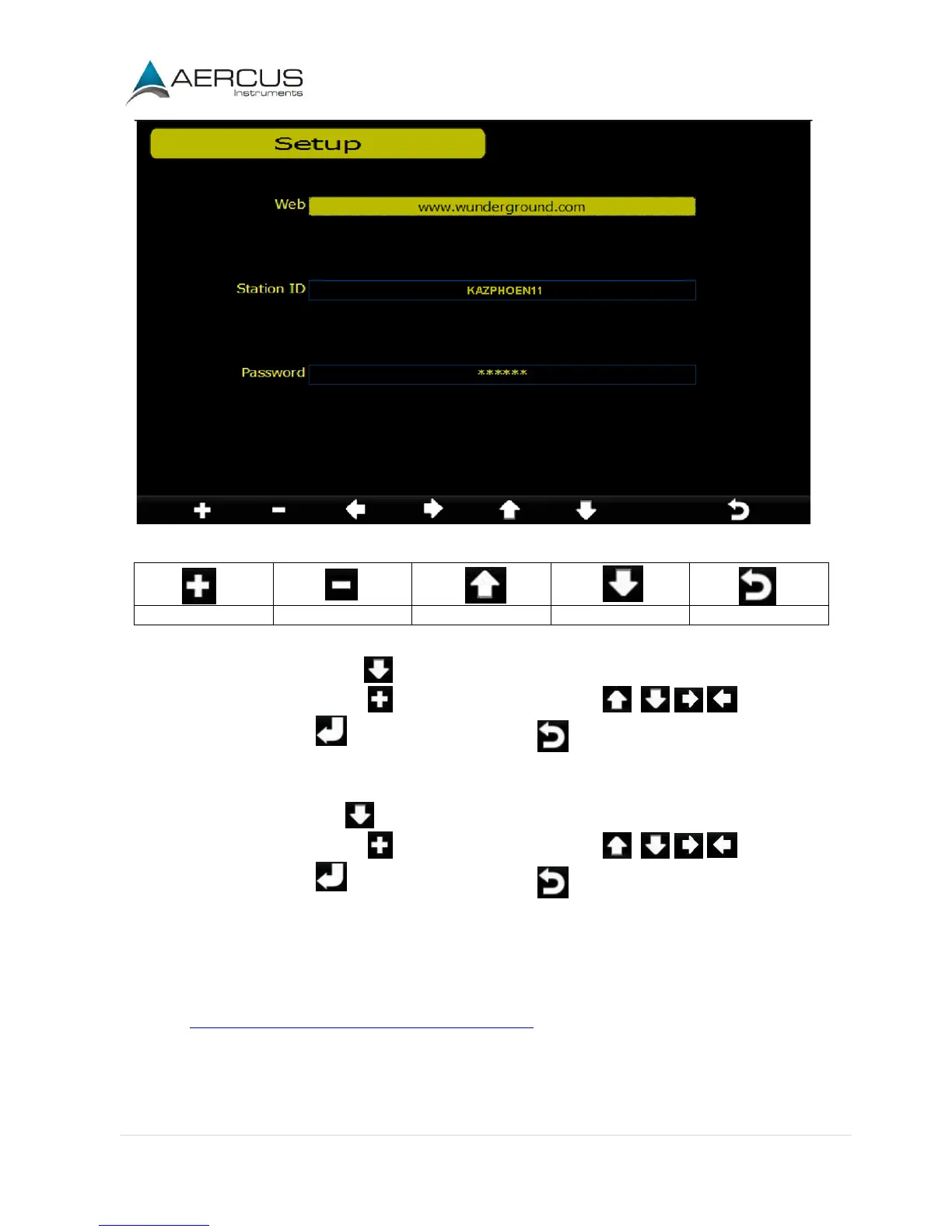
Figure 26
1. Set Station ID. Press to highlight the Station ID. Enter your station ID obtained from
Wunderground.com. Press to display the keyboard. Press to scroll to the
character and press to select the character. Press to return to the Wunderground.com setup
page.
2. Set Password. Press to highlight the Password. Enter your password obtained from
Wunderground.com. Press to display the keyboard. Press to scroll to the
character and press to select the character. Press to return to the Wunderground.com setup
page.
Note: How to create a Wunderground.com account and station ID.
1. Join the Wunderground.com community. Sign up here:
https://www.wunderground.com/members/signup.asp


 To Next Page