Need help?
Do you have a question about the AERMEC C-TOUCH and is the answer not in the manual?
Explains how to switch the unit on and off via the interface.
Describes how to select the unit's operating mode.
Details how to set the primary operating set-point.
Covers the configuration of time bands for unit operation.
Explains how to apply pre-defined timed programs.
Guides on how to change the interface language.
Explains how to use the touchscreen interface and its basic operations.
Details how to move between different pages and menus within the program.
Describes how to enter numerical values for parameters using the keypad.
Explains how to select values from a list for parameters.
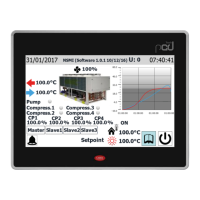
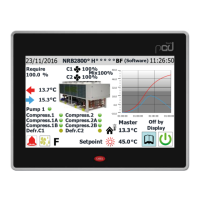
Details the information displayed in the upper bar of the Home page.
Explains the chart showing water temperature trends on the Home page.
Describes the real-time operating status information displayed on the Home page.
Covers data shown in the lower bar and navigation keys on the Home page.
Provides an overview of general input and output statuses.
Details the status of the unit's ventilation system.
Shows the status of outside temperature readings.
Explains the defrosting status for each circuit.
Lists and describes the status of PCO5 analogue inputs.
Lists and describes the status of uPC analogue inputs.
Details the status of PCO5 digital inputs.
Details the status of PCO5 digital outputs.
Details the status of uPC digital outputs.
Shows input/output status for the PCOE expansion card.
Displays input/output status for specific unit types.
Explains how to switch the unit on and off.
Covers setting the unit's operating mode and main set-points.
Details setting secondary set-points and recovery functions.
Explains setting outside temperature for automatic mode changes.
Describes setting operating modes based on a calendar schedule.
Guides on how to enter the password to access the installer menu.
Explains how to navigate and select sub-menus within the installer section.
Covers enabling ON/OFF functionality via a digital input.
Details enabling and configuring control via a remote supervisor (BMS).
Explains thermostat configuration and operating set-point types.
Details how to configure the climate curve for automatic adjustments.
Covers the configuration of antifreeze settings and pump behavior.
Explains antifreeze conditions and recovery pump configuration.
Details the configuration of fans.
Covers configuration of supplementary heaters and replacement boilers.
Provides a log of compressor operating hours and starts.
Explains master/slave configuration for power control in dual-unit systems.
Details configuration for free-cooling units.
Covers the configuration of clocks for the C-Touch and pCO5.
Explains automatic time changeover settings.
Details how to configure the system calendar for scheduling.
Provides information about the system's software version.
Displays the main alarm status and reset options.
Lists currently active alarms with details.
Shows a history of past alarms.
Provides a comprehensive list of all possible alarm codes and their meanings.
Displays temperature trends of water in the heat exchanger.
Shows the trend of compressor power on circuit 1.
Shows the trend of compressor power on circuit 2.
Displays high/low pressure trends on circuit 1.
Displays high/low pressure trends on circuit 2.
Summarizes parameters for cooling-only or heat pump units in cooling mode.
Summarizes parameters for cooling-only or heat pump units in heating mode.
Summarizes parameters for free-cooling units.
Provides a second summary page for free-cooling units.
Summarizes parameters for units with recovery function.
Details how to create timed programs for unit operation.
Guides on selecting the user interface language.
Covers general settings for the multi-purpose input U10.
Explains how to set the power limitation function.
Details setting a variable set-point function.
Covers setting the NTC signal type for input.
 General
| Brand | AERMEC |
|---|---|
| Model | C-TOUCH |
| Category | Recording Equipment |
| Language | English |

 To Next Page