Aerogen
®
Pro System Instruction Manual
15
Adding Medication
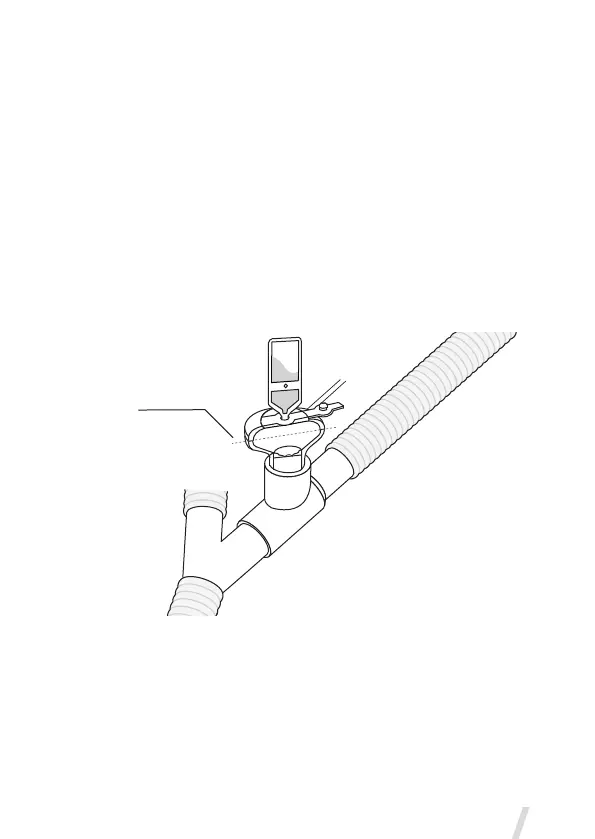
• Open the filler cap tab on the nebulizer.
• Use a pre-filled ampoule or syringe to add medication into the filler port
of the nebulizer (Figure 10).
• Close the filler cap tab.
Warning: To avoid damage to the nebulizer, do not use a syringe with a
needle.
The maximum capacity of the nebulizer is 10 mL. Do not fill the nebulizer
beyond the maximum fill indication point (Figure 10). The underside of the
filler cap represents maximum fill indication point.
Figure 10. Filling the nebulizer with a pre-filled ampoule
Note: Medication can be added in this manner during nebulization. This
does not interrupt nebulization or ventilation.
Max. fill
indication
point


 To Next Page