Aerogen
®
Pro System Instruction Manual
19
Functional Test
Perform a functional test of the Aerogen Pro System prior to first use, after
each sterilization before each patient use or at any time to verify proper
operation. Follow these steps:
1. Visually inspect each part of the system for cracks or damage and
replace if any defects are visible.
2. Pour 1-5 mL of normal saline (0.9%) into the nebulizer.
3. Connect the nebulizer to the controller using the controller cable.
Connect the AC/DC Adapter to the controller and plug the AC/DC
Adapter into an AC power source.
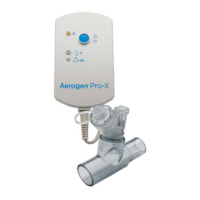
4. Press and release the blue On/Off power button and verify that the
green 15 Min. indicator light illuminates and that aerosol is visible.
5. Disconnect the nebulizer from the controller. Verify that the amber Error
Indicator lights. Reconnect the nebulizer to the controller.
6. Press the On/Off power button again to turn the system off. Press and
hold the button for at least three seconds. Verify that the green 30 Min.
indicator light illuminates and that aerosol is visible.
7. Disconnect the controller from the AC/DC Adapter and verify that
nebulization continues and that the battery status indicator turns off.
8. Turn the system off and verify that the 15 Min. and 30 Min. indicators
are off.
9. Discard any remaining liquid before patient use.


 To Next Page