EasyManua.ls Logo

AFL Noyes CSS1 Series - User Manual

AFL Noyes CSS1 Series
26 pages
Print Icon
To Next Page IconTo Next Page
Loading...
CSS1 Contractor Series Light Sources and
CSM1 Contractor Series Optical Power Meters
User’s Guide
www.AFLglobal.com or (800) 321-5298, (603) 528-7780
Question and Answer IconNeed help?

Do you have a question about the AFL Noyes CSS1 Series and is the answer not in the manual?

Summary

Safety Information

Important Safety Information

Crucial warnings and precautions for safe operation of the equipment.

Section 1: General Information

Introduction

Overview of the User's Guide purpose and scope.

Contacting NOYES Customer Service

Details on how to reach NOYES for support and inquiries.

Unpacking and Inspection

Instructions for checking the equipment upon arrival.

Recommended Accessories

List of necessary accessories for optimal use.

Section 2: Functional Description

CSS1 Series Light Sources

Detailed description of the CSS1 light source front panel features and controls.

CSM1 Series Optical Power Meters

Detailed description of the CSM1 optical power meter front panel features and controls.

Display Readings

Explanation of the information displayed on the device screens.

Section 3: Applications

Measuring Optical Power

Procedure for measuring optical power using the CSM1 meter.

Testing Fiber Links

Comprehensive guide for testing fiber optic links.

Step I - Set the Reference (One Jumper Method)

Procedure to establish a reference for fiber link testing.

Step II - Verify Test Jumpers

Method to check the performance of test jumpers for accuracy.

Step III - Measure Link Insertion Loss

Process to measure the insertion loss of a fiber optic link.

Section 4: Maintenance

Battery Replacement

Instructions for replacing the batteries in the devices.

Cleaning Optical Ports

General guidelines for maintaining clean optical ports for accurate measurements.

To Clean CSM1 Optical Port

Step-by-step guide for cleaning the optical port of the CSM1 meter.

To Clean CSS1 Optical Port

Step-by-step guide for cleaning the optical port of the CSS1 light source.

Repair and Calibration

USA Repair and Calibration services

Contact and location details for USA-based repair and calibration services.

Europe Repair and Calibration services

Contact and location details for Europe-based repair and calibration services.

Summary

Safety Information

Important Safety Information

Crucial warnings and precautions for safe operation of the equipment.

Section 1: General Information

Introduction

Overview of the User's Guide purpose and scope.

Contacting NOYES Customer Service

Details on how to reach NOYES for support and inquiries.

Unpacking and Inspection

Instructions for checking the equipment upon arrival.

Recommended Accessories

List of necessary accessories for optimal use.

Section 2: Functional Description

CSS1 Series Light Sources

Detailed description of the CSS1 light source front panel features and controls.

CSM1 Series Optical Power Meters

Detailed description of the CSM1 optical power meter front panel features and controls.

Display Readings

Explanation of the information displayed on the device screens.

Section 3: Applications

Measuring Optical Power

Procedure for measuring optical power using the CSM1 meter.

Testing Fiber Links

Comprehensive guide for testing fiber optic links.

Step I - Set the Reference (One Jumper Method)

Procedure to establish a reference for fiber link testing.

Step II - Verify Test Jumpers

Method to check the performance of test jumpers for accuracy.

Step III - Measure Link Insertion Loss

Process to measure the insertion loss of a fiber optic link.

Section 4: Maintenance

Battery Replacement

Instructions for replacing the batteries in the devices.

Cleaning Optical Ports

General guidelines for maintaining clean optical ports for accurate measurements.

To Clean CSM1 Optical Port

Step-by-step guide for cleaning the optical port of the CSM1 meter.

To Clean CSS1 Optical Port

Step-by-step guide for cleaning the optical port of the CSS1 light source.

Repair and Calibration

USA Repair and Calibration services

Contact and location details for USA-based repair and calibration services.

Europe Repair and Calibration services

Contact and location details for Europe-based repair and calibration services.

Overview

This document is a user's guide for the AFL NOYES CSS1 Contractor Series Light Sources and CSM1 Contractor Series Optical Power Meters, designed for test and inspection in fiber optic systems.

Function Description:

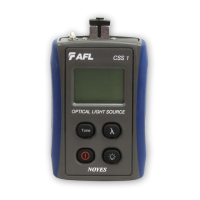
The CSS1 Contractor Series Light Sources are devices that emit continuous wave (CW) or modulated light at specific tone frequencies (270, 330, 1000, 2000 Hz). They are used to provide a stable optical signal for testing fiber optic links. The CSS1-MM models are Class 1 LED products, while CSS1-SM models are Class 1 Laser products.

The CSM1 Contractor Series Optical Power Meters are used to measure optical power in dBm or µW, or insertion loss in dB. They can detect enabled wavelengths and tone frequencies. These meters are essential for verifying the performance of fiber optic links and components.

Together, the CSS1 light sources and CSM1 power meters are used for measuring optical power and testing fiber links, including setting reference levels and measuring insertion loss.

Important Technical Specifications:

  • CSS1 Light Sources:

    • Output: Continuous Wave (CW) or modulated light at 270, 330, 1000, or 2000 Hz.
    • Output Port: Equipped with a UCI base and adapter.
    • Wavelengths: Capable of toggling between two calibrated wavelengths.
    • Battery: Features a low battery indicator on the display.
    • Auto-off: User-selectable auto-off feature.
    • Safety: CSS1-MM is a Class 1 LED product; CSS1-SM is a Class 1 Laser product.
  • CSM1 Optical Power Meters:

    • Measurements: Displays measured power in dBm or µW, or insertion loss in dB.
    • Wavelengths: Detects and displays enabled wavelengths.
    • Tone Frequency: Detects and displays tone frequency if present.
    • Optical Input: Accepts NOYES thread-on adapter caps for various connector styles.
    • Reference Setting: Allows users to store a measured level as a new reference level for loss measurements.
    • Display Range: Indicates [HI] or [LO] if power or loss is too high or low to measure.
    • Battery: Features a low battery indicator on the display.
    • Auto-off: Automatically turns off five minutes after the last key press, with an option to disable this feature.

Usage Features:

  • CSS1 Light Sources:

    • Output Port (1): Emits light, equipped with a UCI base and adapter.
    • Display (2): Shows enabled wavelength [nm] and tone frequency [Hz], and a low battery indicator.
    • [Tone/CW] key (3): Cycles through available tone frequencies or switches to CW mode.
    • [Power] key (4): Press and hold for 2 seconds to turn on/off. Hold during power-up to enable Auto-off.
    • [Backlight] key (5): Toggles backlight on/off.
    • [λ – Wavelength] key (6): Toggles between two wavelengths.
  • CSM1 Optical Power Meters:

    • Optical Input (1): Accepts NOYES thread-on adapter caps.
    • Adapter Cap (2): Required for operation, available for different connector styles.
    • Display (3): Shows measured power [dBm or µW], insertion loss [dB], enabled wavelength, tone frequency [Hz], and low battery indicator.
    • [dB/dBm/µW] key (4): Toggles between insertion loss [dB] and power [dBm]. Press and hold to view power in [µW].
    • [Power] key (5): Press and hold for 2 seconds to turn on/off. Hold during power-up to disable Auto-off.
    • [λ – Wavelength/Backlight] key (6): Cycles through calibrated wavelengths. Press and hold to toggle backlight on/off.
    • [Ref/Set Ref] key (7): Press and release to display stored reference level. Press and hold to store the currently measured level as the new reference, switching to loss [dB] mode.
  • Applications:

    • Measuring Optical Power: Connect the CSM1 to the optical output using a test jumper and appropriate adapter cap. Select the matching calibrated wavelength and display power in dBm or µW.
    • Testing Fiber Links (One Jumper Method):
      • Step I - Set the Reference: Turn on both CSS1 and CSM1, allow stabilization. Set both to the desired wavelength. Connect a transmit jumper (wrapped around a mandrel) from the CSS1 to the CSM1. Set the reference level on the CSM1 to 0 dB.
      • Step II - Verify Test Jumpers: Disconnect the transmit jumper from the CSM1. Connect a receive jumper to the CSM1. Mate the transmit and receive jumpers using an adapter. Verify insertion loss is under 0.75 dB (TIA standard, NOYES recommends 0.4-0.5 dB). Clean or replace jumpers if loss is unacceptable.
      • Step III - Measure Link Insertion Loss: Disconnect jumpers from the adapter. Connect the transmit and receive jumpers to the link under test. The CSM1 will display the link's insertion loss. Record the loss and repeat for all links.

Maintenance Features:

  • Battery Replacement:
    1. Remove the battery compartment cover.
    2. Replace discharged batteries.
    3. Replace the battery compartment cover.
  • Cleaning Optical Ports:
    • CAUTION: Turn instruments OFF before cleaning.
    • Keep optical ports and connector end faces free from dirt and contaminants.
    • Always clean test jumpers before use. Keep dust caps in place when not in use.
    • For CSS1 light sources, test jumpers, and fiber frames/adapters: Use AFL FCC2 connector cleaning fluid and AFL CCT molded cleaning tips.
    • For CSM1 optical ports and adapter caps: Use lint-free optical cleaning wipes (e.g., AFL FiberWipes), optical quality cleaning fluid (e.g., AFL FCC2 or 99% pure IPA), and filtered compressed air.
    • To Clean CSM1 Optical Port:
      1. Unscrew adapter cap.
      2. Dampen a lint-free wipe with cleaning fluid. Gently wipe the exposed optical port from wet to dry section.
      3. Blow out contaminants from the adapter cap with filtered compressed air (held vertically).
      4. Replace adapter cap.
    • To Clean CSS1 Optical Port:
      • Using AFL CCTS cleaning tips and FCC2 cleaning fluid: Fill FCC2 well. Dip CCTS tip into well to dampen. Place damp tip in adapter until it touches the ferrule. Rotate tip clockwise 10 revolutions with varying pressure. Discard tip after use.
      • Using AFL ACT cleaning sticks: Place ACT tip in adapter until it touches the ferrule. Ensure stick is held straight. Apply sufficient pressure (approx. 600-700g) to depress ferrule slightly. Rotate stick clockwise 4-5 times, maintaining direct contact with ferrule end-face. Discard stick after each use.
  • Repair and Calibration:
    • AFL recommends calibration every 12 months by an authorized NOYES calibration facility.
    • Authorized facilities are ISO 9001 certified and traceable to national standards.
    • Contact customer service for a return authorization number before sending equipment for repair or calibration.
    • USA Repair and Calibration services: NOYES Test and Inspection Division, 16 Eastgate Park Road, Belmont, NH 03220. Tel: 800-321-5298 or 603-528-7780.
    • Europe Repair and Calibration services: Fujikura Europe Ltd., C51 Barwell Business Park, Leatherhead Road, Chessington, Surrey, KT9 2NY. Tel: +44 (0) 208 240 2020.

AFL Noyes CSS1 Series Specifications

General IconGeneral
BrandAFL
ModelNoyes CSS1 Series
CategoryMeasuring Instruments
LanguageEnglish

Related product manuals