Operation 17
4510003 Rev B
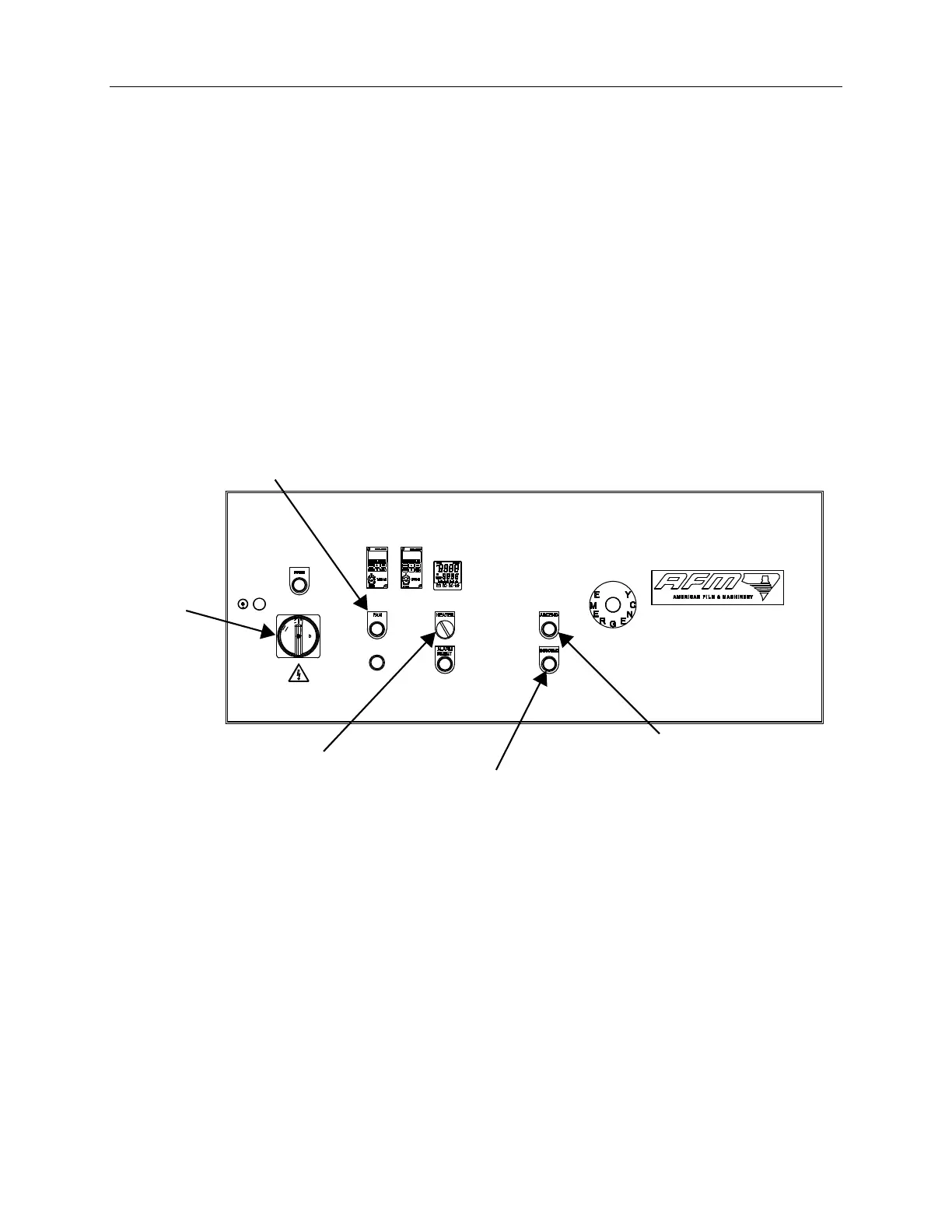
Running Product
1. Turn the Tunnel Power Switch to the ON position.
2. Press the ASCEND and DESCEND height adjustment buttons on the tunnel to set
the correct height for the product.
NOTE: In Manual Mode, press the ASCEND button to raise the tunnel. Press the
DESCEND button to lower the tunnel. In Auto Mode, the tunnel rises when the
conveyor has stopped. To use Auto Mode, the Conveyor Input wire must be
connected.
3. Turn on the Conveyor.
4. Turn on the Fan power button.
5. Turn on the HEATER power switch.
Fan Power Button
Heater Power Switch
Ascend Button
Descend Button
T
unnel
Power
Switch



 To Next Page