EasyManua.ls Logo

AFM LX-150 - User Manual

Default Icon
246 pages
Print Icon
To Next Page IconTo Next Page
Loading...
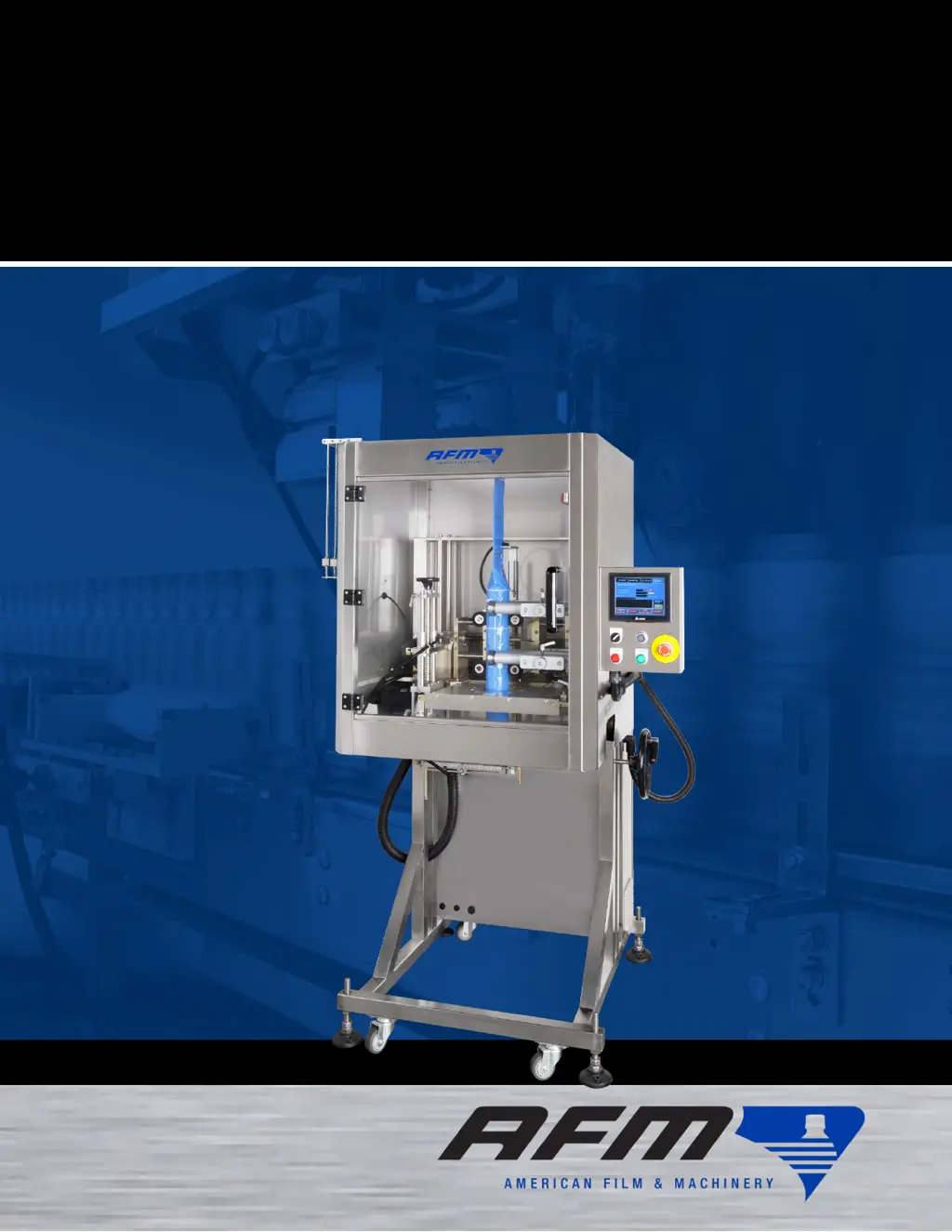
LX-150
Shrink Sleeve Label Applicator
User Guide

Table of Contents

Questions and Answers

  • U
    uwilliamsAug 15, 2025
    What to do if the motor stops working in my AFM LX-150?
    • A
      Audrey CruzAug 15, 2025
      If the motor stops working, several factors could be at play. First, check the fuse and replace it if it's blown. Second, examine the main power and cords to ensure the motor's phase is correct. Third, verify the stepper and servo motors are functioning correctly and that their parameters are set appropriately. Finally, the motor itself might be burned out, requiring a replacement.
  • B
    brianna78Aug 18, 2025
    Why is the PLC control incorrect in my AFM LX-150 Industrial Equipment?
    • E
      ehardingAug 18, 2025
      If the PLC control is incorrect, there are several things you can check. Ensure the switch is in the “RUN” position. Verify there is a power connection to the PLC by checking the source voltage. Check to see if the sensor is working, and is correctly wired, because there may be no signal at the sensor. Check the relay for sound and correct line connections; replace it if damaged. If none of these steps work, the PLC may be damaged and require replacement.
  • J
    James SmithAug 21, 2025
    How to fix power shutting down issue in AFM LX-150 Industrial Equipment?
    • C
      Cindy BerryAug 21, 2025
      If the power is shutting down, the cause may be an internal plant or machine shut-off. To resolve this, turn the switch to the “OFF” position, and then re-start. Also, if the switch is loose, it may need to be replaced.
  • M
    Megan ChristensenAug 25, 2025
    What to do if I have HMI display problems with my AFM LX-150 Industrial Equipment?
    • C
      Chad FloydAug 25, 2025
      If you are experiencing HMI display problems, there are a few things to investigate. First, check the DC Voltage to ensure there is power to the HMI input. Next, check the wiring connections between the PLC and the HMI to confirm there is a signal from the PLC. If these steps don't resolve the issue, the HMI may be damaged and require replacement.
  • M
    mgoldenAug 28, 2025
    What to do if labels are being cut too short or in the wrong place on my AFM LX-150?
    • T
      Tony WilliamsAug 28, 2025
      To correct labels being cut too short, too long, or in the wrong place on your AFM Industrial Equipment, first, check if the correct recipe is loaded. If not, load the correct one. Then, adjust the height of the Print-Reading Sensor and/or the Print Reg Dwell setting. Also, adjust the Film Drive Wheels if they are not tight enough against the Film Drive Bearings. Clean the Print-Reading Sensor Lens if it's dirty or dusty. Reevaluate the recipe settings, and adjust the Print-Reading Sensor’s sensitivity.
  • D
    David JohnsonAug 31, 2025
    Why are labels missing the bottles on my AFM LX-150?
    • A
      arthur33Aug 31, 2025
      If labels are missing from bottles on your AFM Industrial Equipment, first check the centerline positioning of bottles relative to the bottom of the Mandrel and adjust the position of the Conveyor if needed. Reduce the Timing Screw Assembly and Conveyor speed if you're attempting to label too many bottles per minute. Move the Work Detective Sensor if it is too far upstream or downstream. Finally, adjust the height of the Head Assembly if the Mandrel is too far up from the tops of the bottles or too close to them.
  • T
    Tina GarciaSep 3, 2025
    How to fix rough or ragged cut marks on AFM LX-150?
    • K
      Kristin AndrewsSep 4, 2025
      Rough or ragged cut marks on your AFM Industrial Equipment labels can be caused by debris in the Cutter Notch. Clean the Cutter Notch to resolve this. Alternatively, the Cutter Blades may be dull or damaged, in which case you should replace them. Also, ensure that the Cutter Blades are starting from their home position.
  • J
    Jerry ChavezSep 7, 2025
    What to do if labels are bouncing back up off the bottles with my AFM LX-150 Industrial Equipment?
    • R
      Roberto HurleySep 7, 2025
      To stop labels from bouncing back up off the bottles on your AFM Industrial Equipment, adjust the Application Wheel speed.
  • T
    Tony AguilarSep 10, 2025
    How to resolve 'burnout marks' on labels from my AFM LX-150 Industrial Equipment?
    • T
      Tanya KingSep 10, 2025
      If labels have “burnout marks” on your AFM Industrial Equipment, it may be because the Applicator Wheels are not tight enough against the Mandrel. Tighten the Applicator Wheels as needed.

Summary

Safety

Warnings

Key safety warnings for operation, setup, and maintenance.

Understanding Safety Notifications

Explains DANGER, WARNING, CAUTION, ATTENTION symbols and their meanings.

Cautions

Lists specific hazards like Cutting, Electrical, Fume, Pinch, Crush, Fire.

Equipment

Standard Equipment

Lists the core components included with the LX-150 Shrink Sleeve Label Applicator System.

Standard Accessories

Details the Timing Screw and Brushdown Assemblies as standard accessories.

Optional Equipment

Lists additional equipment that may be needed for specific labeling tasks.

Customer-Supplied Equipment

Lists items like safety gear that the customer must provide.

Introduction

General Overview

Describes the LX-150's function, interaction with UR-1, and heat shrink tunnel options.

UR-1: Detailed Overview

Explains the UR-1 Unwind System's components and function in feeding label film.

LX-150 Components Overview

Overviews Mandrel, Cutter Assembly, Chassis, HMI, and other key LX-150 parts.

Installation

General Installation Considerations

Covers space, power, orientation, access, ventilation, humidity, and traffic.

Physical Installation Process

Details steps for physically setting up the LX-150 and its components.

Software

Software Navigation and Controls

Covers software map, common buttons, and main screens (Other, Manual, Setting, Work).

Alarm Notifications and Troubleshooting

Details system alarms, their causes, and steps to address issues.

Common Procedures

Tensioner Adjustment

Describes how to unlock, adjust, and lock the tensioner for the cutter drive belt.

Film Drive Wheels Adjustment

Details unlocking, adjusting, and locking film drive wheels for proper film advance.

Support Wheels Adjustment

Explains unlocking, adjusting, and locking upper and lower support wheels.

Applicator Wheels Adjustment

Details unlocking, adjusting, and locking applicator wheels for label placement.

Setup

Cutter Blade Positioning

Steps to position cutter blades to their home position for proper cutting.

Installing the Label Film

Procedure for loading and orienting label film rolls onto the UR-1.

Threading the Label Film

Guides on threading film from UR-1 through the LX-150's Mandrel.

Fine-Positioning Film for Cutting

Adjusting film position for accurate cuts using recipes and sensors.

Operation

Powering the System On

Steps to safely power on the LX-150 machine and its components.

Emergency Stop (E-Stop) Procedure

Explains the function and procedure for using the E-Stop button in emergencies.

Loading and Testing a Recipe

Guides on selecting, loading, and testing a product labeling recipe.

Applying Labels

Steps to start the labeling process using the HMI and readying peripherals.

Switching Film Rolls

Procedure for switching film rolls mid-project without re-threading.

Powering the System Off

Safe procedure to power down the LX-150 machine after use.

Maintenance

Preventative Maintenance Schedule

Outlines regular checks and part replacements for optimal performance.

General Cleaning Procedures

Instructions for cleaning the exterior and interior of the LX-150 and UR-1 machines.

Cleaning Sensors

Steps for cleaning the Print Reading and Work Detective Sensor eyes/reflectors.

Mandrel Removal and Cleaning

Procedure for removing the Mandrel for cleaning the Cutter Notch or other tasks.

Checking and Replacing Mandrel Bearings and Wheels

Checking Mandrel bearings/wheels and replacing them annually.

Cutter Assembly Removal and Blade Replacement

Cutter assembly removal, blade/belt/bearing replacement, belt checks.

Greasing Adjustment Shafts

Annual greasing of shafts for Head Height, Applicator Wheel, Film Drive, and Support Wheel adjustments.

Replacing Drive and Support Wheels

Procedures for replacing Film Drive, Support, and Applicator Wheels.

Print Reading Sensor Sensitivity Adjustment

Steps to adjust the Print Reading Sensor's sensitivity for correct label detection.

Cleaning the Electronics Cabinet

Instructions for safely cleaning the electronics cabinet using compressed air.

Troubleshooting

Label Burnout Marks Issues

Addresses labels with burnout marks, likely due to applicator wheel tension.

Label Placement and Bottle Alignment Issues

Resolves issues with labels missing bottles or bouncing off, related to alignment and speed.

Rough or Ragged Cut Marks

Troubleshooting guide for rough cut marks caused by debris or dull blades.

Incorrect Label Cut Length or Position

Addresses issues with labels cut too short, long, or in the wrong place.

Electrical Schematics

LX-150 Model Schematics (220 V & 480 V)

Provides detailed electrical schematics for various LX-150 configurations and voltages.

Diagrams and Parts Lists

UR-1 and Dancer Assembly Parts

Exploded views and part lists for the UR-1 unwind and Dancer assemblies.

Cutter Assembly Parts

Exploded view and parts list for the Cutter Assembly.

Applicator Wheel Vertical Adjust Parts

Exploded view and parts list for the Applicator Wheel Vertical Adjust mechanism.

LX-150 Frame and Head Height Adjust Parts

Parts breakdown for the LX-150 machine frame and head height adjustment assembly.

Housing Assembly Parts

Exploded views and parts lists for the LX-150 machine housing and related components.

Wheel Assemblies Parts

Exploded views and parts lists for Support, Film Drive Wheels, and Timing Screw assemblies.

Video Library

Instructional Videos

Provides links and QR codes to instructional videos for LX-150 setup and operation.

Capabilities Videos

Links to videos demonstrating specific machine capabilities like multi-pack sleeving.

Warranty Statement

Warranty Terms and Limitations

Covers warranty period, limitations, exclusions, and conditions for the LX-150.

Technical Support

Contact Information

Provides contact details for AFM reseller or technical support for assistance.

AFM LX-150 Specifications

General IconGeneral
BrandAFM
ModelLX-150
CategoryIndustrial Equipment
LanguageEnglish

Related product manuals