Operation 145
4510001 REV B - 220620
Powering the System Off
When done labeling for the day, the system should be powered off.
To Power the System Off:
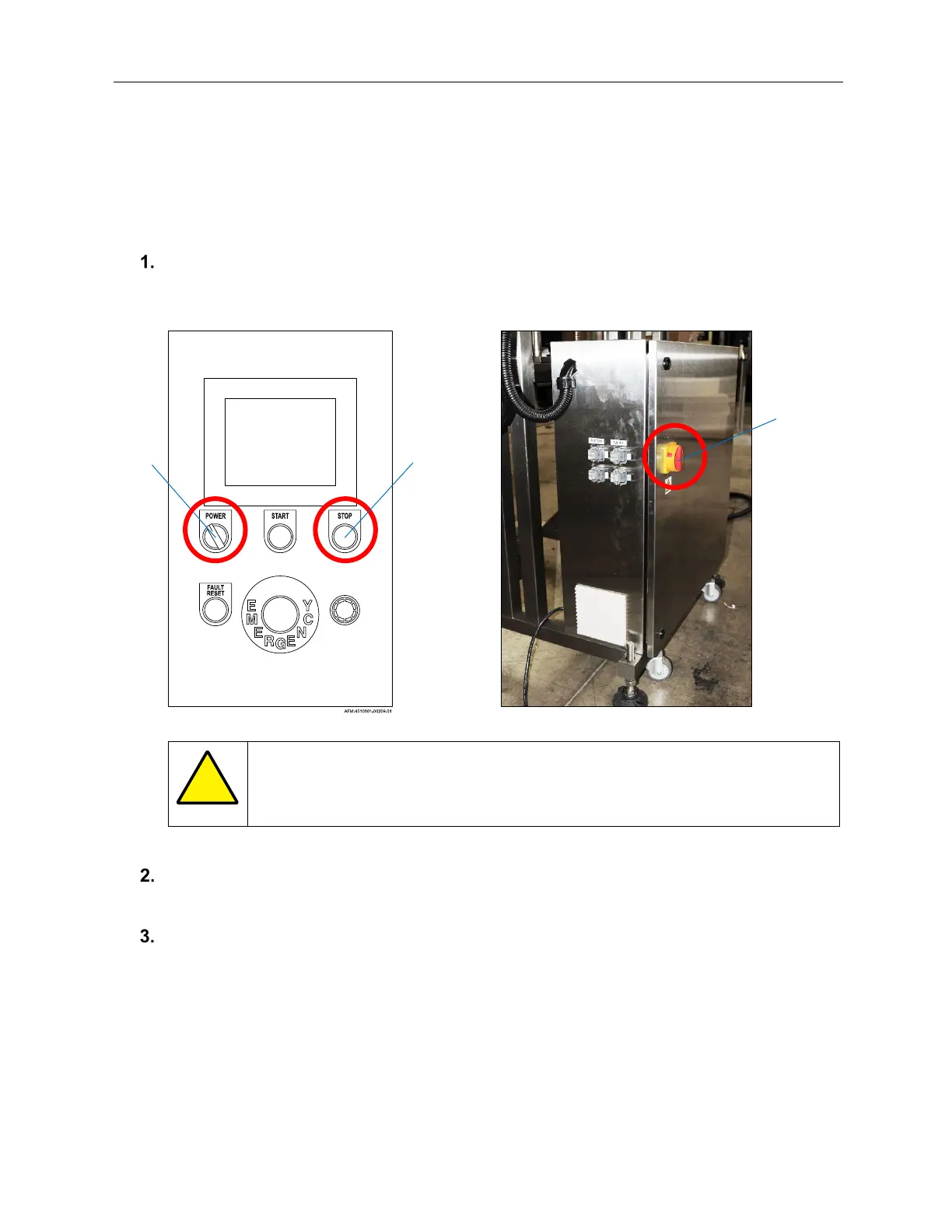
On the HMI, press the Stop Button.
ATTENTION: Do not use the E-Stop Button for routine pauses or halts to
production, as this can damage the system over time. Instead, press the
Stop Button.
On the HMI, turn the Power Switch counterclockwise to the “Off” position.
On the back of the Electronics Cabinet, turn the Main Power Switch counterclockwise to
the “Off” position.
Power
Switch
Stop
Button
AFM-4510001-00053-01
Main
Power
Switch



 To Next Page