Software 93
4510001 REV B - 220620
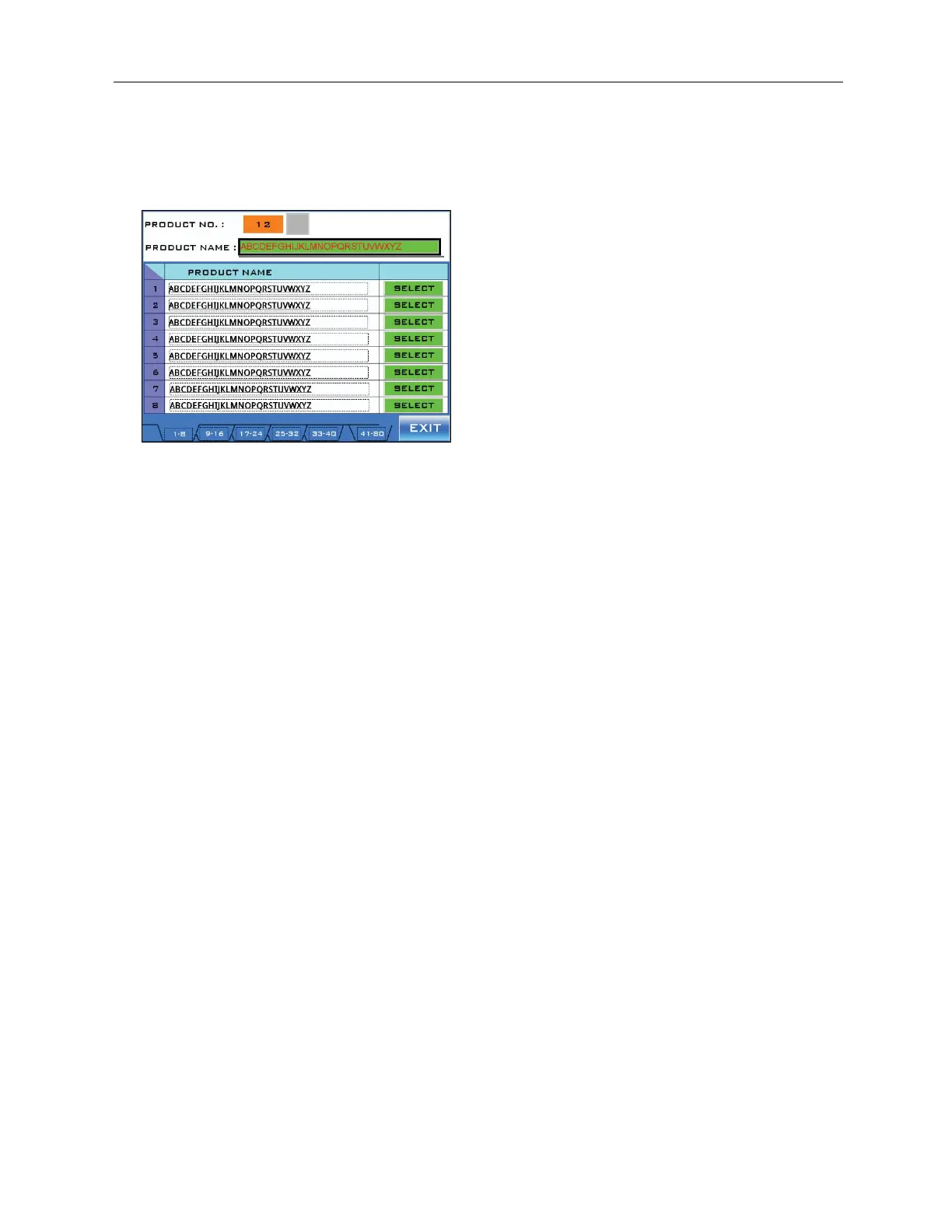
Product Selection Screen
Accessed from Setting Screen 1.
The Product Selection Screen provides access to up to 80 different preset labeling recipes.
“Product No.” Field:
Displays the number of the currently selected recipe.
“Product Name” Field:
Displays the name of the currently selected recipe.
“Product Name” Column:
Displays the name of up to eight recipes.
“Select” Button:
Touching the “Select” Button to the immediate right of a recipe selects that recipe.
“Page” Buttons:
The “Page” Buttons at the bottom of the screen allow the user to scroll through different
pages, each of which can have up to eight recipes.
• Selecting the “25-32” Button, for example, displays the Screen for the 25
th
-32
nd
recipes.
• Selecting the “41-80” Button changes the buttons to read “1-40,” “41-48,” “49-56,”
“57-64,” “65-72,” and “73-80.”



 To Next Page