154 Maintenance
4510001 REV B – 220620
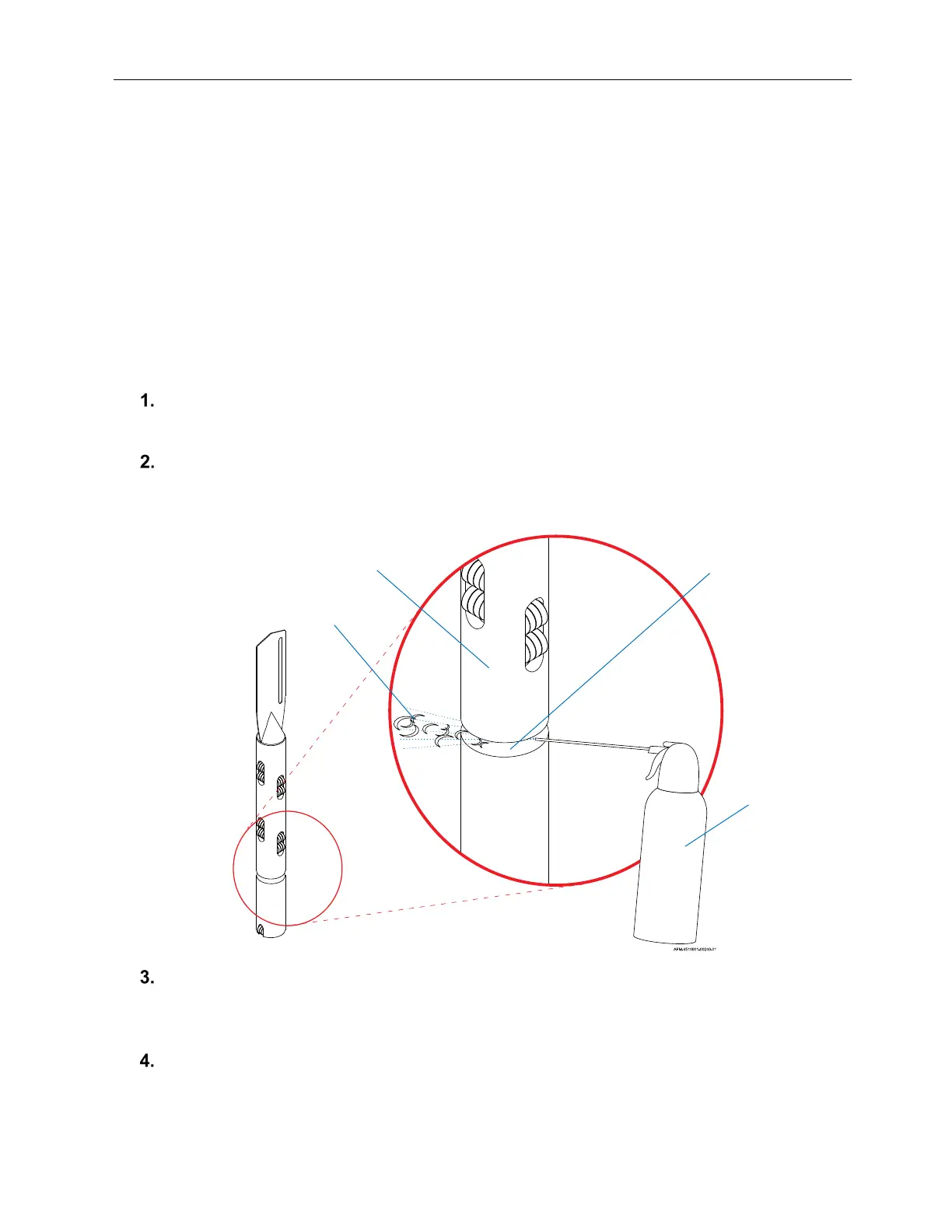
Cleaning the Cutter Notch
Over time, small slices of film can become wedged into the Cutter Notch of the Mandrel. These
should be removed for consistently smooth operation.
Items Needed to Clean the Cutter Notch:
• Cut-Resistant Work Gloves
• Compressed Air
To Clean the Cutter Notch:
Remove the Mandrel (see “Removing the Mandrel” on page 152).
Examine the Cutter Notch for any debris.
If needed, spray Compressed Air into the Cutter Notch until all debris has been
removed.
To resume labeling, reinstall the Mandrel (see “Installing the Mandrel” on page 56) and
close the Front Door of the LX-150.
Cleaning the Cutter Notch
Cutter Notch
Mandrel Body
Compressed
Air
Debris



 To Next Page