84 Software
4510001 REV B – 220620
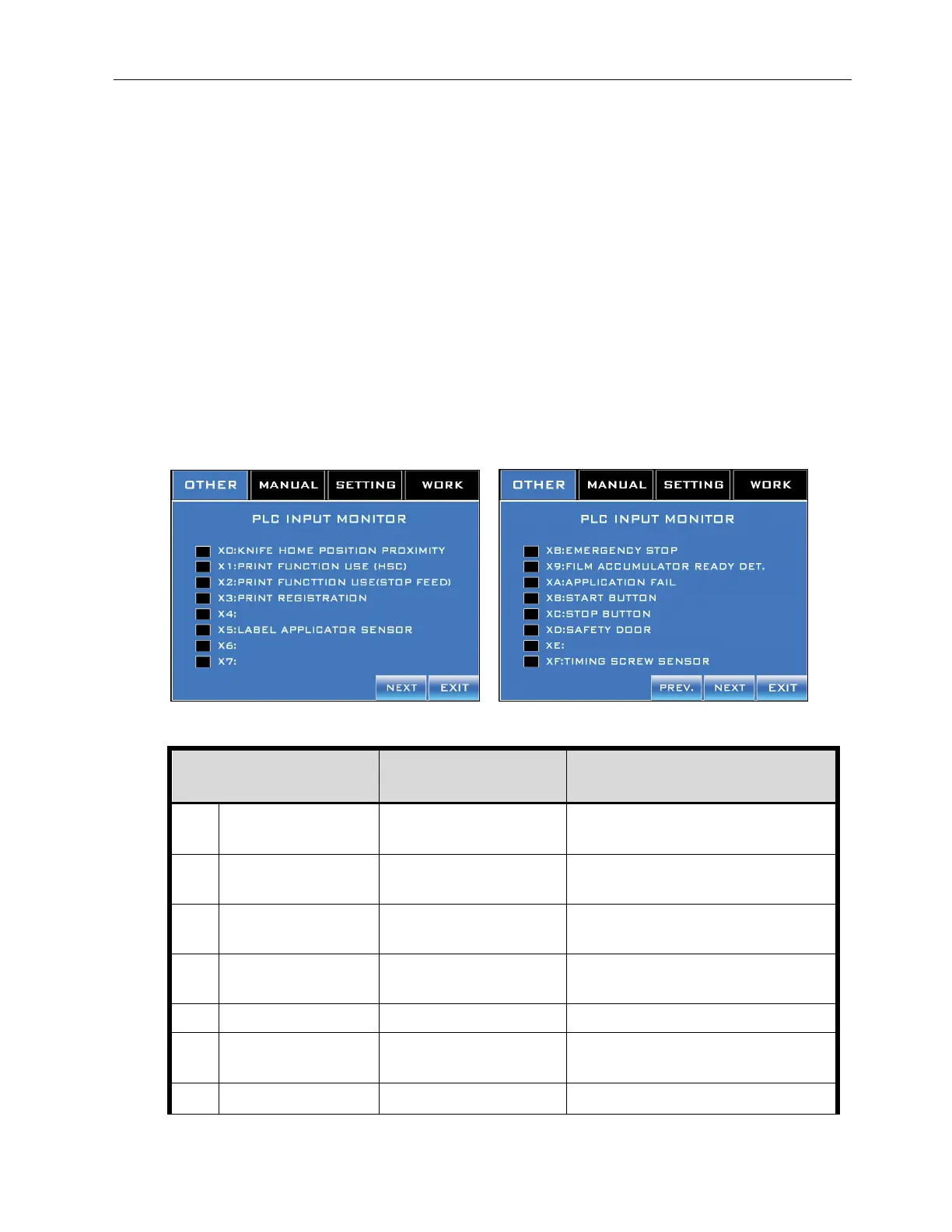
PLC I/O Monitor Screens
Accessed from the Other Screen.
The PLC I/O Monitor Screens are diagnostic tools for determining the functionality of
different components of the LX-150. A box being checked indicates that the input or output
for that component has been triggered. This is useful for testing purposes.
For example, if the E-Stop Button on the HMI has been pushed, the box next to “X8:
Emergency Stop” on the PLC Input 2 Screen should be checked, indicating that the input
for the E-Stop Button has been triggered. If the E-Stop Button has been pushed and the box
next to “X8” is not checked, it is a clue that there may be a malfunction in the input for the E-
Stop Button.
PLC Input 1 and 2 Screens
The PLC Input Screens indicate an input error for the component listed.
Input Refers to Meaning
X0
Knife Home Position
Proximity
Input for the Cutter Home
Position Sensor
: Currently on
⬜: Not currently on
X1
Print Function Use
(HSC)
Input from Film Feed Servo
Drive to trigger the PLC
: Currently on
⬜: Not currently on
X2
Print Function Use
(Stop Feed)
Input from Film Feed Servo
: Currently on
⬜: Not currently on
X3 Print Registration
Input for Print-Reading
Sensor
: Currently on
⬜: Not currently on
X4 N/A
X5
Label Application
Sensor
Input for Work Detective
Sensor
: Currently on
⬜: Not currently on
X6
N/A



 To Next Page