94 Software
4510001 REV B – 220620
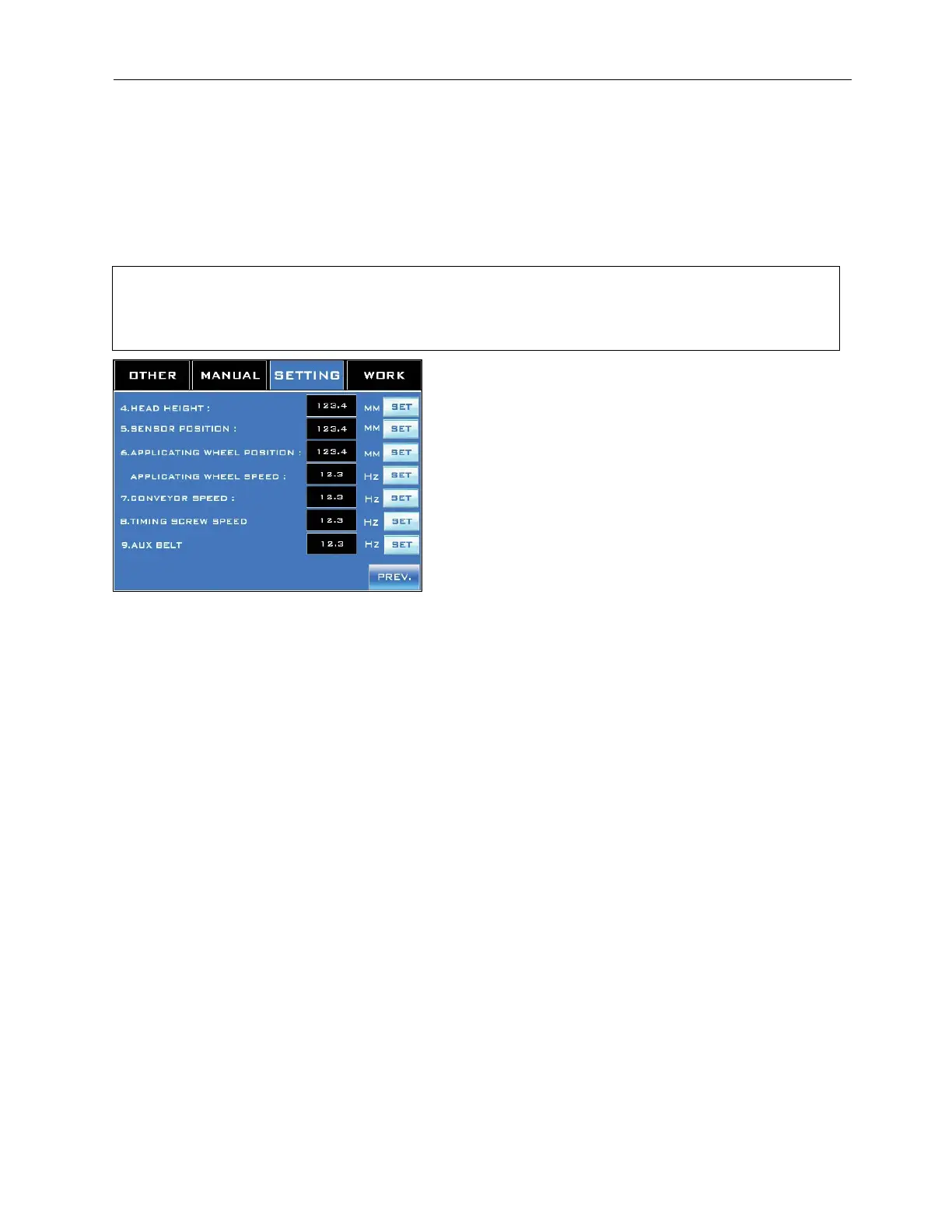
Setting Screen 2
Accessed from Setting Screen 1.
Setting Screen 2 displays some general parameters for the currently selected recipe. Many of
these do not require input, but are instead for record-keeping purposes. If a new value is input
into a field, select “Set” to accept it.
NOTE: These numbers should be considered general guidelines for the recipe rather than
precise calibrations. Over time and with vibrations of the machinery, the actual numbers can
begin to drift and may need to be readjusted.
“Head Height” Field:
A record-keeping field displaying the height of the Head Assembly (in mm) above the
Conveyor.
If a new value is input, select “Set” to accept it.
“Sensor Position” Field:
A record-keeping field displaying the position (in mm) of the Work Detective Sensor.
If a new value is input, select “Set” to accept it.
“Applicating Wheel Position” Field:
A record-keeping field displaying the vertical position (in mm) of the Applicator Wheels along
the length of the Mandrel.
If a new value is input, select “Set” to accept it.
“Applicating Wheel Speed” Field:
Sets the amount of power supplied to the Applicator Wheels (in Hz), which translates to the
speed of the Wheels. A higher value causes the Applicator Wheels to shoot the label down
onto the product faster. This is a “live” field. Select “Set” to accept an entered value.
“Conveyor Speed” Field:
A record-keeping field displaying the amount of power supplied to the Conveyor (in Hz),
which translates to the speed of the Conveyor. A higher value causes the Conveyor to move
faster.
If a new value is input, select “Set” to accept it.



 To Next Page