92 Software
4510001 REV B – 220620
“Feeding Time” Field:
Sets the length of time for the film to advance one label length by adjusting the speed of the
Film Drive Wheels. Select “Set” to accept the value.
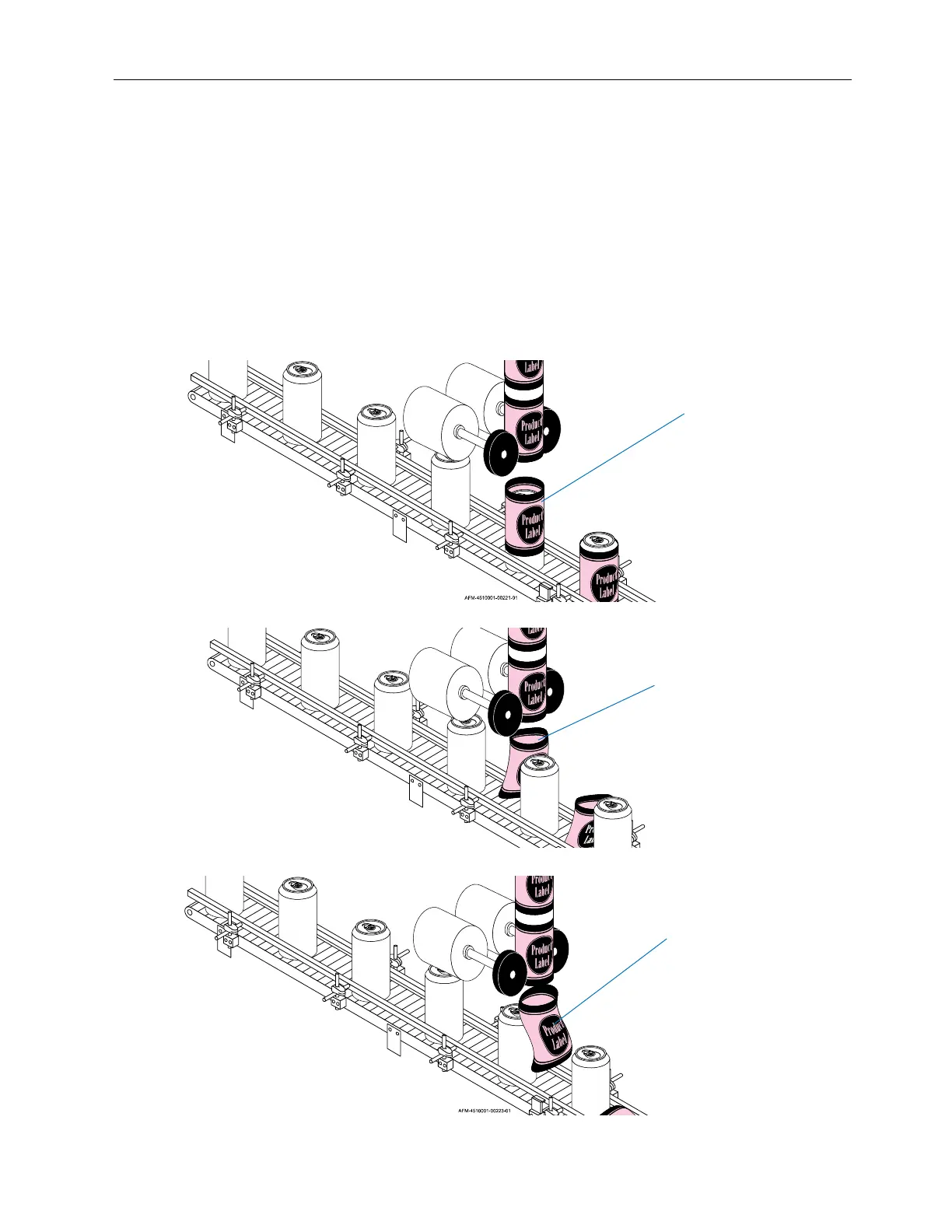
Band Release Delay:
Sets the timing of the Applicator Wheels shooting a label down onto a passing bottle. Values
are entered using the Number Buttons below the “Application Delay” field. The negative
values decrease the delay time, causing the label to be applied sooner. The positive values
increase the delay time, causing the label to be applied later. Select Set to accept the value.
Correctly Timed Labels
Labels Being Applied Too Late:
Band Release Delay value should
be decreased
Labels Being Applied Too Soon:
Band Release Delay value should
be increased



 To Next Page