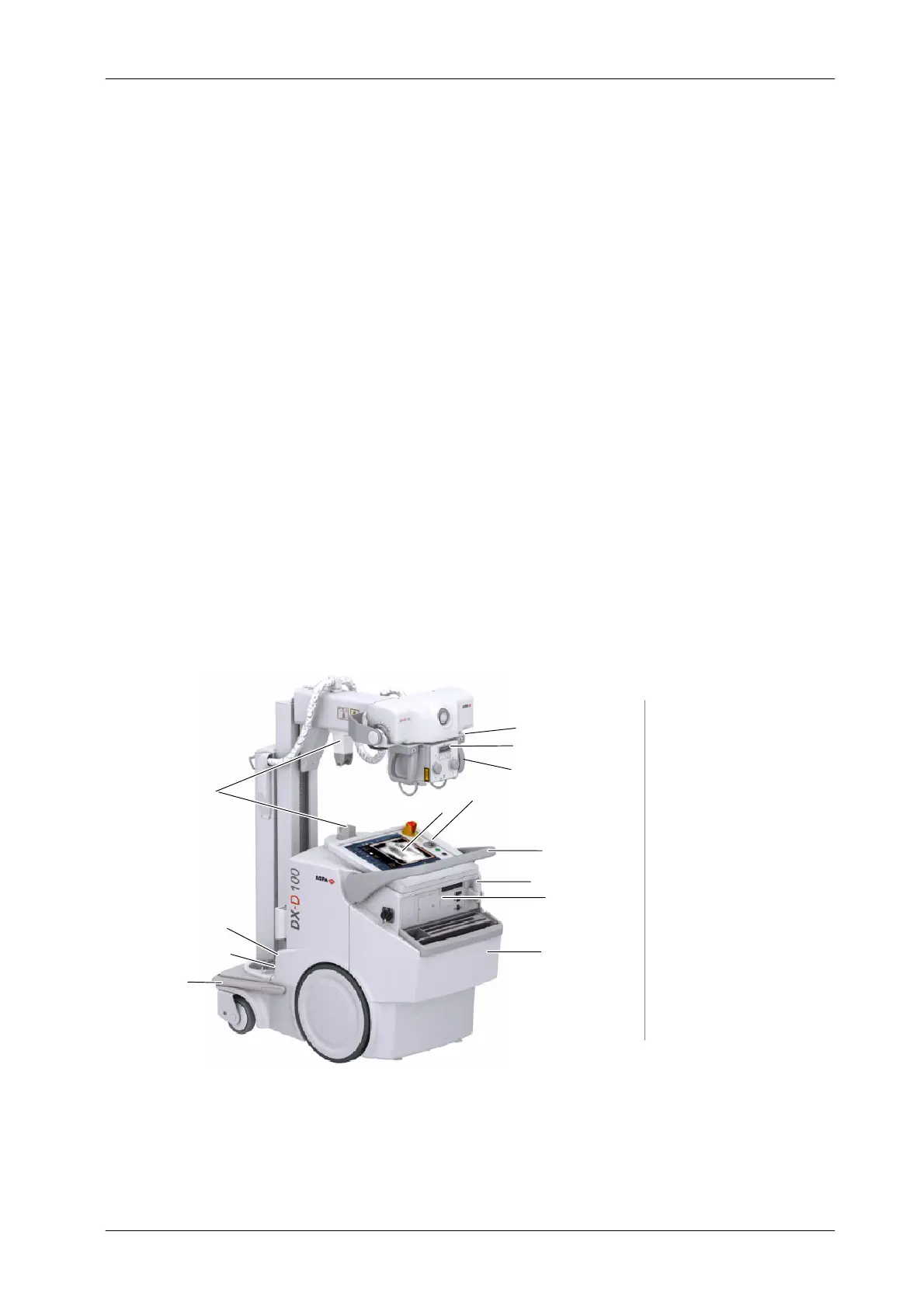
DX-D 100 Mobile X-ray Unit
User Manual
0188K EN 20201116
39
SECTION 3 GENERAL AND MOTION CONTROLS
Operation is carried out from the different controls:
Control Panel with controls to turn ON / OFF the Unit, Collimator Lamp
control, Line connection indicator, Battery Charge Level indicators.
Control Console.
Handswitch.
Remote Infrared Handswitch (optional).
Line Circuit Breaker for the Battery Charging Circuits.
Controls for Unit motion and controls for Column and Telescopic Arm
movements.
Manual Collimator Panel with controls for opening or closing the
Collimator Blades and to switch ON the Collimator Lamp.
Illustration 3-1
DX-D 100 Mobile X-ray Unit : General Features
Control Panel
Parking Detent
Control Console
Handlebar
Tube-Collimator Handles
Line Circuit Breaker
Power Line Cable
Anti-Collision Bumper
Collimator Panel
Motion Controls
Handswitch
Peripheral Connections
Holder for Detectors
2
3
12
4
5
6
7
8
9
10
11
13
1
2
3
4
5
6
7
8
9
10
11
12
13
and Accessories
1
CD / DVD



 To Next Page