Home
AgfaPhoto
Digital Camera
DC-830
Page 10 (Attaching the Wrist Strap)
AgfaPhoto DC-830 - Attaching the Wrist Strap; Using the Soft Case
52 pages
Manual
Save Page as PDF
To Next Page
To Next Page
To Previous Page
To Previous Page
Loading...
- 9 -
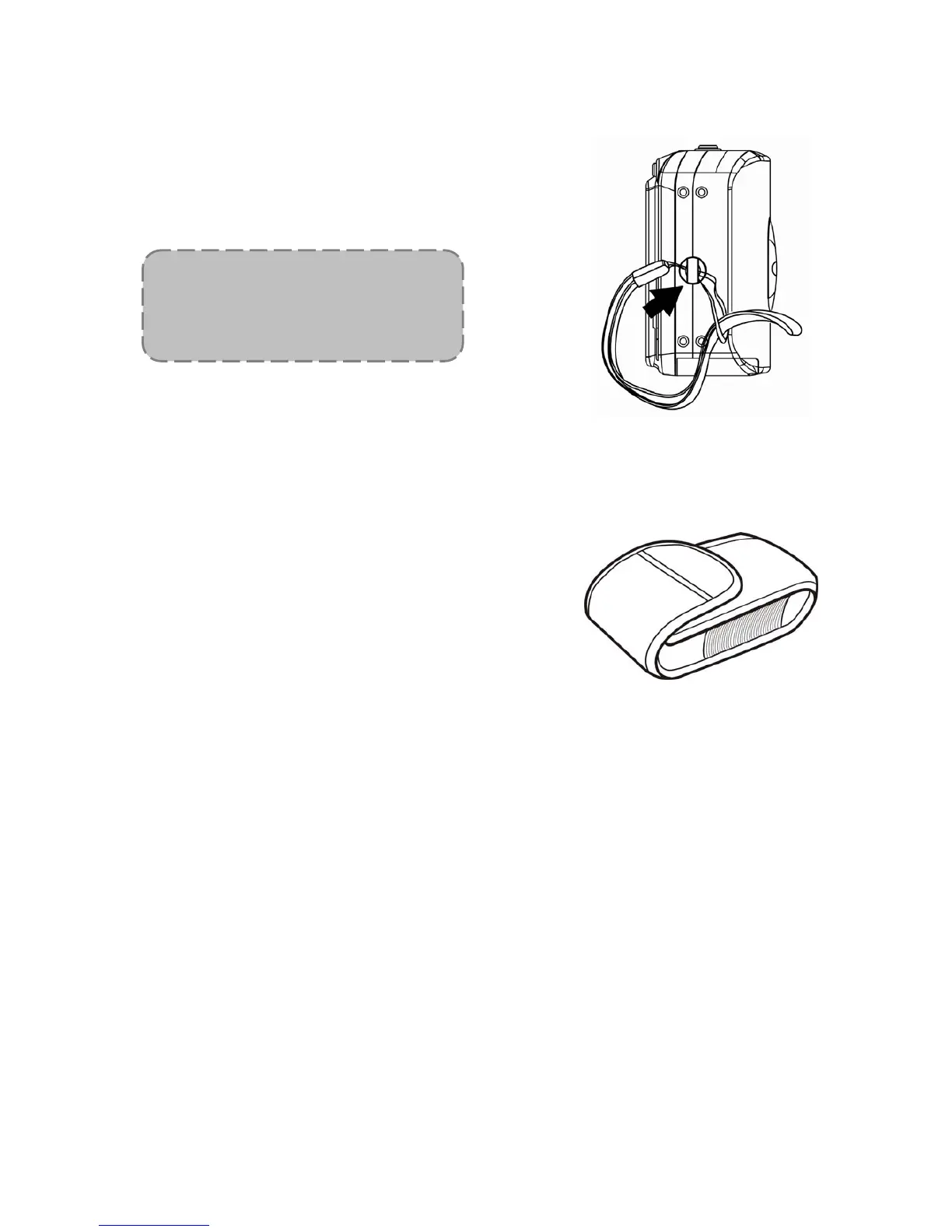
Attaching the Wrist Strap
Attach the wrist strap to your camera as
shown.
Using the Soft Case
When not using the digi
tal camera, keep it in
the soft case for protection.
NO
TE:
Do not swing the camera when
carrying by the wrist strap
.
9
11
Table of Contents
Main Page
Default Chapter
2
Fcc Compliance and Advisory
2
Safety Information
5
Table of Contents
6
Getting Started
9
Standard Accessories
9
Attaching the Wrist Strap
10
Using the Soft Case
10
Names of Parts
11
Name of Part
11
Inserting the Batteries
13
Low Battery Indicator
13
Inserting a Memory Card
14
About Camera Memory
14
DCF Protocol
14
Setting the Date and Time
15
Basic Operations
16
Turning the Power on and off
16
Power Saving Function
16
Switching between Record and Playback
17
In Record Mode
17
In Playback Mode
17
Using the Menus
18
Recording Menu / Playback Menu
18
ADJ. Menu
18
Setup Menu
18
Using the Lcd Monitor
19
LCD Screen Indicator
19
Switching the Screen Display
20
Recording
21
Recording Still Images
21
Using the Zoom Function
22
Using the Flash
23
Using the Self-Timer & Burst
24
Using the Macro Mode
25
Recording Movie Clips
26
Voices Recording
26
Setting the Recording Functions
27
Using the Scene Mode
27
Setting the Resolution and Quality
28
Setting the Movie Size
28
Setting the White Balance
29
Setting the ISO
29
Setting the Exposure
30
Setting the Metering
30
Setting the Sharpness
30
Setting the Photo Effect
31
Setting Date Stamp
31
Playback
32
Playing Back Images
32
Using the Thumbnail
32
Magnifying Still Images
32
Playing Back Movie Clips
33
Playing Back Sounds
33
Recording a Voice Memo
33
Playing Back a Voice Memo
34
Deleting Files
34
Deleting a Single File
34
Deleting All Files
35
Protecting Files
35
Editing Images
36
Rotating Still Images
36
Changing the Image Size
36
Adding Stickers to a Still Image
37
Setting the Dpof
38
Playing a Slide Show
39
Copying the Files
39
Setup Settings
40
Adjusting Sounds
40
Setting Auto Review
40
Setting the Power Save
40
Setting the Language
41
Resetting the File Numbers
41
About the Folder & File Name
41
Folder Structure
41
File Naming
42
Setting the Tv out
42
Setting Usb Port
42
Choosing a Startup Image
43
Formatting the Memory
43
Resetting to Default Settings
44
Making Connections
44
Connecting the Camera to Atv
44
Connecting the Camera to Apc
45
Using the Card Reader
45
Connecting the Camera to a Computer with a USB Cable
45
Software Installation
46
System Requirements
46
Installing the Software
47
Installing the Software Driver
48
Se Basic
48
Installing Videostudio 7 SE VCD
48
Using the Software
49
Appendix
50
Troubleshooting
50
Specifications & Customer Care
51
Customer Care
52
Related product manuals
AgfaPhoto DC-833m
67 pages
AgfaPhoto DC-8330i
65 pages
AgfaPhoto DC-500
41 pages
AgfaPhoto DC-533
52 pages
AgfaPhoto DC-302
39 pages
AgfaPhoto DC-630x
89 pages
AgfaPhoto DC-633xs
89 pages
AgfaPhoto DC5200
24 pages
AgfaPhoto DC5500
26 pages
AgfaPhoto DC8200
65 pages
AgfaPhoto Realishot DC8200
67 pages
AgfaPhoto Realishot DC9200
124 pages













 To Next Page