- 14 -
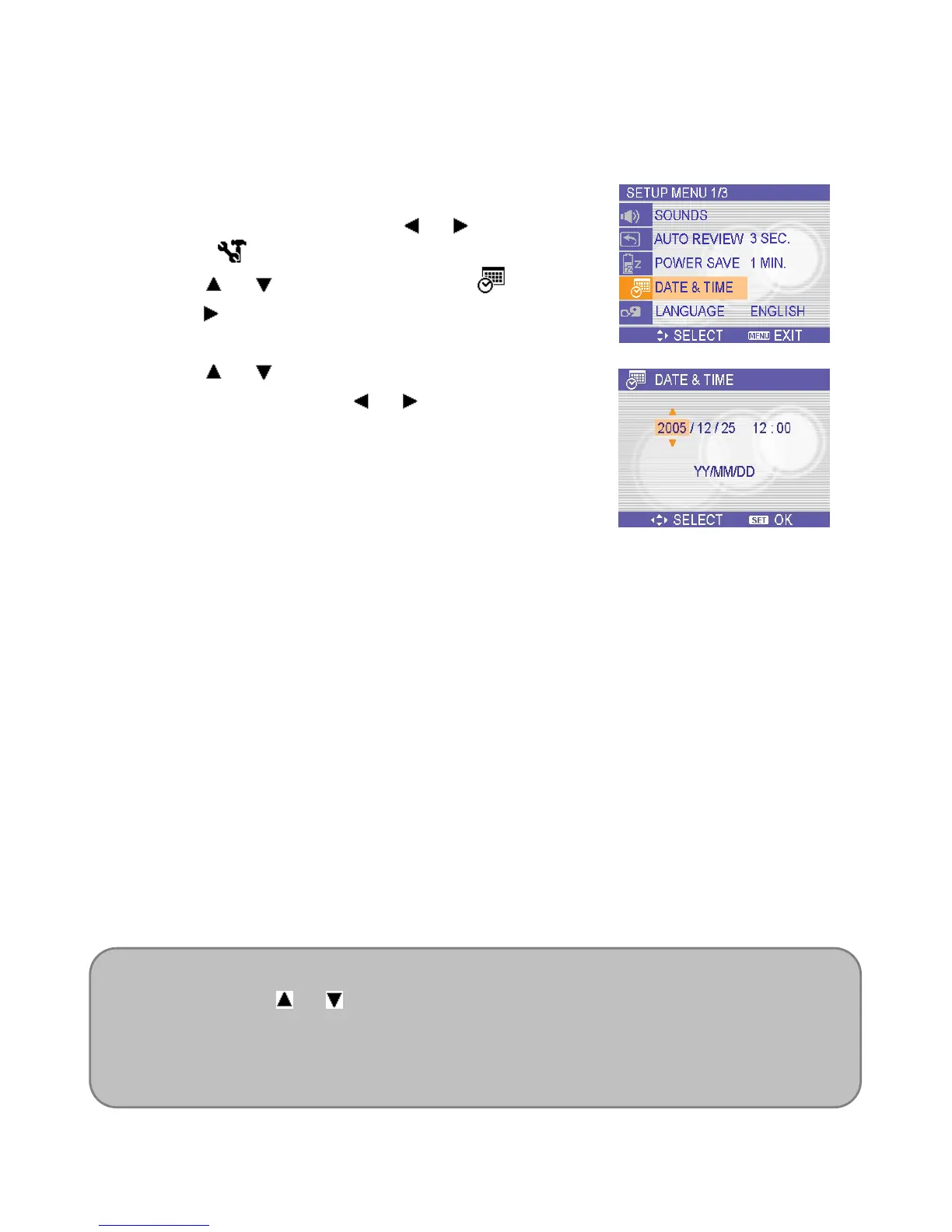
Setting the Date and Time
When the camera is first turned on, the date and time setting will not be correct. So before
using, be sure to set date and time.
1. Press the MENU button, using
or to select
SETUP (
) and press the SET button.
2. Press
or to select DATE & TIME ( ) then
press
or the SET button to launch the Date &
Time screen.
3. Press
or to change the value of the
highlighted field. Press
or to highlight
another field.
4. After adjusting the settings, press the SET or the
MENU button to apply the setting.
NOTE:
If you hold down or , you can change the value quickly.
For printing images with Date & Time,
If the batteries are removed for about two days, the Date & Time setting will be lost. In
this case, make these settings again.













 To Next Page