- 19 -
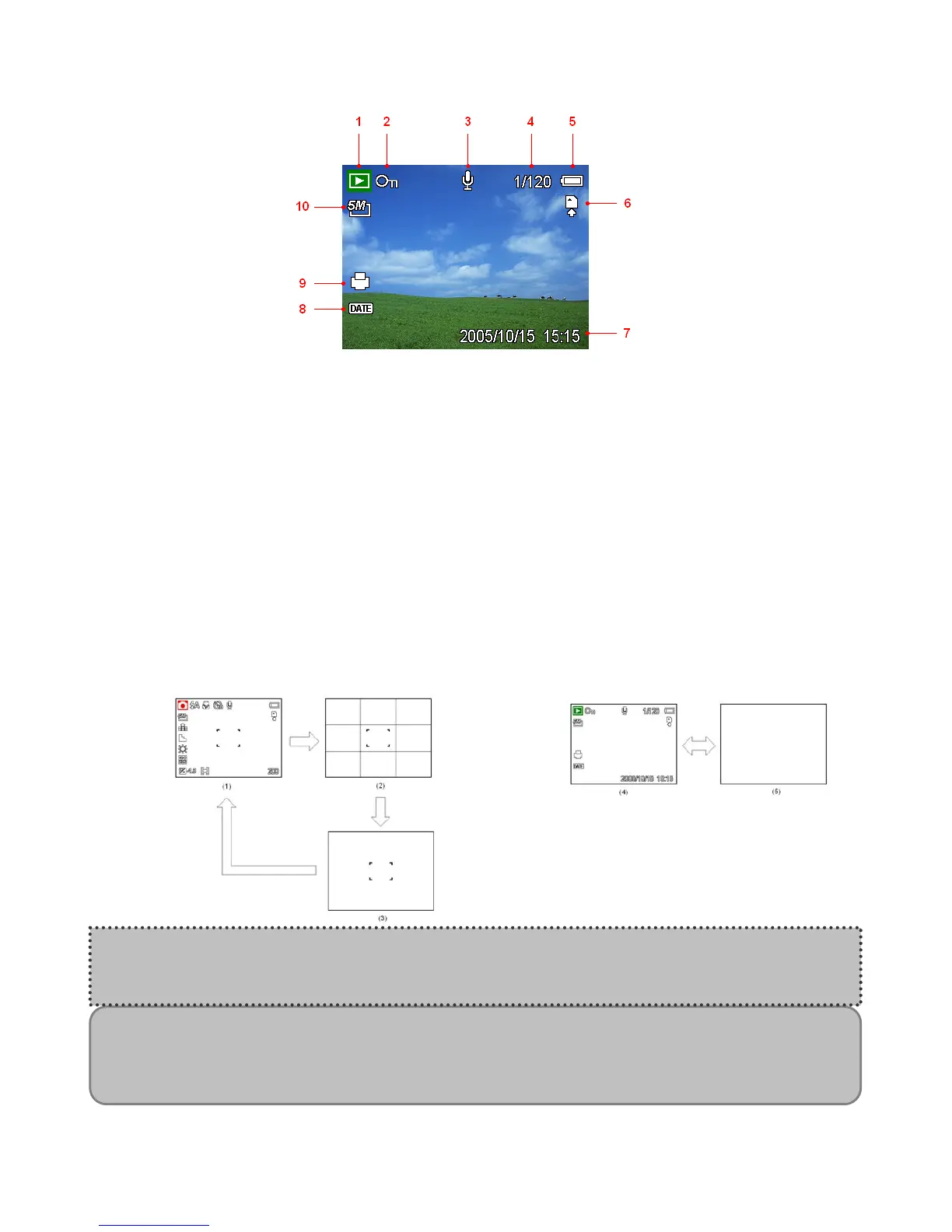
In Playback
1 Mode icon 6 Storage media
2 Protect 7 Capture date & time
3 Voice memo 8 DPOF Date stamp
4 File number / Total 9 DPOF indicator
5 Battery 10 Resolution
Switching the Screen Display
Press the DISP button changes the next display mode of the LCD monitor as shown below:
In Record mode
In Playback mode
(1) OSD on
(2) Guide line
(3) OSD off
(4) OSD on
(5) OSD off
NOTE:
When the LCD display is not in “OSD on”, press Macro, Self-timer, Flash will change the
display mode to “OSD on” automatically.
Hint:
Use the “Guide line” mode to compose images easily before shooting images.













 To Next Page