- 22 -
Using the Flash
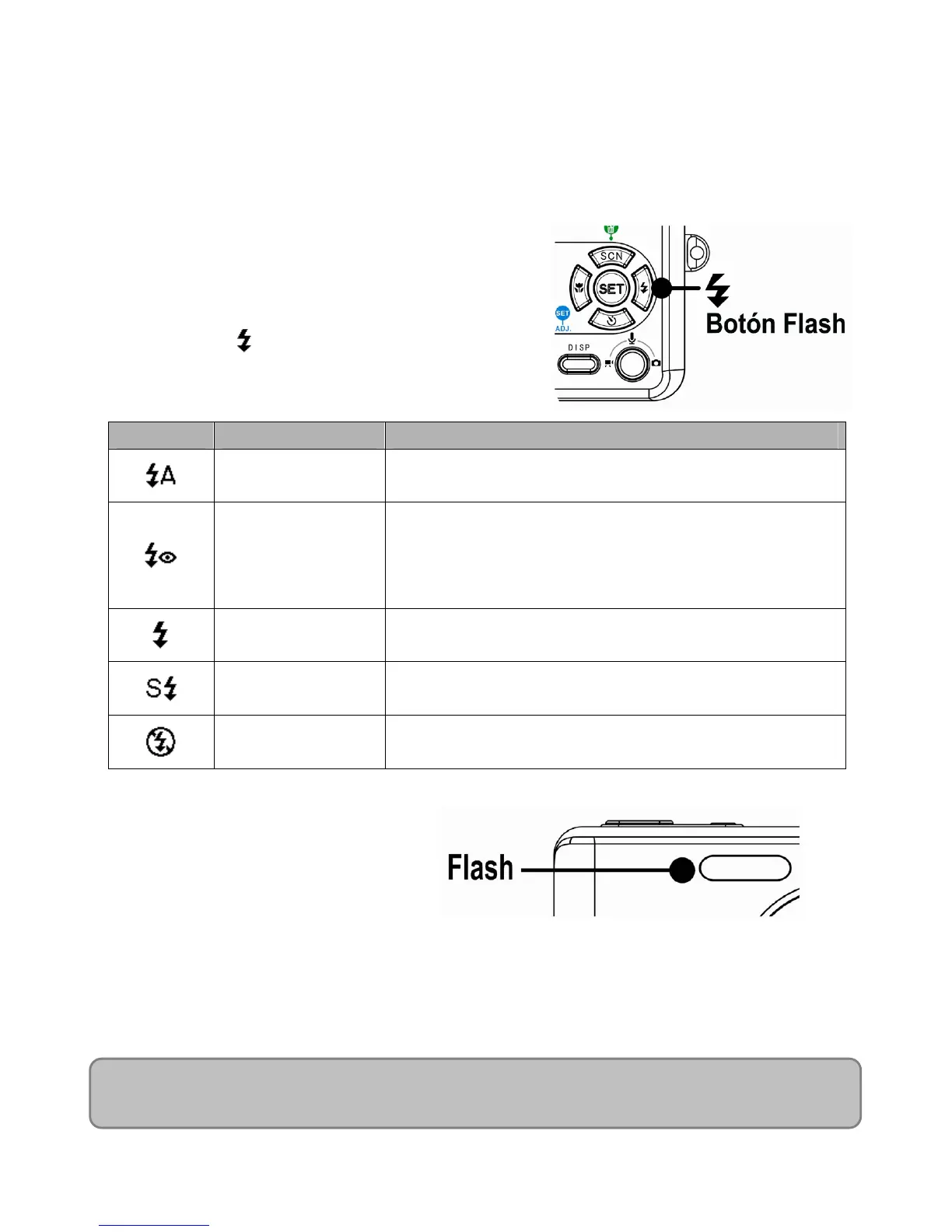
Press the flash button cycles your camera through the various flash modes. A symbol
appears on the LCD screen to indicate the flash mode. The flash cannot be used when movie
recording.
1. Set the camera to the Record mode
The flash function only used in still
image shooting.
2. Press the
button to change the flash
mode:
Display Option Description
Auto flash
Flash fires automatically when shooting conditions
require extra lighting.
Red eye reduction
Flash strobes to let the subject’s eyes adjust to the
flash, then fires again to take the actual image. The
digital camera will detect the subject brightness and
use the flash only when required.
Always on
Flash fires every time you take a photo, regardless of
lighting conditions.
Slow sync Flash fires with a slow shutter speed.
Always off The flash never fires even in dark situation.
3. Shoot the image.
NOTE:
The flash charging time may increase when the battery is low.













 To Next Page