38 39
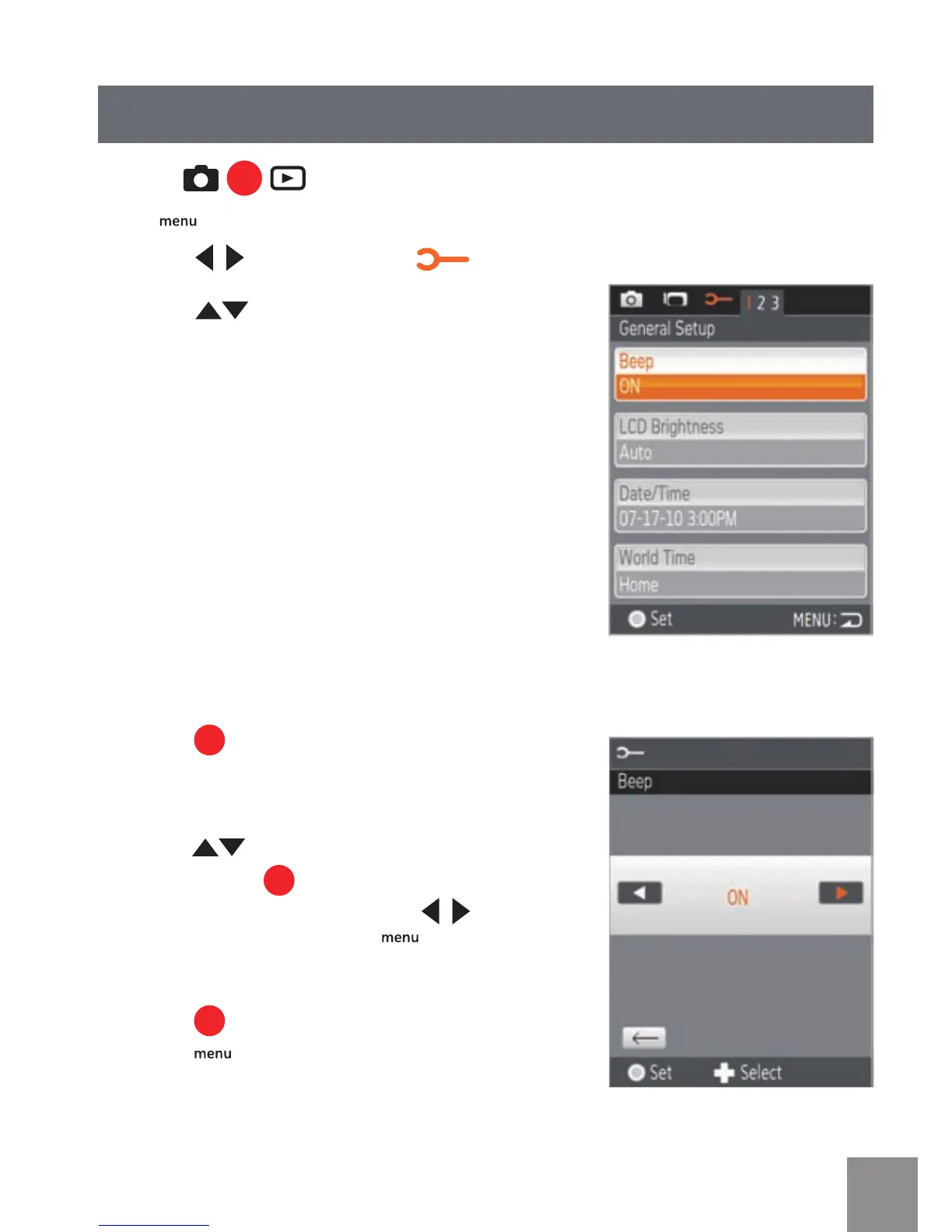
General Setup
1. Press button to select menu.
2. Press
button to select the options in
the
General Setup
menu.
3. P
ress
button to enter the menu of
corresponding options in the
General Setup
menu.
4
. Press
to select function option or
select , press
button to save selection
and return to the menu; press
to select
the menu option; or press
button to
return to the shooting screen.
5. Press
button to save the menu option,
press
button to return to the Shooting
screen.
Mode:
Press button to enter Setup menu.



 To Next Page