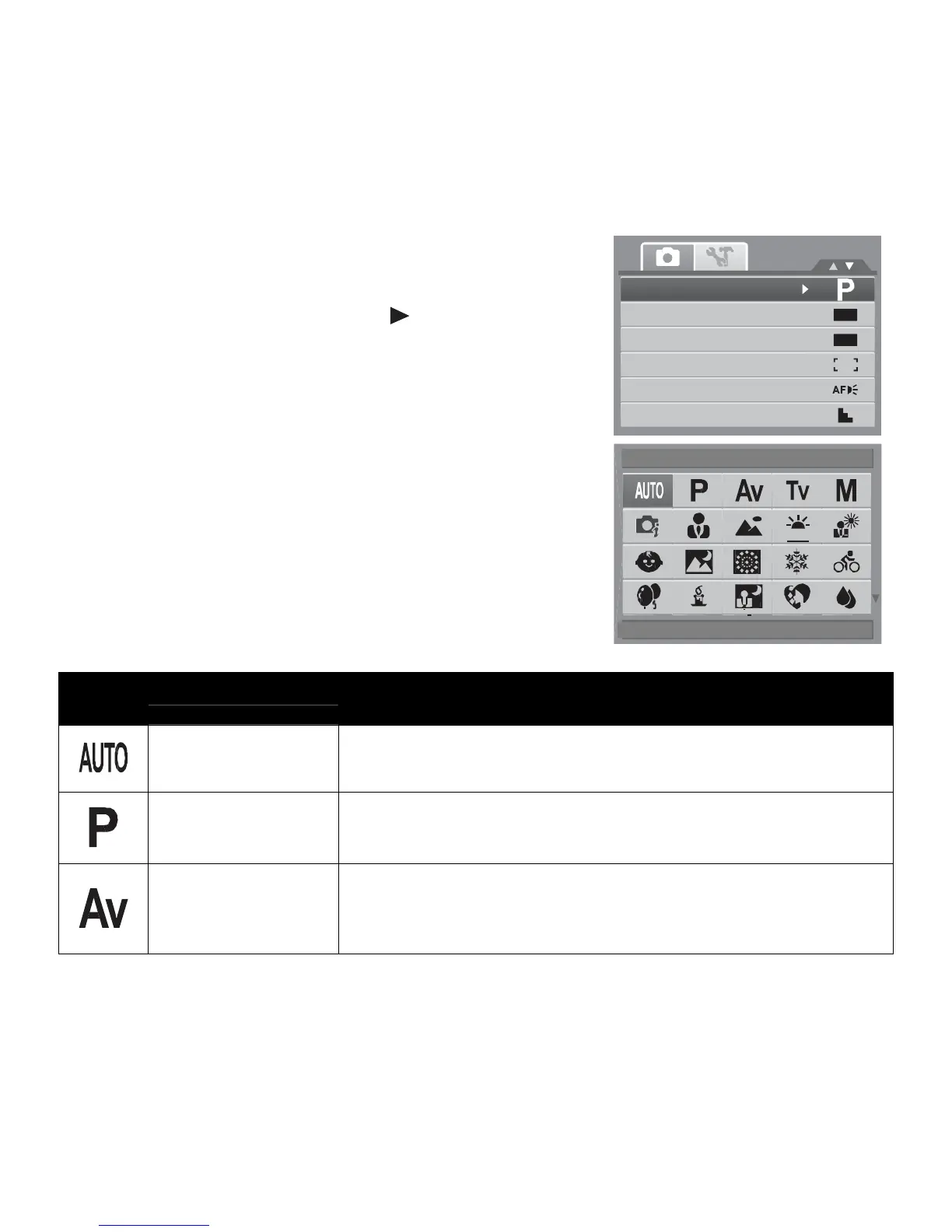
Setting the Scene mode allows you to capture images with
preset settings according to the scenes or environment.
1. From the Record Menu, press to select Record
Mode.
2. Use the navigation controls to move through the
selection.
3. Press the SET button to save and apply changes.
OFF
OFF
The table below shows the available scene mode settings.
Auto
Select
OK
Icon Item Description
Auto
The simplest way to shoot basic images. Settings are adjusted
automatically.
Program
The camera automatically adjusts suitable shooting settings like
shutter speed and aperture values.
Aperture Priority
This feature lets users to adjust the aperture value and the
camera automatically selects the shutter speed to match the
brightness. See “Using Aperture Priority Mode” on page 42.













 To Next Page