EasyManua.ls Logo

AHB BREWDEVIL B40 - User Manual

Default Icon
17 pages
Print Icon
To Next Page IconTo Next Page
Loading...
1
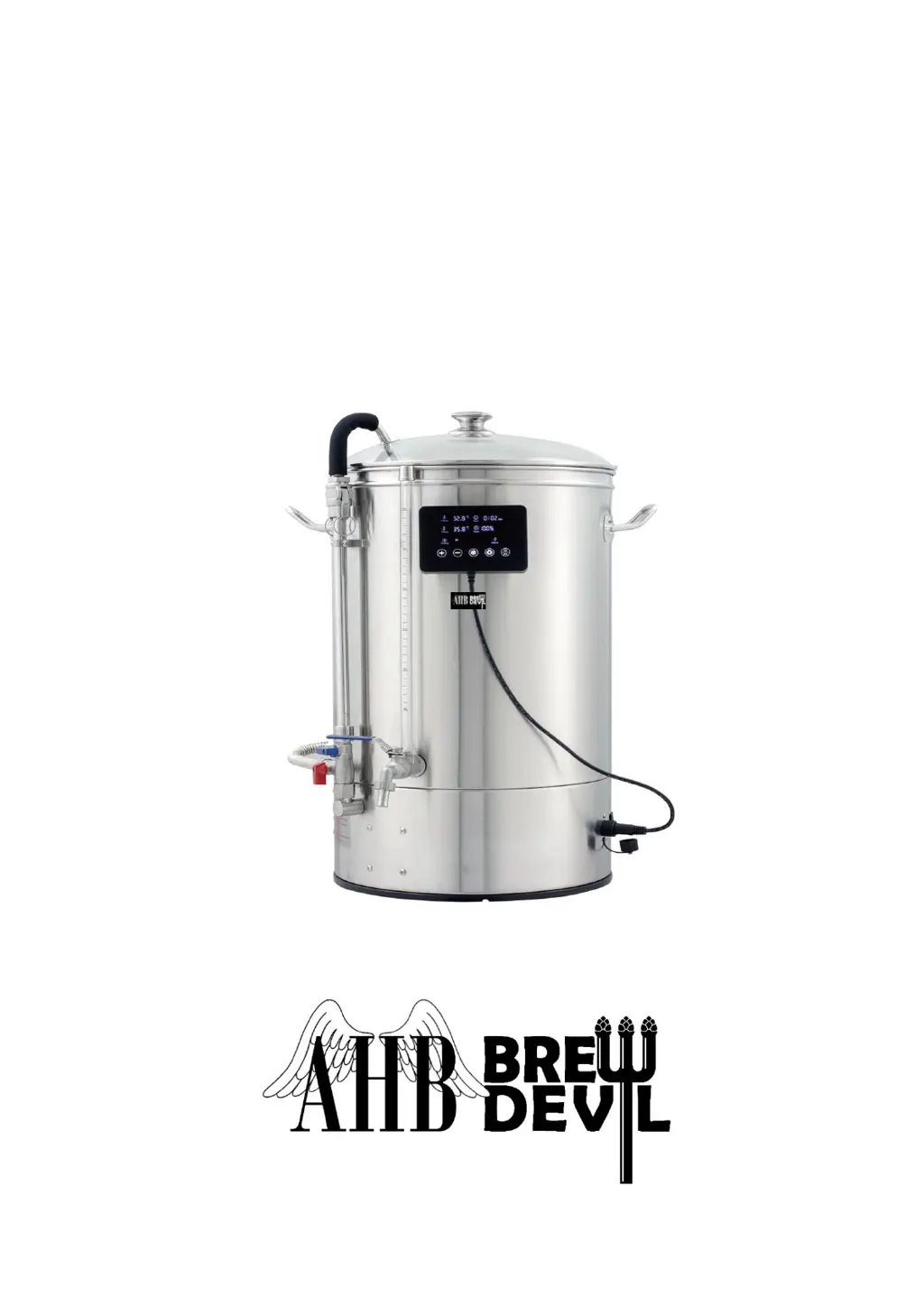
BREWDEVIL
ALL-IN-ONE AUTOMICROBREWERY
INSTRUCTION MANUAL
MODEL NO.: B40 / B50 / B70

Questions and Answers

  • R
    Renee LeeAug 7, 2025
    What to do if AHB BREWDEVIL B40 Brewing Systems suddenly shut off during heating?
    • S
      Sean MillsAug 8, 2025
      If your AHB Brewing System shuts off unexpectedly during heating, you can try the following: * Reduce the heat-up power. * Replace the overheat protection thermostat.
  • C
    Christina FigueroaAug 15, 2025
    What to do if AHB BREWDEVIL B40 Brewing Systems shows E1 E2 sign on display?
    • J
      john87Aug 15, 2025
      If you see an 'E1 E2' error message on the display of your AHB Brewing System, try these steps: 1. Unplug the sensor and then plug it back in. 2. Replace the sensor.
  • L
    lindarogersAug 23, 2025
    How to fix AHB BREWDEVIL B40 Brewing Systems failing to reach 100?
    • A
      Annette WilliamsAug 23, 2025
      If your AHB Brewing Systems is not reaching the desired temperature of 100, you can try: * Putting the cover on for 1 to 2 minutes. * Performing a temperature correction.
  • O
    omosleyAug 30, 2025
    How to remove ingredients stuck in the pump of AHB Brewing Systems?
    • M
      Megan AllenAug 30, 2025
      If you find ingredients are stuck in the pump of your AHB Brewing System, you can resolve this by: * Flushing the pump by connecting a hose to the curve pipe. * Dismantling the pump to manually remove the trapped ingredients.

Summary

Introduction

Safety Instructions

BrewDevil Parts

System Components

Lists and illustrates all major components of the BrewDevil system.

Vessel Components

Details the various components that make up the BrewDevil vessel.

Control Display Panel Signs & Buttons

Explains the signs and buttons on the BrewDevil control display panel.

Brewing Preparation

Overflow Pipe Assembly

Pump Setting

Manual Mode Setting

Auto Mode Setting

More Functions & Setting Tips

Delay Start, Temperature, and Boiling Point Settings

Covers delay start, temperature calibration, and boiling point compensation adjustments.

Unit Switching and Wi-Fi Configuration

Instructions for changing temperature units and connecting to Wi-Fi.

Connecting Wi-Fi and Application Instructions

App Download and Device Pairing

Steps to download the app and pair the BrewDevil device.

App Manual Mode Operation

Manual Mode Operation Steps

Detailed steps for operating the BrewDevil in manual mode via the mobile app.

App Auto Mode Operation

Auto Mode Operation Steps

Detailed steps for operating the BrewDevil in auto mode via the mobile app.

Specification Settings

Temperature and Boiling Point Adjustments

Covers calibration of temperature, boiling point, and unit settings.

Power Model Setting

Information regarding the non-user-adjustable Power Model setting.

Brewing Process Stages

Brewing Preparation and Mashing

Steps for preparing the machine and the initial mashing phase.

Sparging, Boiling, and Cooling

Details on sparging, boiling, and cooling the wort for transfer.

Circulation Pump

Pump Operation Guidelines

Essential guidelines for safe and effective circulation pump operation.

Flow Rate Adjustment

How to adjust the pump's flow rate for optimal circulation speed.

Post-Mashing Procedures

Steps to take after completing the mashing process, including pump and pipe handling.

Valve Information

Explanation of the blue and red handled valves for recirculation and anti-burn flushing.

Anti-Burn Flushing

Instructions on how to perform anti-burn flushing using the dedicated arm.

Bazooka Filter Assembly

Maintenance

Post-Use Cleaning Guidelines

Guidelines for thoroughly cleaning the machine after each use.

Rinsing Procedure

Detailed steps for rinsing the machine to ensure a proper cleanse.

Safe Residue Removal

Recommended methods for safely removing residue from the boiler.

Boiler Maintenance

Ensuring the boiler base is clean before each use.

Pump Reverse Flush

Procedure for performing a reverse flush on the pump.

Cleaning Products

Guidance on selecting compatible cleaning products.

Electronics Caution

Precautionary advice regarding electronic components during cleaning.

Avoid Immersion

Warning against immersing the entire machine in water.

Storage Tips

Recommendations for storing the machine properly.

Troubleshooting Tips

Ingredients Stuck in Pump

Solutions for pump blockage due to stuck ingredients.

Failing to Reach Target Temperature

Troubleshooting steps for when the machine fails to reach the target temperature.

Sudden Shutoff During Heating

Addressing issues where the machine shuts off unexpectedly during heating.

E1;E2 Error Codes Display

Meaning and resolution for E1/E2 error codes displayed on the screen.

Technical Data

Electric Circuit

AHB BREWDEVIL B40 Specifications

General IconGeneral
BrandAHB
ModelBREWDEVIL B40
CategoryBrewing Systems
LanguageEnglish