9
10. Connecting Wi-Fi and Application Instructions
10.1. Download the ‘Tuya Smart App’ to mobile device
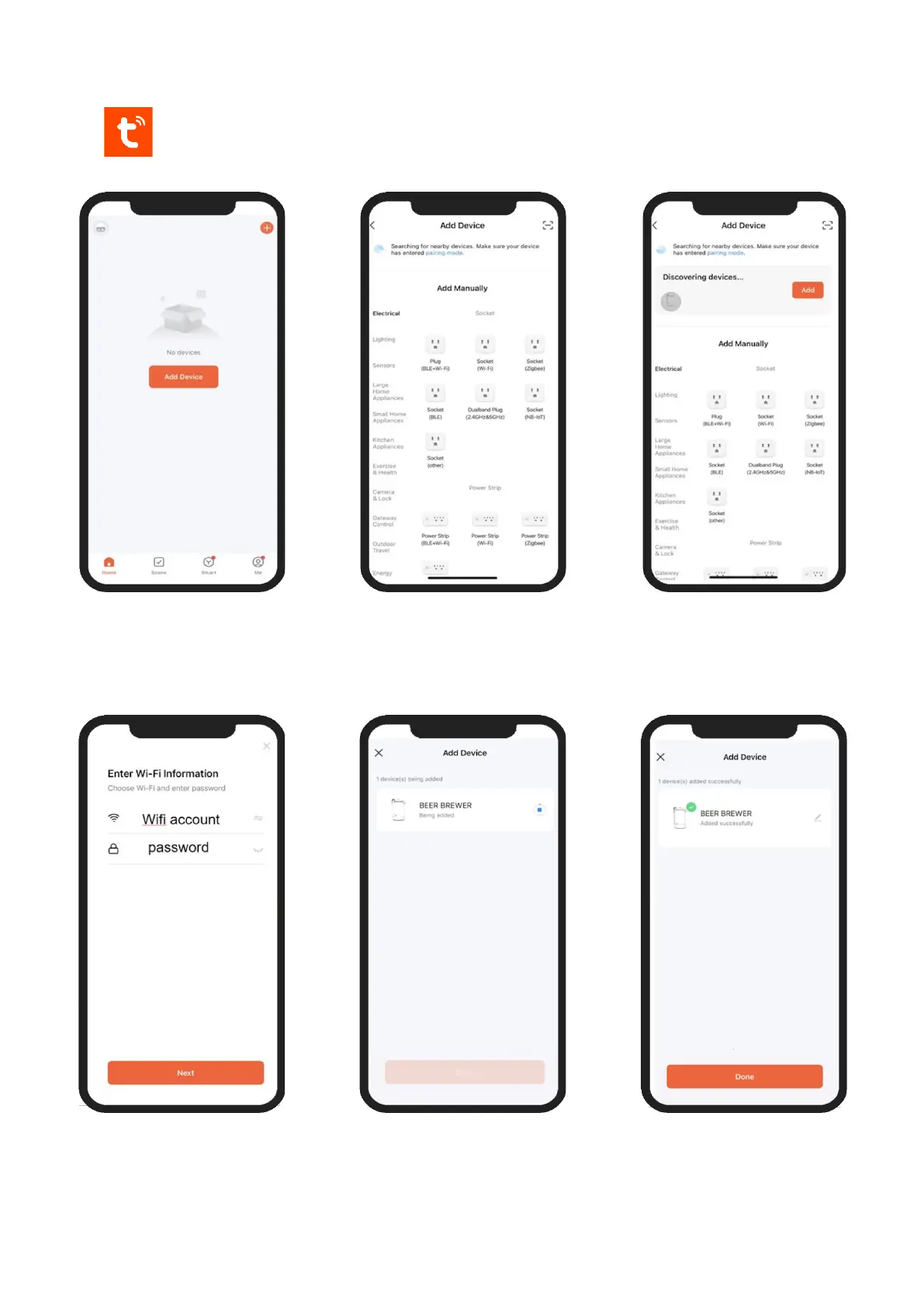
10.2. Add BrewDevil microbrewery device to the ‘Tuya Smart App’
10.3. Open ‘Tuya Smart App’’ and
select ‘Add Device’ with the
BrewDevil machine switched
on and near by
10.4. App will search for devices
in range taking about 30- 60
seconds before showing
discoverable devices
10.5. When ‘BEER BREWER’
device is found click the
‘Add’ button in the App next
to the device
10.6. Enter Wi-Fi account and
password and click ‘Next’
10.7. Wait while app searches and
connects Wi-Fi
10.8. After successful Wi-Fi
connection click ‘Done’



 To Next Page