12
12. Using App in Auto Mode Operation
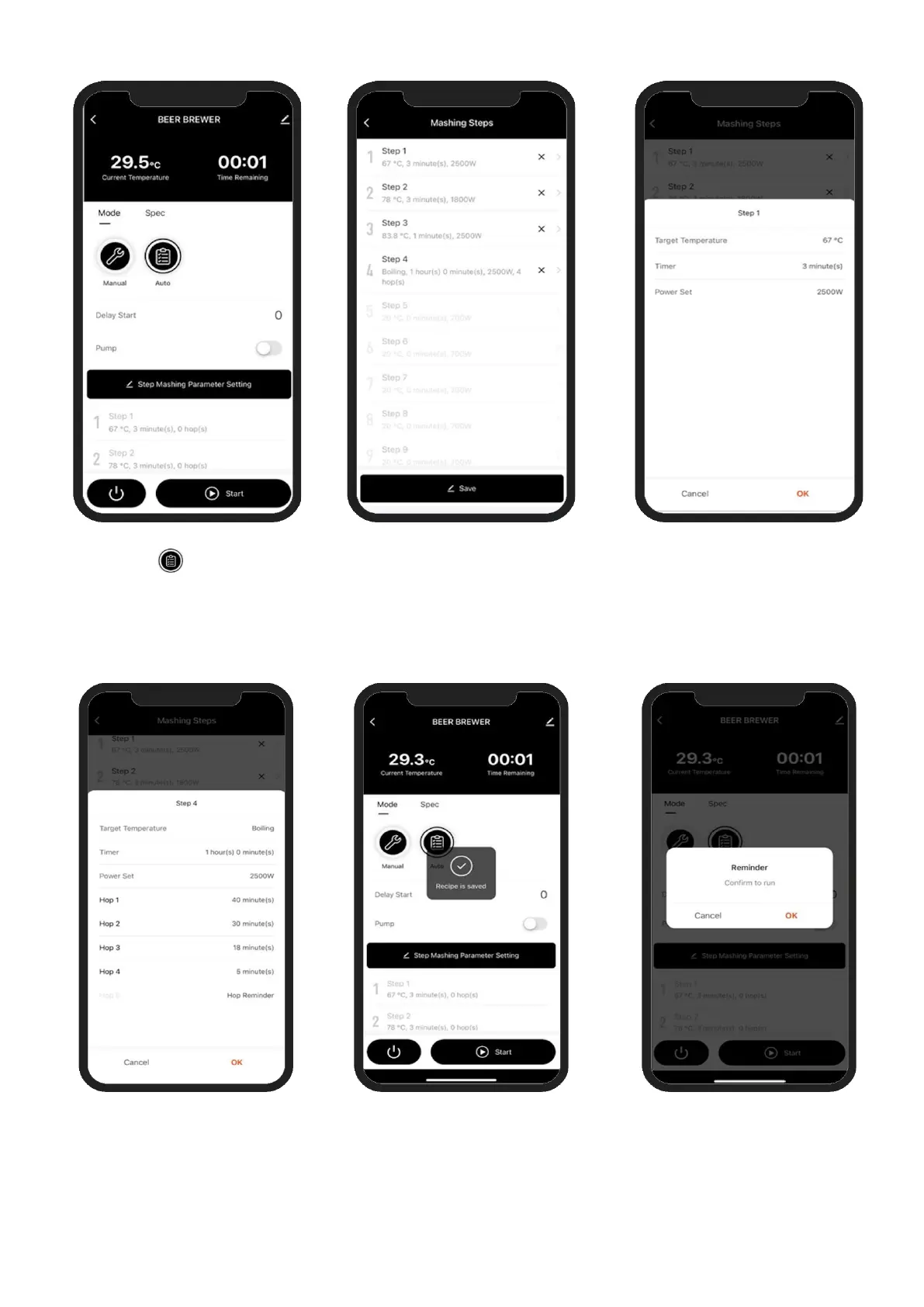
12.1. Press Auto button to
start Auto Mode operation.
Click ‘Step Mashing
Parameter Setting’ button
to open ‘Mashing Steps’
screen
12.2. Click on a step to define or
change each step. Up to 9
Mashing Steps can be
defined.
Last step should be the
Boiling step.
12.3. Define a target temperature,
time duration and power
setting for each Mashing step.
12.4. For the Boiling step there
is additional Hop
Reminder setting screen.
When complete press ‘OK’
12.5. Screen confirms recipe is
saved and now ready to
start the configured
automatic brewing program
12.6. Press the Start button to
being brewing program. Click
‘OK’ to confirm and program
will begin



 To Next Page