RACE STUDIO 3 SOFTWARE
42 43
EVO5
CHAPTER 11
11.1.4 Math Channels 11.1.5 Parameters
1) Lap Detection 2) Start Data Recording
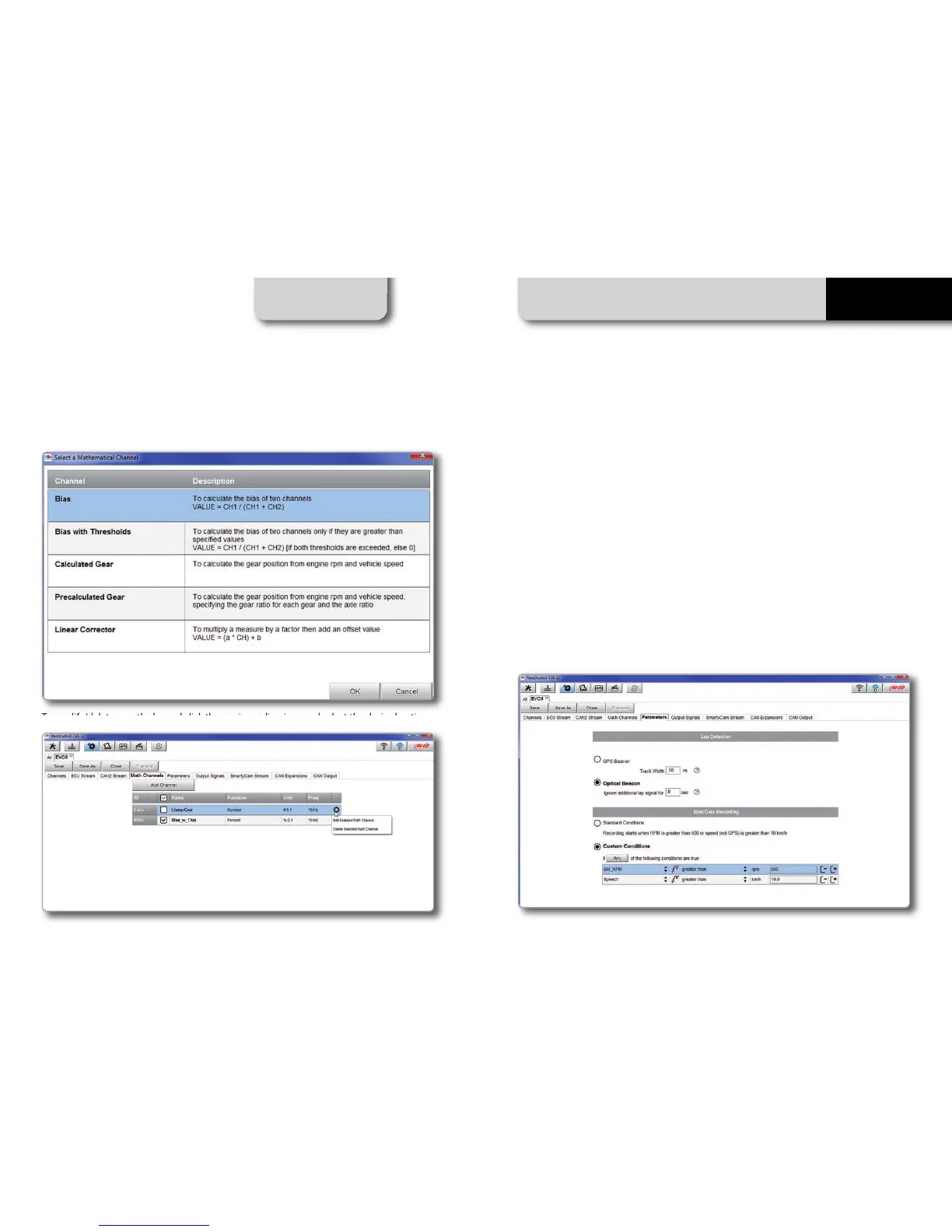
Press "Math channels" tab. Using the button "Add Channel" you can calculate the engaged
gear both with a learning lap (calculated gear) and filling in the RPM values (precalculated
gear). You can as well configure Bias channels and add linear corrector channels.
To modify/delete a math channel click the corrispondi
ng ico
n and select the desired option.
Press "Parameters" tab. Here you can set the lap detection (GPS or Optical beacon) as well as
decide when start recording.
You can choose whether detecting a lap
signal from GPS or using optical
transmitter/receiver.
GPS beacon requires the track width while
optical beacon requires you to insert a time
during which the system does not record
additional lap signals.
By default the system starts r
ecording
when RPM value is greater than 500 or
speed (not GPS) is greater than 10 km/h.
Using custom condition option you can
define one or more custom conditions and
decide to start recording when one or all
set conditions occur.



 To Next Page