RACE STUDIO 3 SOFTWARE
48 49
EVO5
CHAPTER 11
11.3.2 Live Measures and calibration 11.3.3. Data download
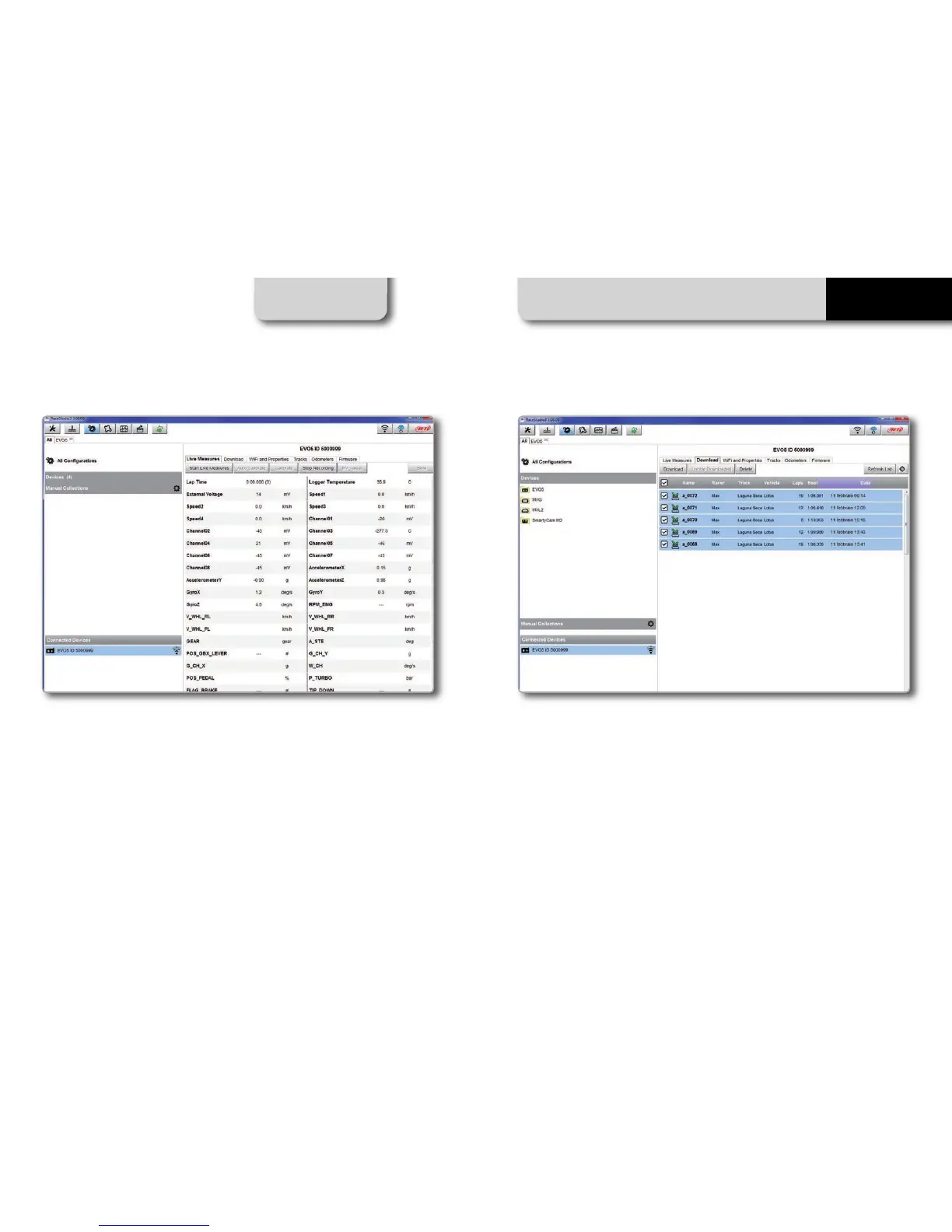
Once connected, click on it to enter "Live
Measures".
Push "Start Live Measures" to look the data
coming from your system. You can change
the measure unit double-clicking on the
measure. From "Live Measures" view you
can calibrate the channels requiring it.
Storing data both in its memory and on the
SD card, EVO5 can download them via USB,
via WiFi or placing the SD car
d in the PC
slot.
EVO5 SD card is immediately recognized by
Race Studio 3 as containing stored data.
To download data click on your system
name in "Connected Devices" panel bot-
tom left of the software main page.
The device window appears on the right.
Push "Download" button for downloading
the data recorded in your system.
You will see the information about the files
recorded in the system: dimension and
date/time of the file creation.
Please select a file and push "Download"
for transferring it to your PC.



 To Next Page