CHAPTER 11 RACE STUDIO 3 SOFTWARE
36 37
EVO5
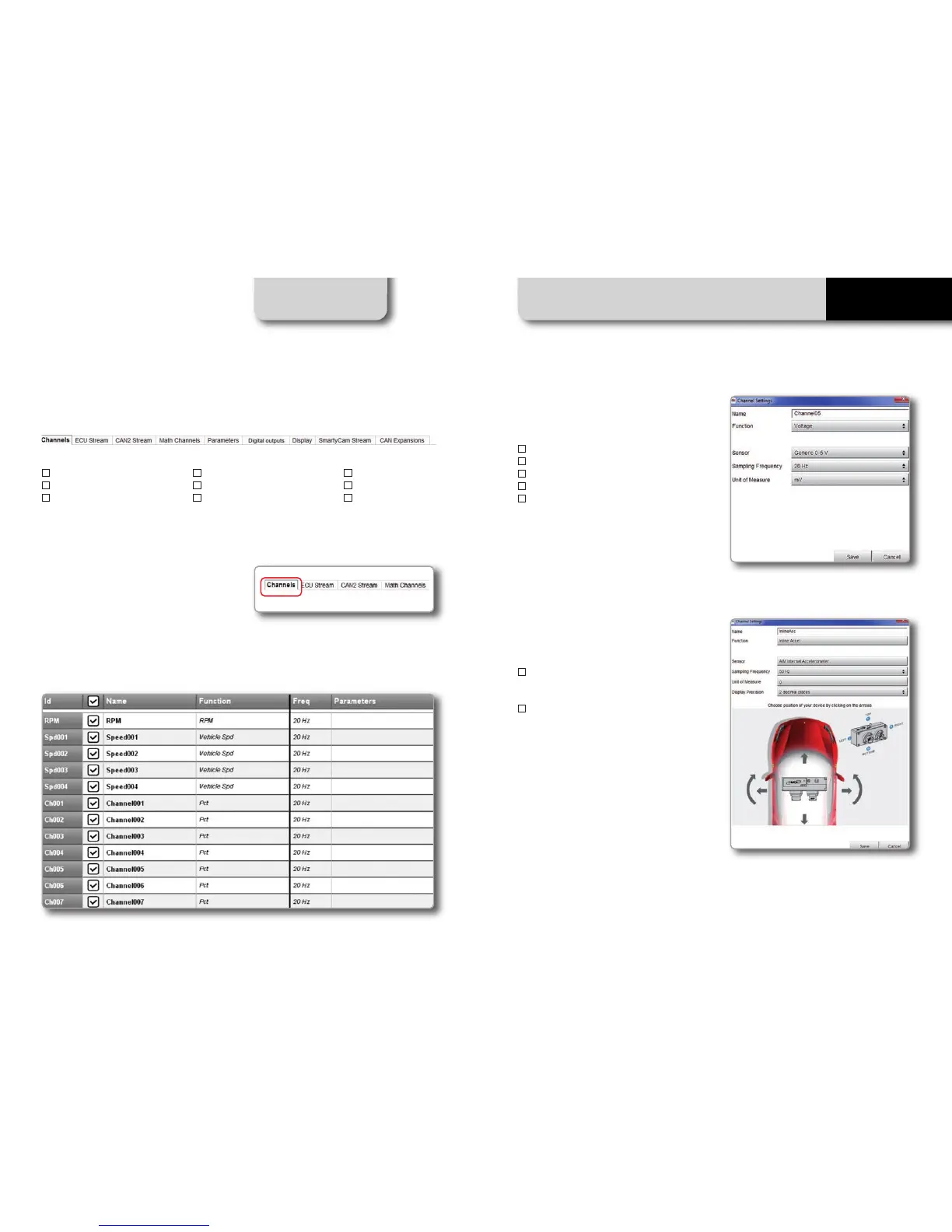
After having entered the configuration page you can see different tabs, which are useful for
selecting one of the following configuration features:
By clicking on each line, a menu appears:
You can define:
n
The name of the channel
n
The function
n
The sensor connected
n
The sampling frequency
n
The measure unit
To configure the inertial platform
(three-axial accelerometers):
n
Click on the cell "Accelerometer" in
sensor column
n
The panel appears allowing you to
set the accelerometers
Push "Channels" tab.
The channel configuration page will appear.
n
Channels
n
ECU Stream
n
CAN2 Stream
n
Math channels
n
Parameters
n
Output Signals
n
SmartyCam Stream
n
CAN expansion
n
CAN Output
11.1.1 Channels Configuration
In this page you can define all the parameters for your analog inputs, speed inputs and digital
RPM inputs as well as enable/disable any channel.



 To Next Page