VF, DHT, AES Series Manual |
Refrigerated Air Dryer User Manual
17
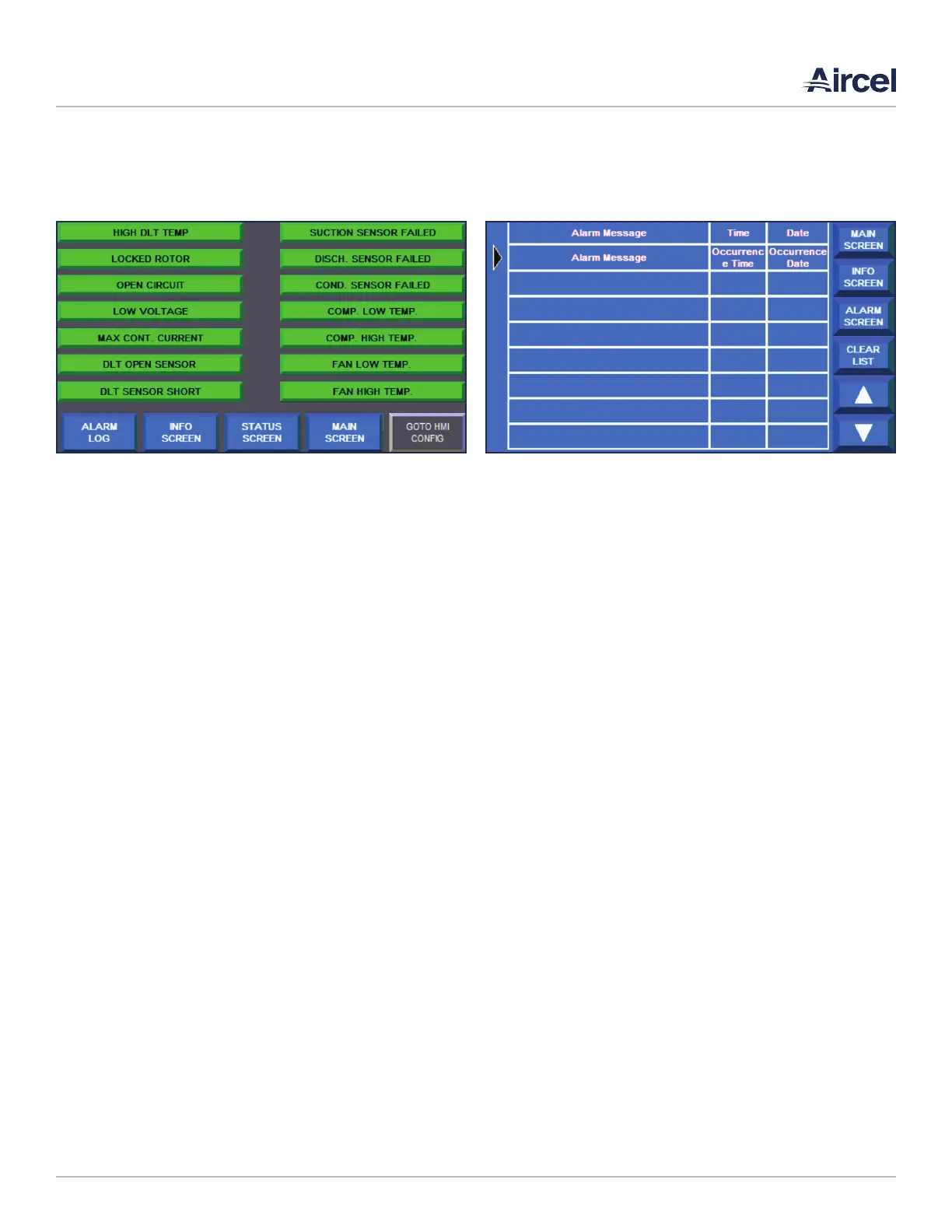
5.4 Alarm Screen
The alarm screen shows the status of each alarm. Green
indicates no alarm and red will indicate a failure.
• MAIN SCREEN: Navigates to the main screen
• INFO SCREEN: Navigates to the info screen
• ALARM SCREEN: Navigates to the alarm status screen
• ALARM LOG: Navigates to the alarm log screen
• GOTO HMI CONFIG: Navigates to the configuration menu
of the HMI. It is not recommended to press this button
unless otherwise instructed by Aircel Service. If pressed,
the user can return to the running screens by navigating
to the file manager button and pressing the run button
with the AES_STD program highlighted.
5.5 Alarm Log Screen
The alarm screen shows the status of each alarm. Green
indicates no alarm and red will indicate a failure.
• MAIN SCREEN: Navigates to the main screen
• INFO SCREEN: Navigates to the info screen
• ALARM SCREEN: Navigates to the alarm status screen
• ALARM LOG: Navigates to the alarm log screen
• GOTO HMI CONFIG: Navigates to the configuration menu
of the HMI. It is not recommended to press this button
unless otherwise instructed by Aircel Service. If pressed,
the user can return to the running screens by navigating
to the file manager button and pressing the run button
with the AES_STD program highlighted.
FIGURE 5-4: Alarm Screen FIGURE 5-5: Alarm Log Screen



 To Next Page