22 Chapter 3
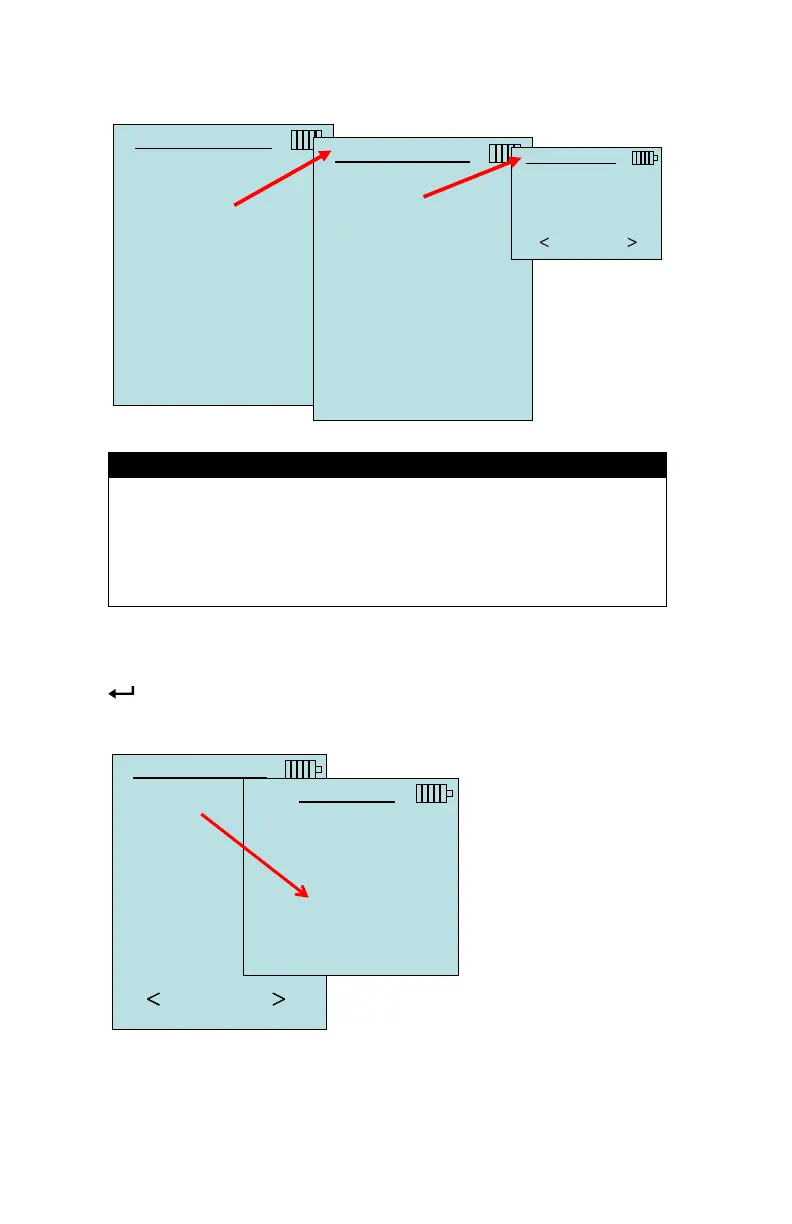
When set to Cont. key, the log interval can be adjusted.
DATA LOGGING
Measurements
Log Mode Cont.-key
Log Settings
Choose Test Test 001
Name Test
View Data
Delete Data
% Memory
LOG SETTINGS
Log Interval 00:01
Pressing the keys simultaneously will lock the keypad
to prevent unauthorized adjustments to the instruments
the display. To unlock the keypad, press the keys
Cont-time Logging
In Cont-time mode, the user starts taking readings by pressing the
key. The instrument will continue taking samples until the time
DATA LOGGING
Measurements
Log Mode Manual
Log Settings
Choose Test Test 001
Name Test
View Data
Delete Data
% Memory
LOG MODE
Manual
Auto-save
Cont.-key
Cont.-time


 To Next Page