5. Troubleshooting & FAQ
AirLive IP-200PHD-24/IP-200PHD-24B
User’s Manual
84
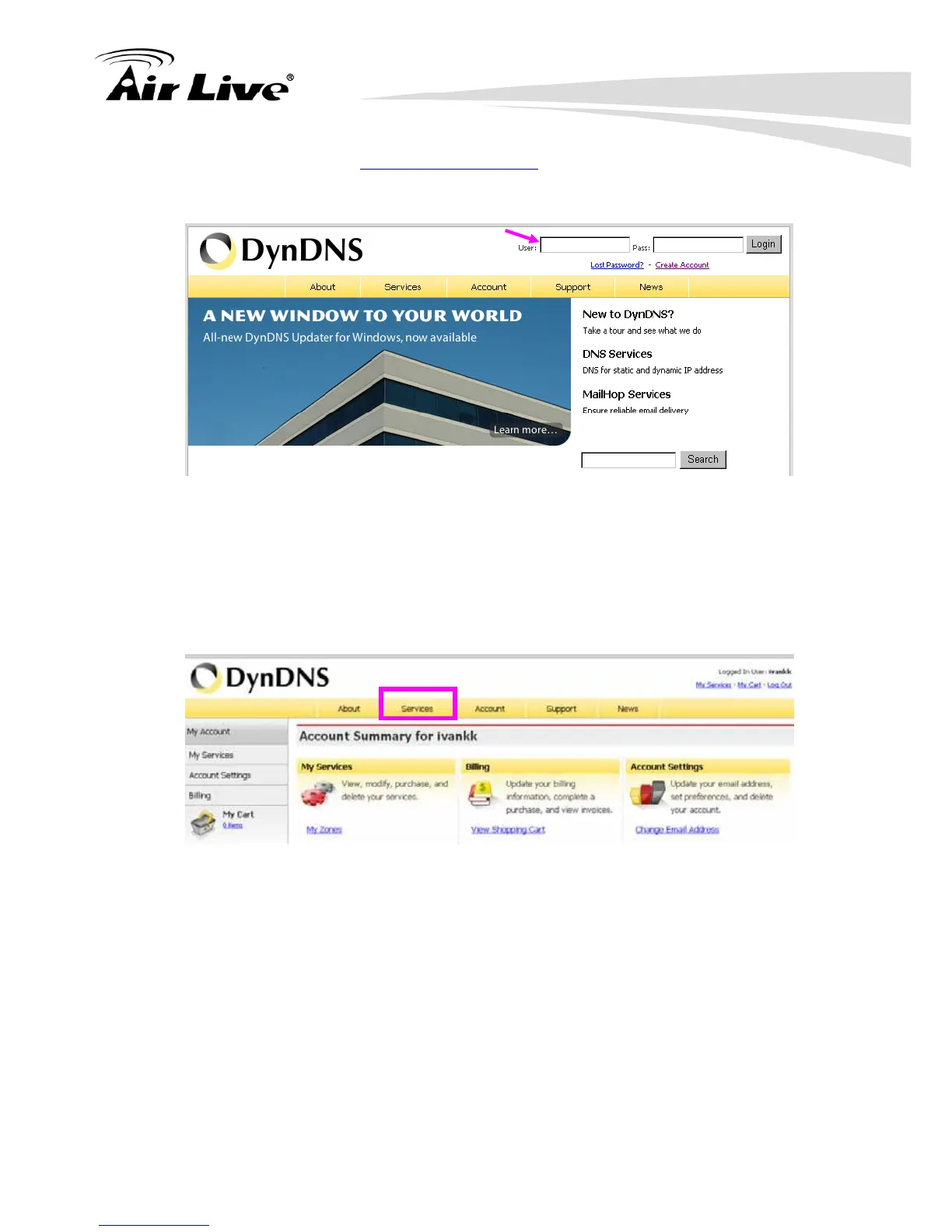
(6). Enter the web page http://www.dyndns.org/ again. Input your username and
password that you just applied to login administration interface of DDNS server.
Input your
account
(7). If the correct username and password are input, you can see the following
picture at the top-right of the login page.
(8). Click the “Services”.
(9). Click the “Dynamic DNS”.



 To Next Page