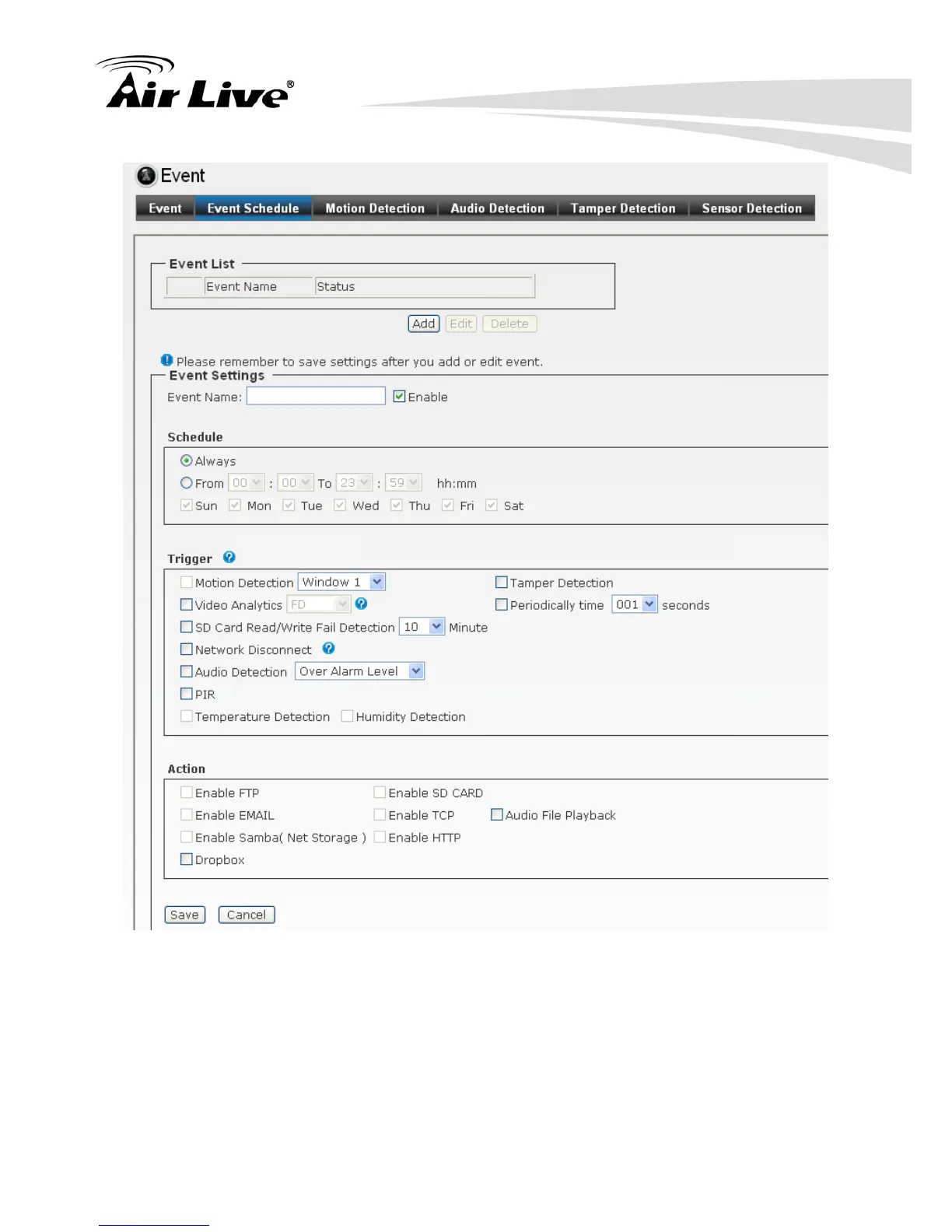
Follow the steps below to set up the Event Schedule for the camera:
1. Select “Enable” and enter the Event Name.
2. Schedule: Select to always trigger the event or on specific time period and date.
3. Select the Trigger by: Motion Detection / Digital Input 1 / Digital Input 2 /
Tamper Detection / Video Analytics / Periodically time/ SD Card Read/Write
Fail Detection / Network Disconnect / Audio Detection.


 To Next Page