Interior
2020 Flying Cloud 5-5
Plumbing
Water System (Self-Contained)
Fill the water tank by opening the exterior access door
and remove screw cap� A potable water hose can now
be inserted� It’s a good idea to let the water run through
the hose for a short time to ush it out. Experienced
RVers usually ll their tanks with “home” water to
avoid strange water that may be distasteful to them�
The amount of water in the tank may be checked on
the Monitor Panel, or you may ll the tank until water
overows out of the ll.
Open the hot side of the galley or lavatory faucet and
turn on the water pump switch located on the monitor
panel� For some time, the open faucet will only sputter�
This is because the water heater is being lled and
air is being pushed out through the lines� Once the
water heater is full, a steady stream of water will
ow from the faucet. Now, open a cold faucet. It will
sputter for a short time, but will soon expel a steady
stream� All other faucets can now be opened until all
air is expelled. Once the system is lled with water
and the faucets closed, the water pump will shut off�
When a faucet is opened, the pump will come back
on automatically� If the faucet is just barely open, it is
normal for the pump to cycle on and off rapidly�
Water Pump
The water pump switch (monitor panel mounted, see
Appliances in this section) operates the pump� Once
the switch is turned on, the pump will run until the
water pressure reaches about 55 psi� At this point, an
internal pressure switch will shut it off� When a faucet is
opened, the water pressure will drop and the pump will
start to run again�
As a general rule, the water pump should be turned
off while using a city water hookup, however the water
pressure at some campgrounds may be low� The water
pump can be turned on to assist the city water hookup
pressure� Be sure there is some water in the fresh
water tank� The pump will only use the water that is
needed out of the tank to bring the pressure up to the
usual standard of 55 psi�
Access to the water pump will be necessary for
periodic cleaning of the strainer screen� Refer to
Section 8 - Maintenance for water pump access and
strainer screen removal�
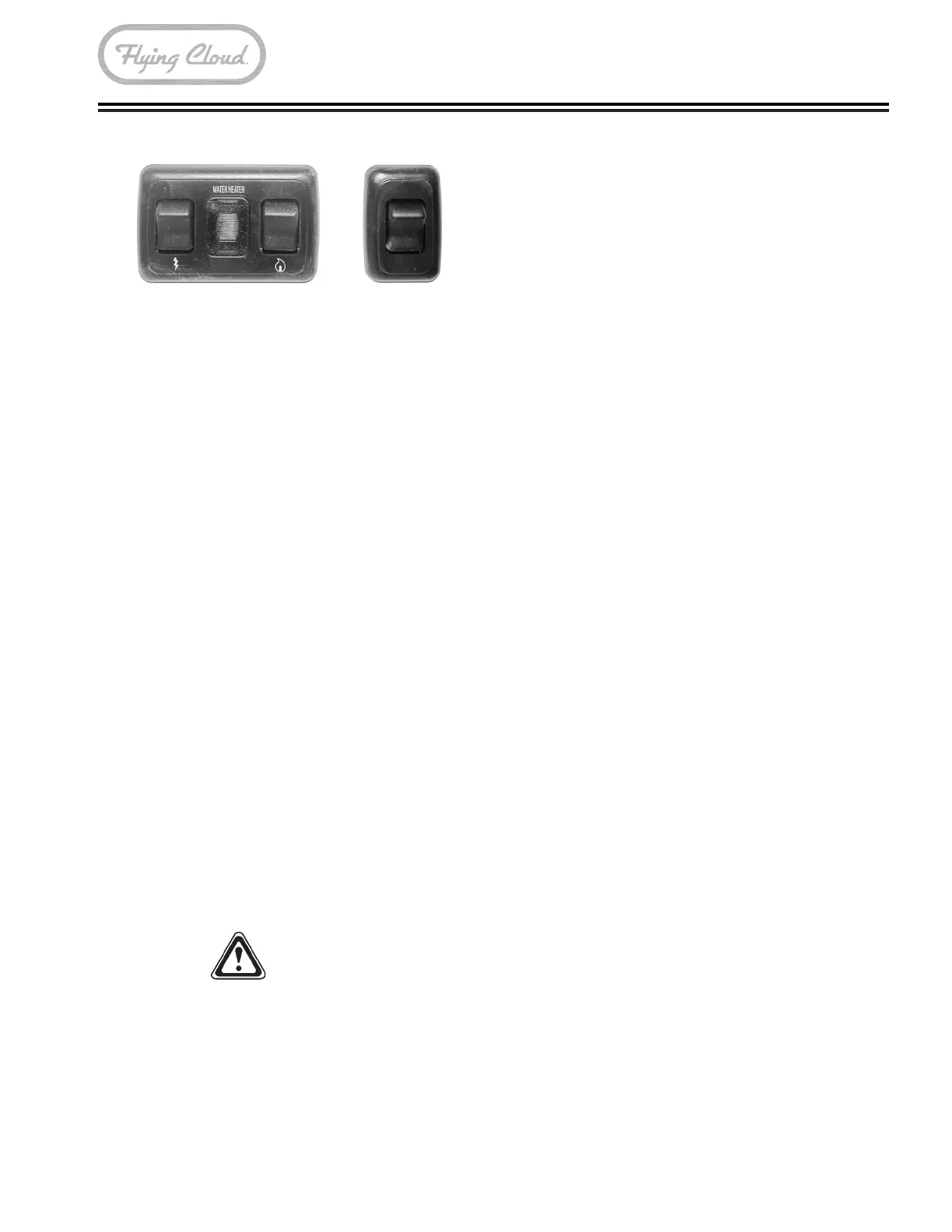
Bath Area Switches
Two switch panels are located on the bathroom wall�
The rst switch panel, with a single switch, controls
the lavatory lights� The second switch panel, with two
switches and a red indicator, is for lighting the water
heater�
Ceiling and Directional Lighting
All lighting in the Airstream trailer is LED and most will
require a replacement xture should it go out. The main
ceiling lights can be turned on/off or dimmed by the
switch at the entry door. Some light xtures may have
a push button switch located on the xture. Gently
squeezing the lens in the middle and pulling down
will remove the lens� The bed and lounge areas have
individually switched directional lighting�
NOTE
When dimming it is normal for LED lights to icker.
Lights should return to normal once they are set at
a desired brightness.
Storage Tips
Galley cabinets should have the heaviest items
stored on the bottom and lighter items overhead� After
loading, put skillets and canned goods on the oor or
bottom shelf, and cereals and crackers in the overhead
roof locker� Use unbreakable-type plates and saucers,
and consider storing your dish towels around them�
Clothes hung in wardrobes should be kept on hangers
that snap over the clothes rods to keep them from
bouncing off on rough roads� Try to avoid large bulky
coats� Layers of lighter clothing will usually keep you
warmer, are more versatile, and are easier to store�
WARNING
Keep ammable material away from the furnace.



 To Next Page