Interior
5-16 2020 Flying Cloud
2� It resumes charging the battery when the battery
voltage has dropped sufciently to accept
additional charge current�
3� It checks the availability of charge current, by
cycling the relay every 4 minutes� If there is
insufcient charge current available, it’s internal
relay will disconnect the battery to prevent
discharge through the solar panels at night�
Three different colored LED’s indicate the status of the
battery charge� Green = Full, Yellow = Partial, blinking
Orange = low� When orange LED is blinking, due to low
voltage, both the green and yellow LEDs will be dimly
lit� Manuals on their use are included with the Airstream
owner’s packet�
For those units manufactured without the solar panel
option, a 3-port plug-in has been pre-wired on the
roof� This port allows for roof mounted solar panels to
be installed after manufacturing without the need for
running wires� A single port has also been pre-wired
in the front of the unit near the battery box� This port
is a quick plug-in for a portable solar charging kit�
These ports are designed for solar panels added after
manufacturing�
Refer to Section 8 - Maintenance for Solar Panel
Wiring diagram and information�
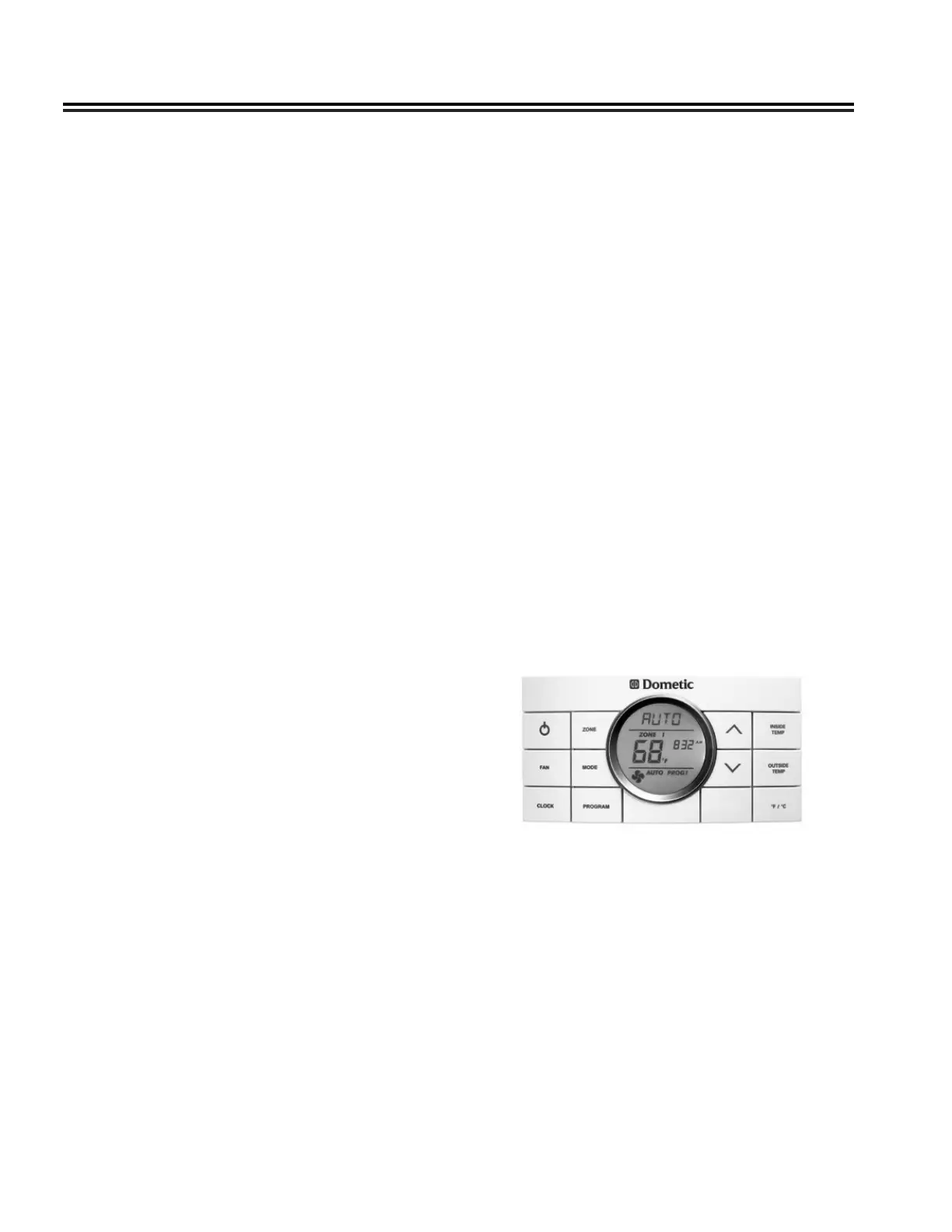
Thermostat
Follow the instructions provided in your Owner’s
Packet for operation of the thermostat�
NOTE
When using the FURNACE the fan speed should
be set on AUTO. Otherwise the AC fan will
continuously run.
To Read the Battery Voltage
1� Press the BATT button and release it, the display
will show the battery voltage on the LED display
2� If no other button is pressed, then the display will
shut down after about 5 seconds� If the BATT
button is held down, the display will continuously
recheck the voltage and show the updated value�
The reading may icker back and forth between
two values�
3� If another button is pressed before the 5 second
time is up for the BATT button, the display will
immediately switch to show the value for the new
button� The 5 second time-out is restarted every
time a button is pressed�
4� There is no hold mode for the battery voltage
To Program the LED Brightness
1� The display needs to enter the brightness
programming mode� To do this, press and hold
the BATT button; the display will show the battery
voltage�
2� While continuing to hold the BATT button, press
and hold the GREY button� Continue to hold
both buttons for approximately 5 seconds until
the display shows “bri” to indicate the brightness
programming mode� When this occurs, release
both buttons�
3� Press the GREY tank button to increase
brightness, or the FRESH tank button to decrease
brightness
4� When the display shows the correct brightness,
press the BATT button to exit the programming
mode�
Solar System
Airstream utilizes Zamp solar panels and a Sun-
Explorer charge control and display� Cut the cord to
expensive daily shore power hook-ups with the 12-volt
solar charging system� Ensuring the panels are clean,
not partially shaded by trees or other interference will
promote solar charging�
The Sunexplorer charge control performs these basic
functions:
1� It senses when the battery is fully charged and
disconnects the charge current to avoid over-
charging the battery�













 To Next Page