10
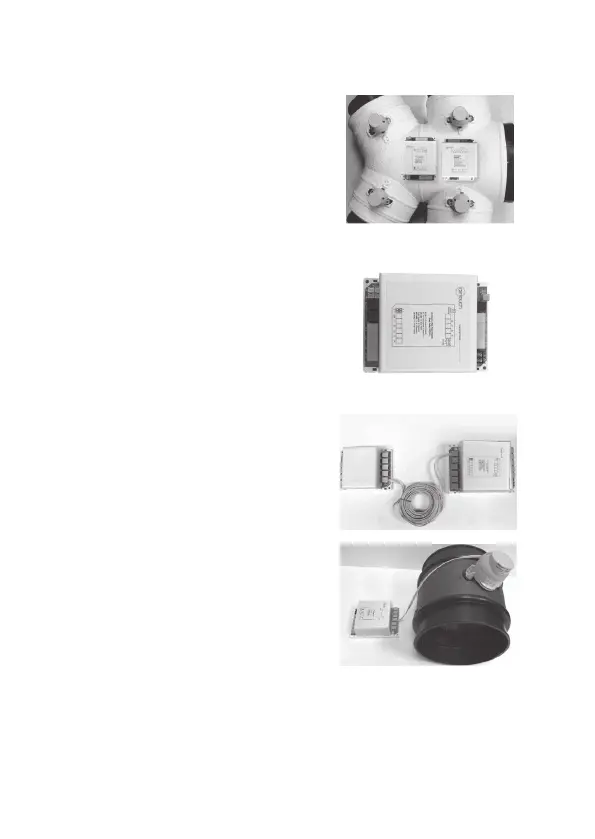
4.1 Mount the main and/or extension
modules (if using more than 8 zones) by
screwing the boxes to a roof frame or
Polyaire Diusion Fitting (PDF).
Do not place the modules on top of
the indoor unit. The high temperature
between the roof and the indoor unit
can damage the electronic components
over time.
4.2 Remove the two side covers on the
main module. All LEDs and sockets for
zone dampers are exposed.
4.3 If the extension module is used,
connect main module to extension
module at ‘E/M’ port on both modules
with a left latched cable.
4.4 Use pre-tested cable to connect ‘Z1’
port on the main module to the
motorized damper of the 1st zone.
Components Installation
4. Components Installation
4.5 Repeat step 4.4 to connect other
zone dampers to their relevant zone
ports on the main and extension
modules.


 To Next Page