15
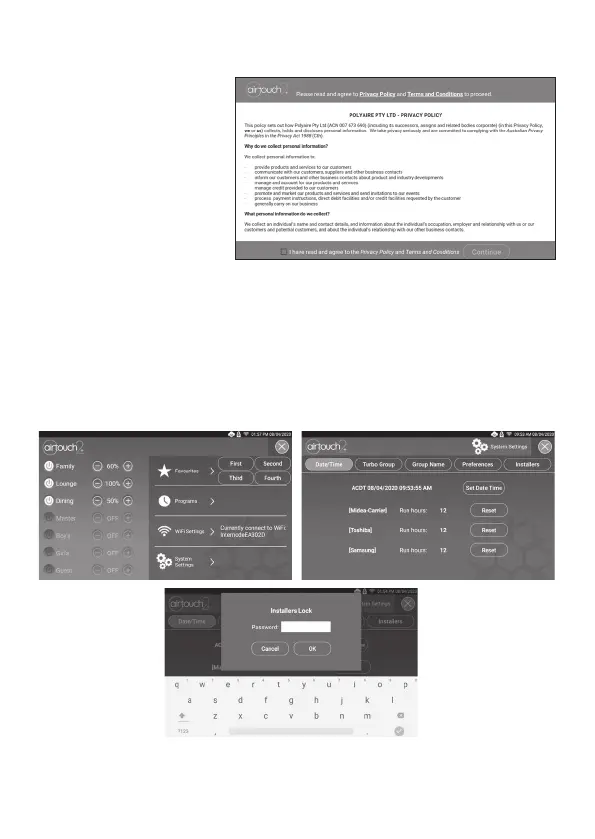
When the AirTouch 2+ is rst
powered up, the Privacy
Agreement page will come up.
The installer or owner has to
agree with the agreement to
proceed with commissioning
of the system. Tick to agree
and press the Continue button
to proceed.
There are two sets of settings, the installer’s and user’s. In the installer’s settings, the
following can be set: parameters, zone setting, spill/bypass, grouping, service and AC.
These settings are protected by a password which has default value Polyaire but
can be changed. Touching Installer’s button in the Settings list will bring up password
input page. After inputting the correct password, installer’s setting page will come up.
In the user’s settings which are discussed in the User’s Manual, the following can be
set: owner name, date/time, group name, WiFi, turbo group, touch tone, child lock
and other user related settings.
5. Recommended Commissioning Procedure
Recommended Commissioning Procedure


 To Next Page