27
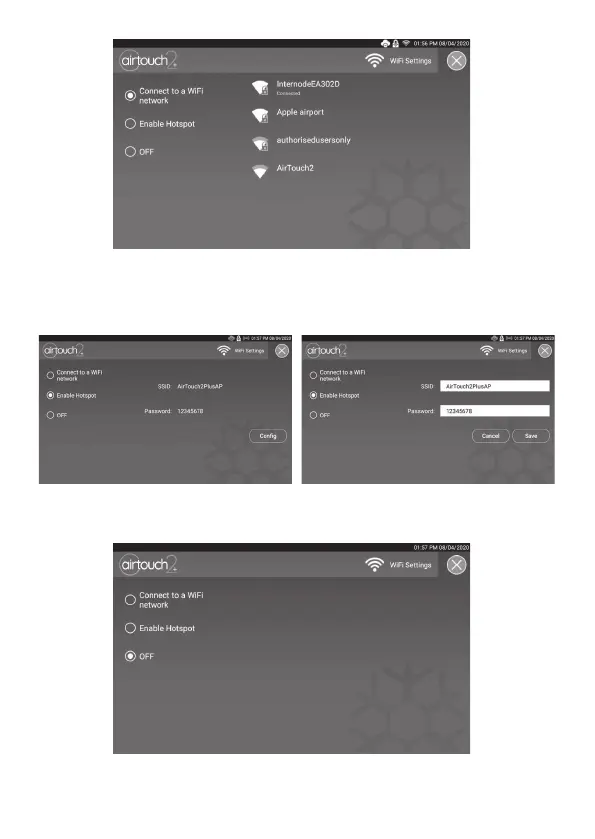
The AirTouch 2+ console can also be used as a hotspot. Mobile devices can
connect to it and run the AirTouch 2+ app to control the system. In this case,
the mobile app cannot be used over the internet. Tick Enable Hotspot and
congure the hotspot as required. The online update will not be available.
In some extreme situations where the WiFi is not required, the WiFi of the
AirTouch 2+ can be turned o by ticking O on the setup page as below.
In this case, the AirTouch 2+ apps cannot be run and its online update
is unavailable.


 To Next Page