EasyManua.ls Logo

AirTrack S2 - Programming Mode Configuration Acceptance; Programming Mode Cancel Item Entry; Error Codes and Troubleshooting

AirTrack S2
40 pages
Print Icon
To Next Page IconTo Next Page
To Previous Page IconTo Previous Page
Loading...
Quick Reference
Guide
25
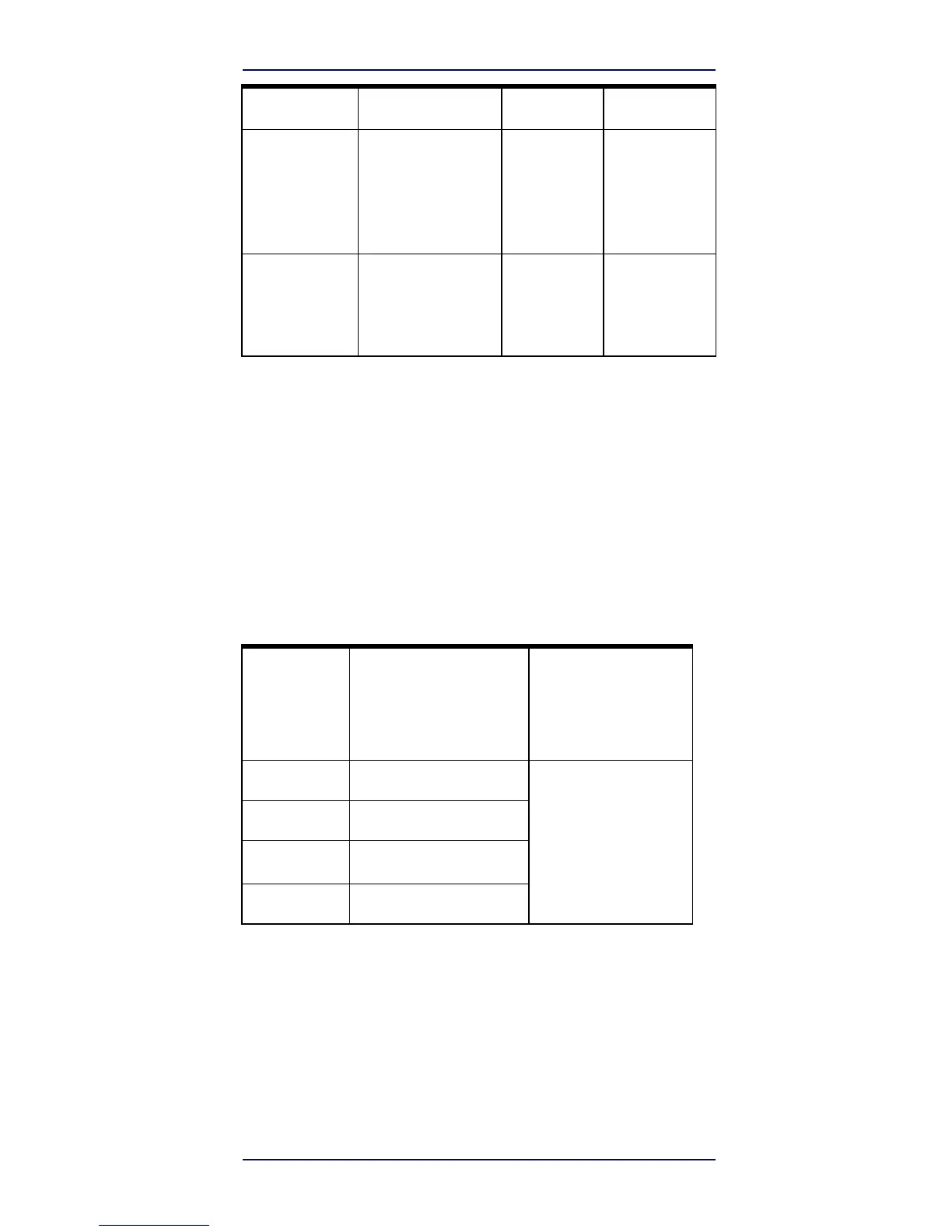
Error Codes
Indicator
Description
LED
Beeper
Label Programming
Mode Acceptance
of
Programming
Configuration
option(s)
have been successfully
pro
grammed via labels
and
the reader has exited
Pro-
gramming
Mode.
N/A
Reader sounds
one
high frequency
beep
and
4
low
frequency
beeps followed
by
reset
beeps.
Label Programming
Mode Cancel
Item
Entry
Cancel label has
been
scanned.
N/A
Reader sounds
two
times at low
fre
quency and
current volume.
Error Codes
Upon startup, if the reader sounds a long tone, this means
the reader has not passed its automatic Self test and has
entered FRU (Field Replaceable Unit) isolation mode. If the
reader is reset, the sequence will be repeated. Press and
release the trigger to hear the FRU indication code.
The following table describes the LED flashes/beep
codes associated with an error found.

Number
of
LED
Flashes/
Beeps
Error
Corrective Action
1
Configuration
Contact Helpdesk for
assistance
2
Interface
PCB
6
Digital PCB
11
Imager

Related product manuals