H-BASS (High BASS)
You can enjoy music with strong bass sound.
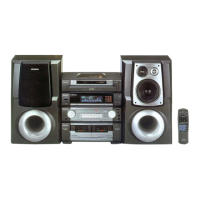
1 Press SELECT repeatedly to select
H-BASS (High BASS) mode.
2 Rotate the Jog Dial to select the bass
sound level.
The bass sound level changes as follows.
When H-BASS is activated, the “H-BASS”
indicator lights up.
↓
OFF
H-BASS 1 Low
H-BASS 2 Medium
H-BASS 3 High
↑
↔↔↔
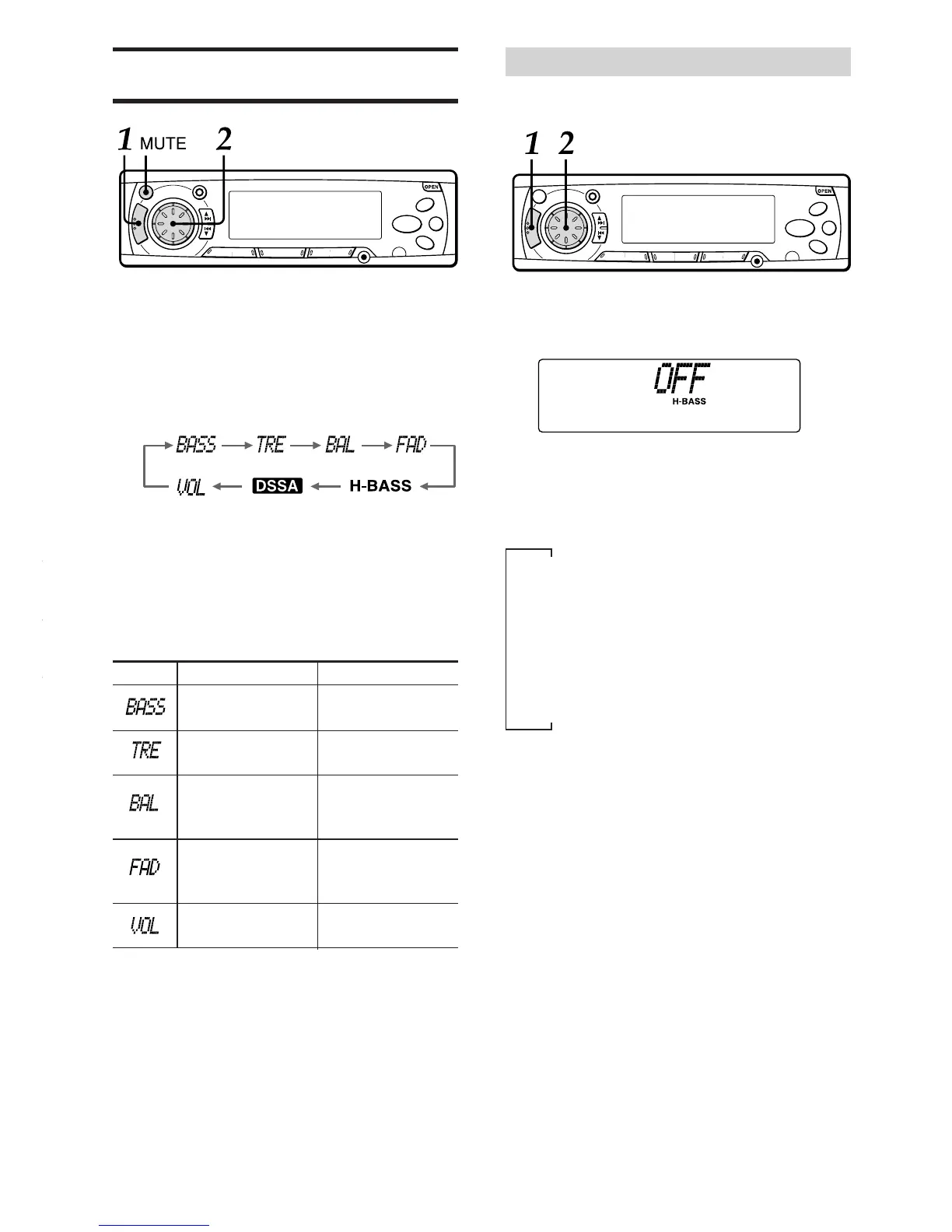
SOUND ADJUSTMENTS
1 Press SELECT repeatedly to select the
mode that you wish to adjust from:
BASS, TRE (treble), BAL (balance), FAD
(fader) and VOL (volume).
Each time you press SELECT, one of the
following indicators appears, in cyclic order.
If you do not proceed with the following step
2 within 5 seconds, the selected mode is
canceled, and the indication returns to the
current source mode.
2 Rotate the Jog Dial to adjust the level.
Adjust each mode referring to the audio
control indications in the display window.
Without selecting any mode with SELECT,
only the volume level can be adjusted by
rotating the Jog Dial.
MUTE button
Press this button to temporarily lower the volume.
Press it again to restore the previous volume.
The “MT” indicator flashes while the mute function
is active.
Clockwise
Increases the
bass level
Increases the
treble level
Decreases the
level of the left
speaker(s)
Decreases the
level of the rear
speakers
Increases the
volume level
Counterclockwise
Decreases the
bass level
Decreases the
treble level
Decreases the
level of the right
speaker(s)
Decreases the
level of the front
speakers
Decreases the
volume level
13
ENGLISH



 To Next Page