CONNECTING A
PORTABLE CASSETTE/
MD/MP3 PLAYER OR
OTHER EQUIPMENT
This unit is equipped with a line-level input (AUX
IN) jack, enabling high sound quality.
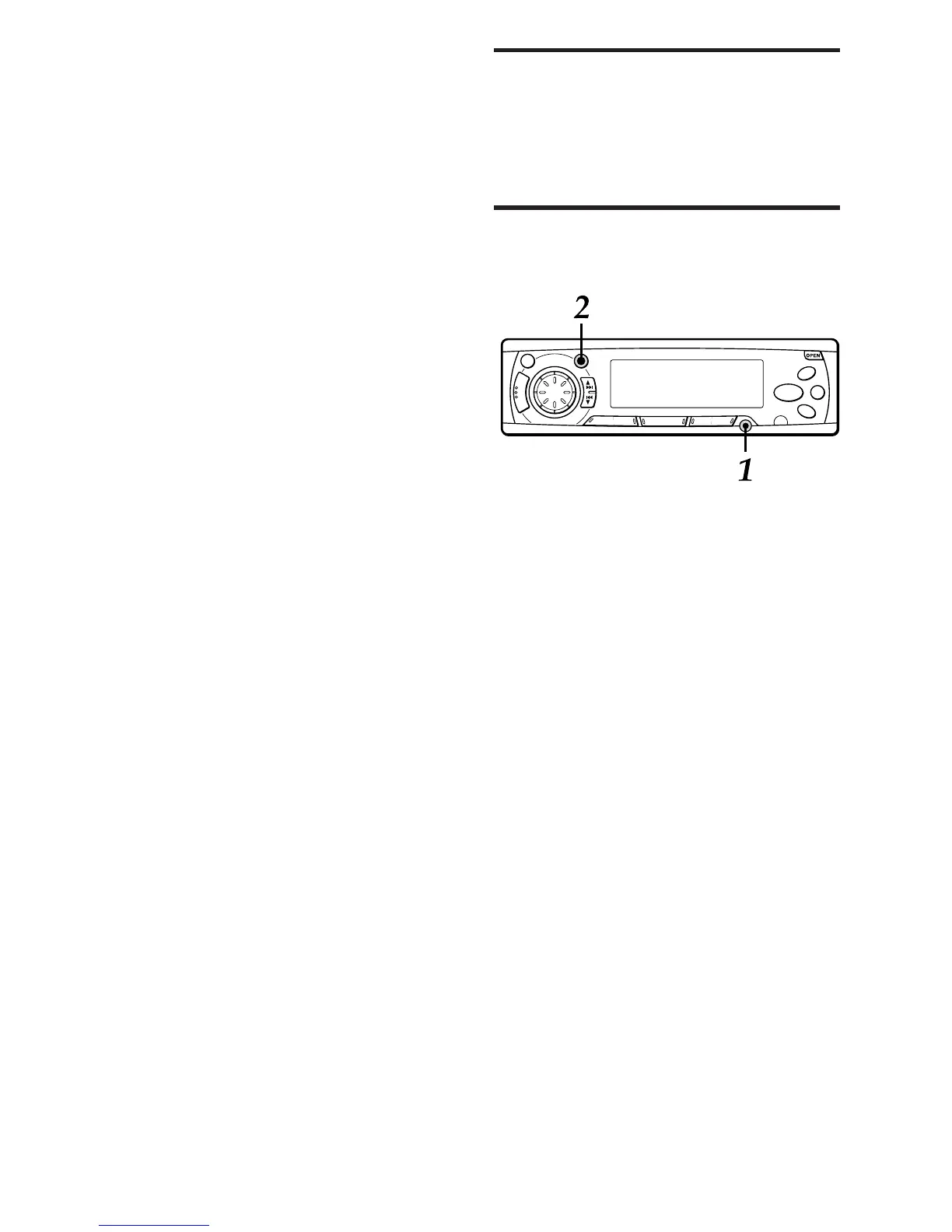
1 Connect a portable cassette/MD/MP3
player, etc. via the AUX IN jack (3.5-mm
dia.) of the unit.
2 Press FUNCTION repeatedly to select
AUX IN mode.
The “AUX IN” indication appears.
3 Start playback from the connected
equipment.
• For further information on the portable cassette/
MD/MP3 player, etc., refer to the operating
instructions for that equipment.
ENGLISH
16
Random play (with optional AIWA CD changer
only)
Press RANDOM (the “RANDOM” indication
appears).
All the tracks on the current CD are played in
random order.
To cancel Random play, press RANDOM again.



 To Next Page