HD10MD4 Mini-Converter v1.1 www.aja.com
13
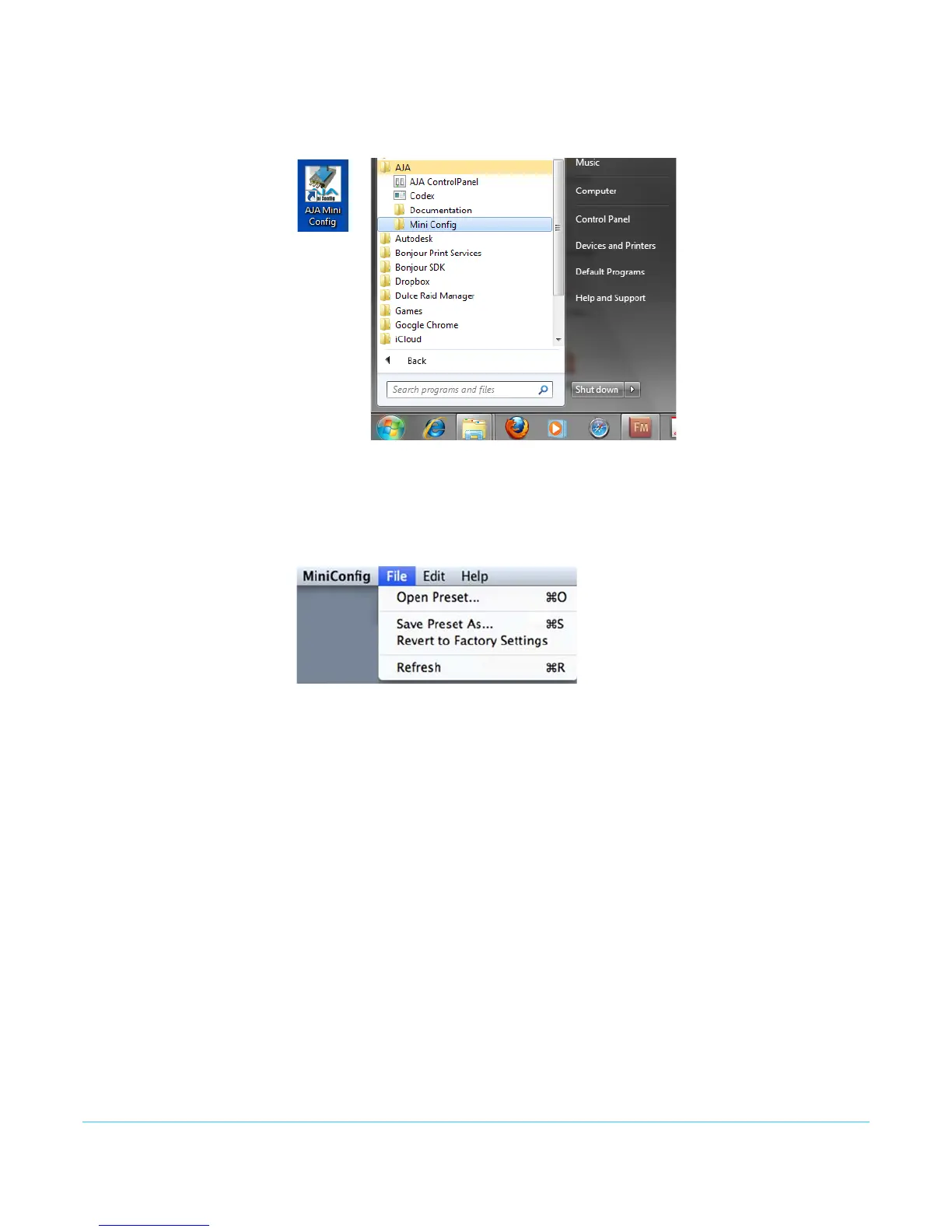
PC Startup To run Mini-Config on a PC, double-click on the AJA Mini-Config icon on your desktop, or
open the AJA folder in the program list and click on the AJA Mini-Config application
located inside the Mini-Config folder.
Mac Startup To run Mini-Config on a Mac, open the Applications folder and locate the AJA Mini-
Config application. Double-click the application to launch it.
Saving Setups A File drop down menu on the Mini-Config application bar allows you to save the current
state of the Mini-Converter to a preset file for later recall.
Using this feature you can set up the converter for different applications, storing each
configuration (Save Preset As...) with a unique name for easy recall (Open Preset...).
A Revert to Factory Settings menu item similarly allows you to change the settings
back to AJA’s factory defaults.
Operating Mini-
Config
The Mini-Config application provides a graphic interface for viewing settings and
updating software. It consists of an information area at the top that shows the available
Mini-Converters attached to the computer via USB, with a graphical rendering of the
selected Mini-Converter showing all the connectors and their current state.
Colored text next to the connectors indicates the signal type and what the Mini-
Converter is doing:
• Blue text indicates the values automatically selected
• Black text indicates values that you have manually selected
• Red text indicates the Mini-Converter is not detecting a signal, or cannot operate with
the current user settings.
NOTE: Even if no output device is detected, the SDI connector text still shows the signal it is
outputting.


 To Next Page