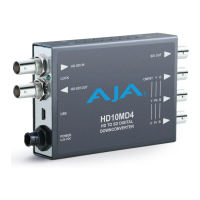
HD10MD4 Mini-Converter v1.1 www.aja.com
9
DIP Switch Settings
Table 1. HD10MD4 DIP Switch Setting Descriptions
SWITCH FUNCTION DIP Set LEFT, OFF (default) DIP Set RIGHT, ON
1 Remote LOCAL (DIP switch) control REMOTE (Mini-Config) control
2 Analog
output
Selects Component output
(CMPNT)
Selects composite video output
(CMPST)
3 Type of
Component
Video on 3
Output
BNCs
Selects YPbPr Selects RGB
4 Pedestal Pedestal OFF Pedestal ON. This setting also
changes analog output to BETA
levels when in YPbPr mode.
NOTE: Pedestal is only active if the analog output is 525i
composite, or 525i component and Component Color Space is
RGB or YPbPr (Betacam).
5 Crop No Crop (OFF) Crop ON (if S6 switch MONITOR
is set to 4:3)
6 Set Monitor
Output to
4:3 or 16:9
Selects 4:3 Selects 16:9
NOTE: Monitor setting only via DIP switch. Mini-Config
equivalent controls are HD Down Convert.
7 Focus Turn Focus OFF Turn Focus ON (Zoom to center
720 x 486 image)
8 Graticule Turn Graticule OFF Turn Graticule ON (4:3 safe
area)
NOTE: Graticule is only available with HD (16:9) input, Crop is
Off, a 4:3 Monitor output setting, and Focus is Off.


 To Next Page