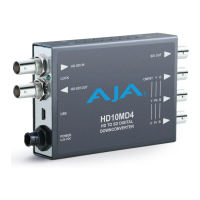
HD10MD4 Mini-Converter v1.1 www.aja.com
14
NOTE: Configuration settings in red will change based on the attached output device as well as input
signals. For improved accuracy and reliability, you should configure the Mini-Converter only
when the target output device is attached and input signals are supplied at the inputs.
Screens are virtually the same on both PC and Mac, with subtle differences that reflect
the general look of the platform environment.
Running Multiple Mini-
Converters
Mini-Config can manage multiple AJA Mini-Converters connected via USB—even when
they are of differing types. However it only connects to one at a time. You can choose
which Mini-Converter you wish to control using the pulldown menu in the upper right
hand corner. If you want to configure multiple Mini-Converters in parallel, you can do it
by running multiple instances of the Mini-Config application and have each control a
different Mini-Converter.
NOTE: During a Mini-Converter firmware update, only one Mini-Converter should be connected
to the computer via USB.
Figure 4. Example Mini-Config Screen
NOTE: The LOCK LED indicates valid input video by color. Off is no signal, green is SD video, red is HD
video.
Selecting a Mini-Converter with the pulldown menu causes this application to connect to
the selected converter. The graphic of Mini-Converter and text below it provides:
• Type of converter
• Firmware version
• Serial number of the unit.
A status field at the bottom of the screen shows if your application is connected and
communicating with the Mini-Converter.
Tabbed screens
Message
Showing
Status
Each connector is
labeled with the signals
currently detected or
manually selected.
Select a USB port and an
attached Mini-Converter
(name in parentheses)
Firmware version Serial Number


 To Next Page