HD10MD4 Mini-Converter v1.1 www.aja.com
15
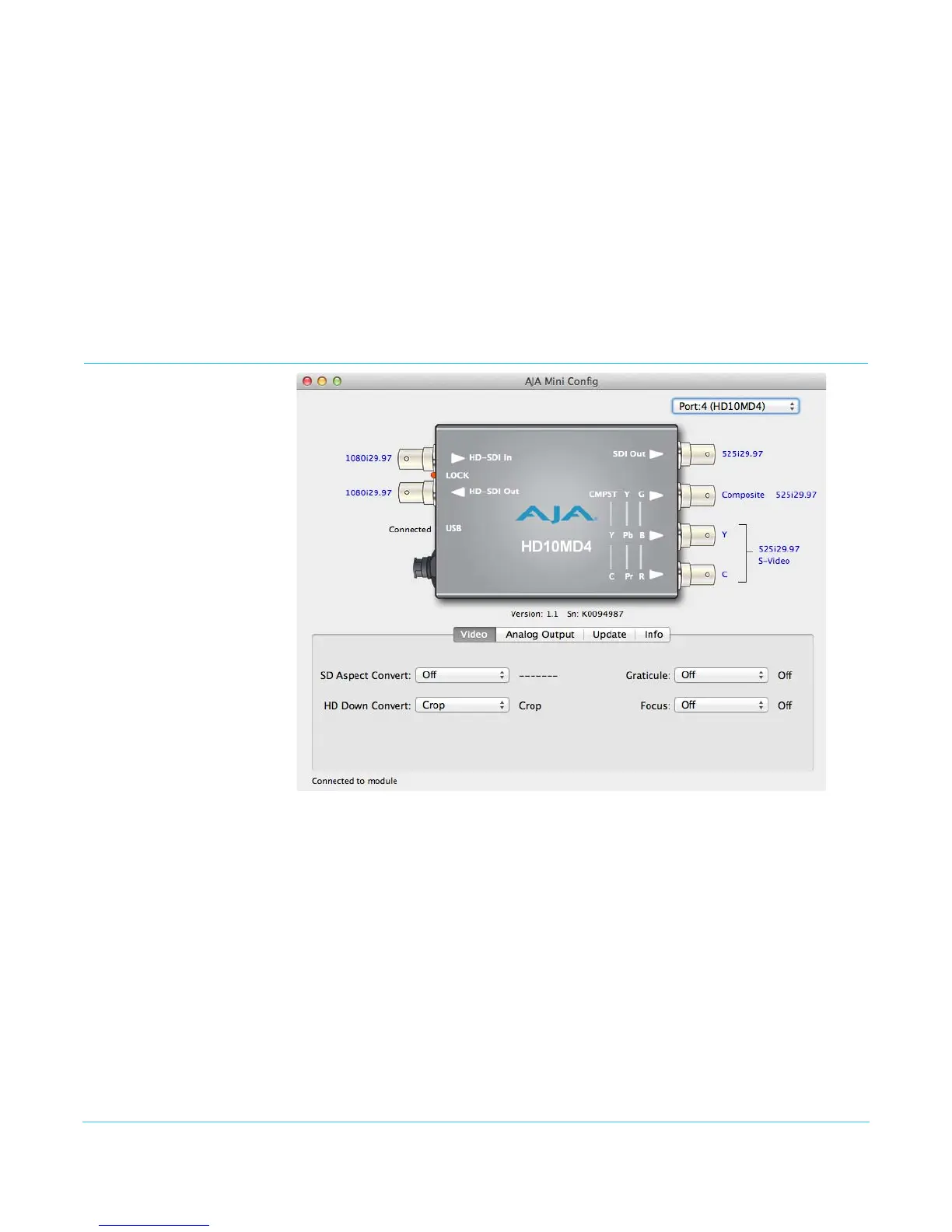
When configuring the Mini-Converter, select it from the top pulldown, view the current
settings and change any values. Making a change communicates that new value to the
Mini-Converter’s non-volatile memory.
Tabbed Screens The Tabs delineate control screens with groups of controls for each type of task to be
performed.
The controls for the actual configuration parameters are specific to each Mini-Converter
type. When you Click on any of the tab buttons, the pane below the tabs will change to
match your tab selection. Any changes you make are immediately applied and will be
saved, overwriting previous settings.
Video Screen
Click on the Video tab to view and make changes to the converter’s video processing
settings.


 To Next Page