HD10MD4 Mini-Converter v1.1 www.aja.com
17
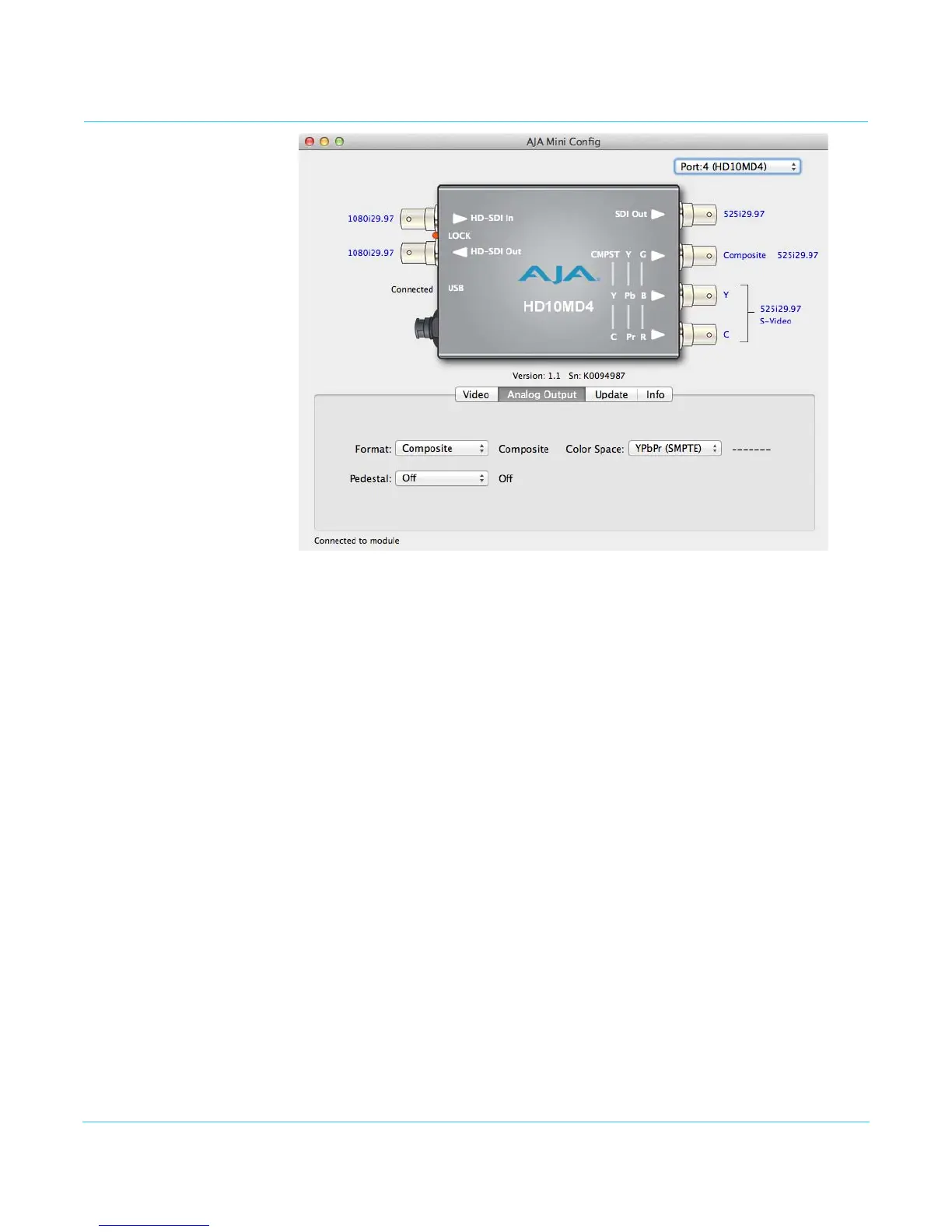
Analog Output Screen
Click on the Analog Output tab to view and make changes to the converter’s analog
video output settings.
Format Selects the desired analog output video format:
• Composite (default)
• Component
Pedestal Sets the analog video black level:
• Off (default) - Sets black level at 0 IRE.
• On - Sets black level at 7.5 IRE
Pedestal is only active if the analog output is 525i composite, or 525i component and
Component Color Space is RGB or YPbPr (Betacam). When inactive, status is dashes.
Color Space Selects the desired output video format color space:
• YPbPr (SMPTE) (default)
• YPbPr (Betacam)
•RGB


 To Next Page