Configuration / Volume control
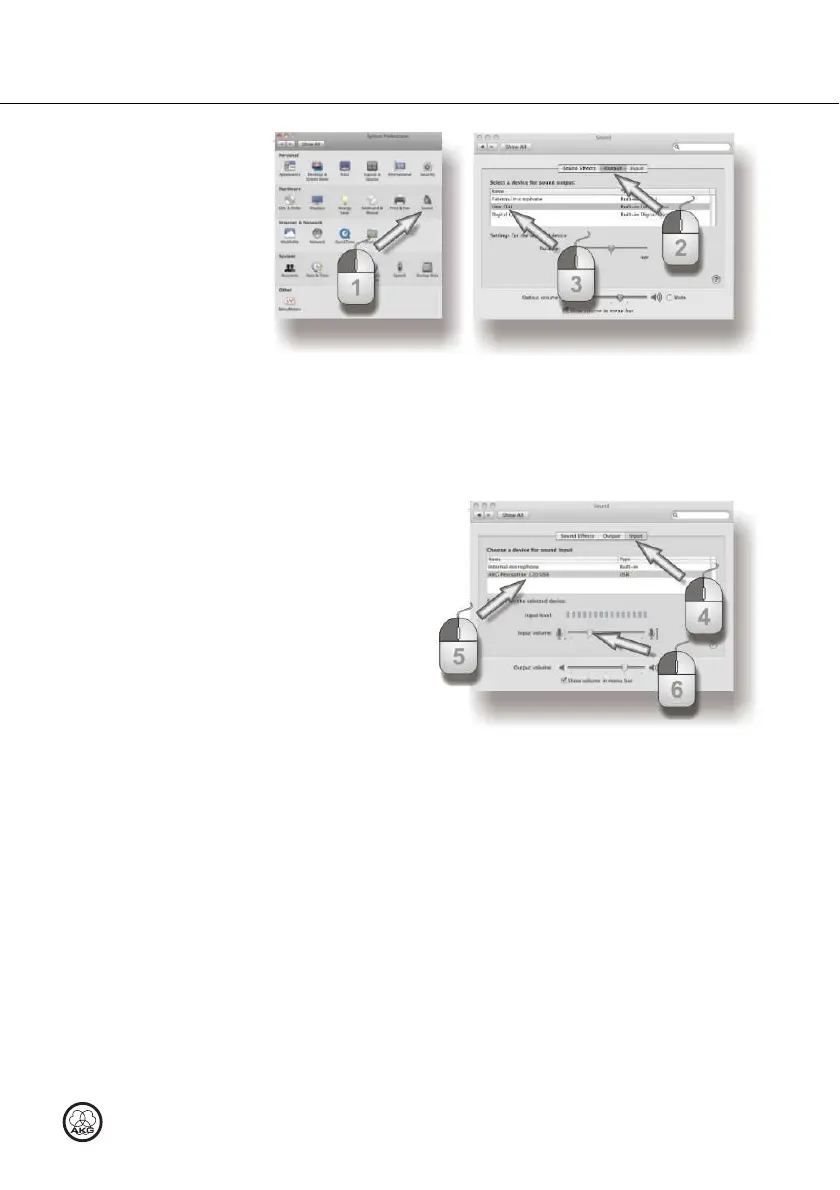
Figure 9: Sound settings in MAC OS
1) Open the sound settings in the system preferences.
2) Select the Output tab.
3) Recommendation: The Sound playback device must be changed from
"Perception 120 USB" back to the original playback device.
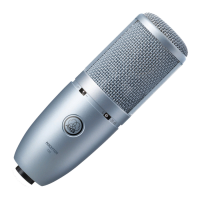
Figure 10: Volume control in MAC OS
4) Select the Input tab.
5) If the AKG Perception 120 USB is not selected automatically on the list of
sound recording devices, highlight it in the list.
6) Open the volume control in your recording software or use the slider to
select the volume required for your recordings, see Level se
Level seLevel se
Level settings
ttingsttings
ttings (Page
24).
MAC OS X



 To Next Page