HP105/HP405 User manual
Page. 6
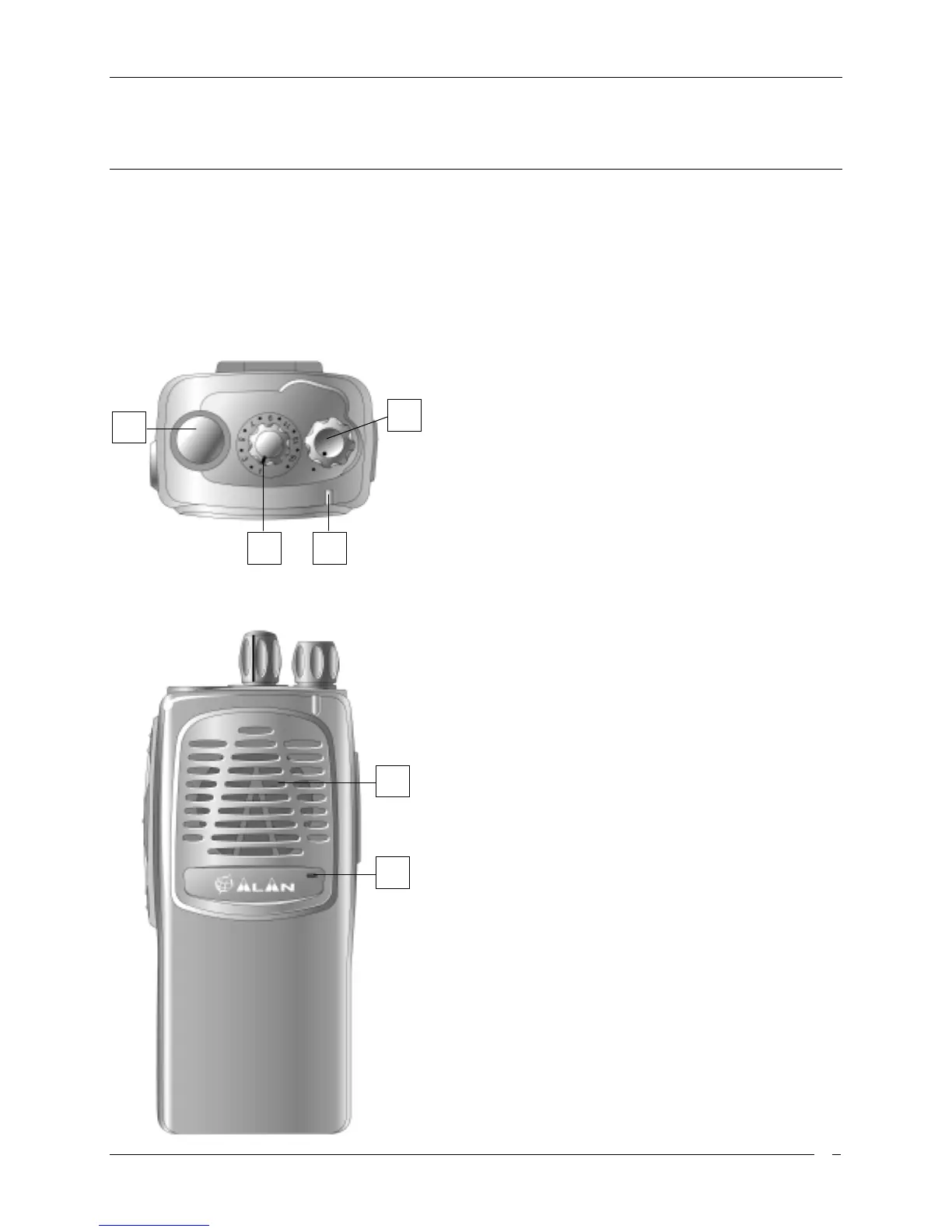
Part Names and their functions
Please have a look to the following parts description in order to familiarize with the transceiver’s main parts
and controls. Numbers in brackets refer to the illustration.
Top
[1]
Antenna connector.
Fit the antenna to this
connector (MX thread type).
[2]
Power ON/OFF knob.
Rotate this knob to turn the
transceiver on and off.
[3]
Channel selector knob.
Rotate this knob to select
the operative channel.
[4]
Status LED
. Glows in different colors to show the
current radio’s status.
Front
[5]
Speaker
. The built in speaker located in this point
emits the reception sound.
[6]
Microphone
. Your voice is detected by the
microphone located in this place
1
2
43
5
6



 To Next Page