HP105/HP405 User manual
Page. 9
Fitting/removing the antenna
To fit the antenna:
1) Locate the antenna terminal (thread MX connector) on transceiver’s top.
2) Hold the transceiver with one hand and the base (the thicker part) of the antenna with the other one.
3) Attach the included rubber ducky antenna to the antenna terminal by turning it clockwise until it is firmly
locked. Don’t overtight it.
To remove the antenna do the same described procedure. At step 3 turn the antenna base
counterclockwise.
"
Leave the antenna fitted on the radio. You can’t communicate without it. Moreover,
transmitting without the antenna may damage the TX output final stage. For the same reason
use only the supplied antenna.
!
The supplied antenna is broadband type and covers the whole spectrum, so it doesn’t need any
alignment procedure.
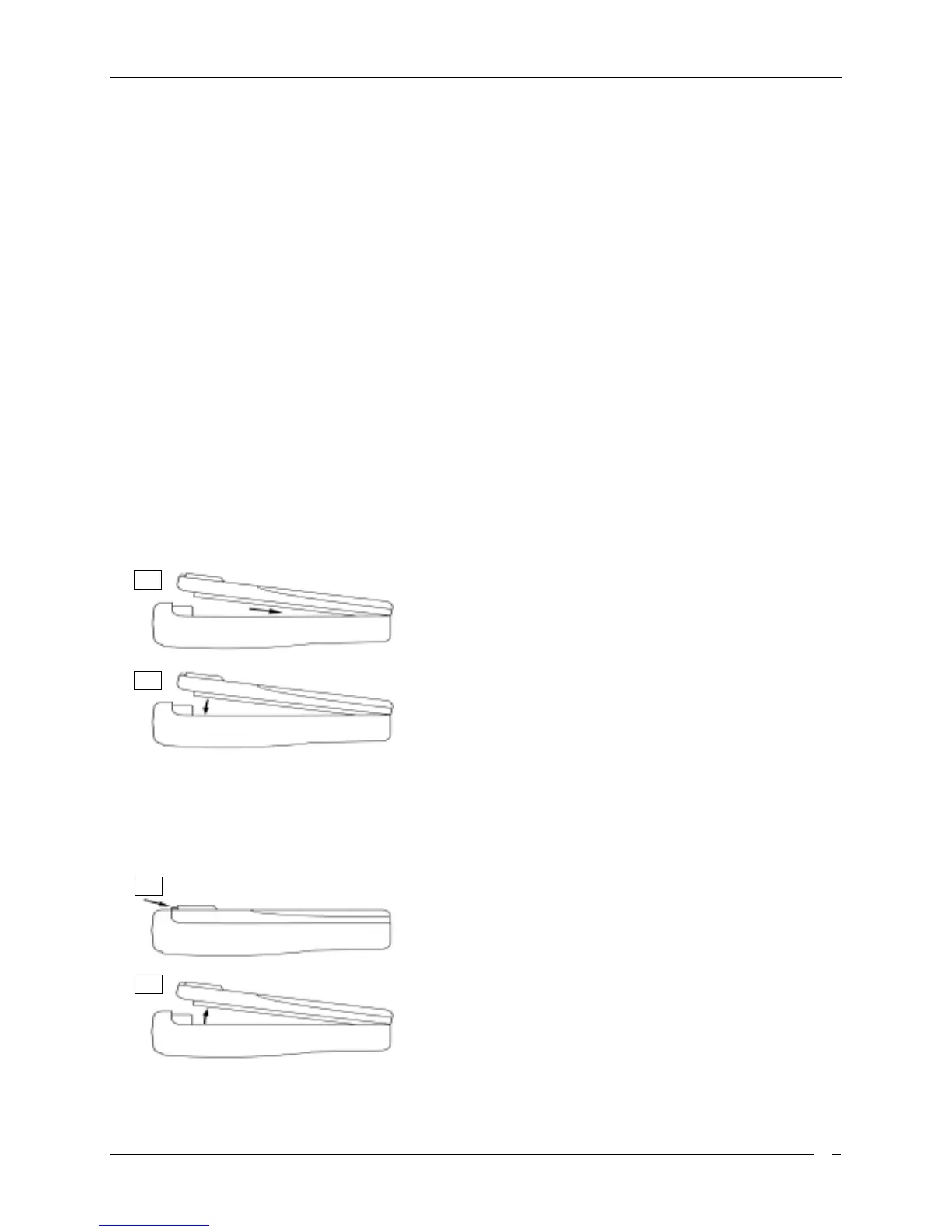
Installing/removing the battery pack
To install the battery pack:
1) Hold the transceiver’s body with one hand and the battery
pack with the other. Put the battery pack onto the bottom of
the transceiver.
2) Gently push the battery pack toward the transceiver’s back
edge.
3) At the end you will hear a click: the battery pack will snap into
place and should be firmly locked.
To remove the battery pack:
1) Press the battery release button located in the back of the
battery pack.
2) Keep the button pressed and gently pull the battery pack
away from the transceiver back edge (the opposite operation
of the previous step 2).
3) Remove the battery pack by separating it from the
transceiver’s body.
1
2
SLIDE DOWN
PUSH DOWN
1
2
PUSH DOWN
LIFT UP



 To Next Page