16 | Alarm.com Smart Thermostat Product Manual
Exclude the Thermostat From the Z-Wave
Network
If for some reason the thermostat must be
excluded from the network, follow the steps
below to do so.
1. Set the thermostat to OFF mode.
2. Press and hold the exclude button on
the Z-Wave controller. Refer to controller
documentation for more information.
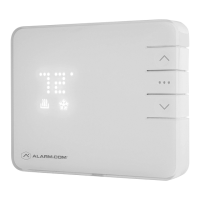
3. Press and hold the DOWN ) button on
the thermostat to enter exclusion mode.
Release the button when the RADIO ( )
icon lights up.
4. When the RADIO ( ) icon becomes solid the
thermostat has now been successfully excluded
from the network.
Batteries Drain Quickly
If a thermostat is included using a “C” Wire, that
information is saved in the network and cannot
be changed unless excluded and included again
without a “C” Wire connected. The same applies to
thermostats included on battery power.
If you nd your thermostat batteries are
draining unusually fast, make sure the “C”-Wire
connection is still intact. If a device is included
using the “C” Wire, the Z-Wave communication
never sleeps, and the thermostat will act as a
repeater, sending messages for other devices as
well. If the “C” Wire is removed, this kind of activity
will drain the battery very quickly.


 To Next Page